Collect a deposit online
Optionally take a deposit at the time of booking, so the date is held with real commitment — not just a hopeful enquiry.
Add a branded booking form to your website. Customers send full event requests 24/7 — date, guests, room, menu — and every one lands straight in LightCater, ready to turn into an event in one click.
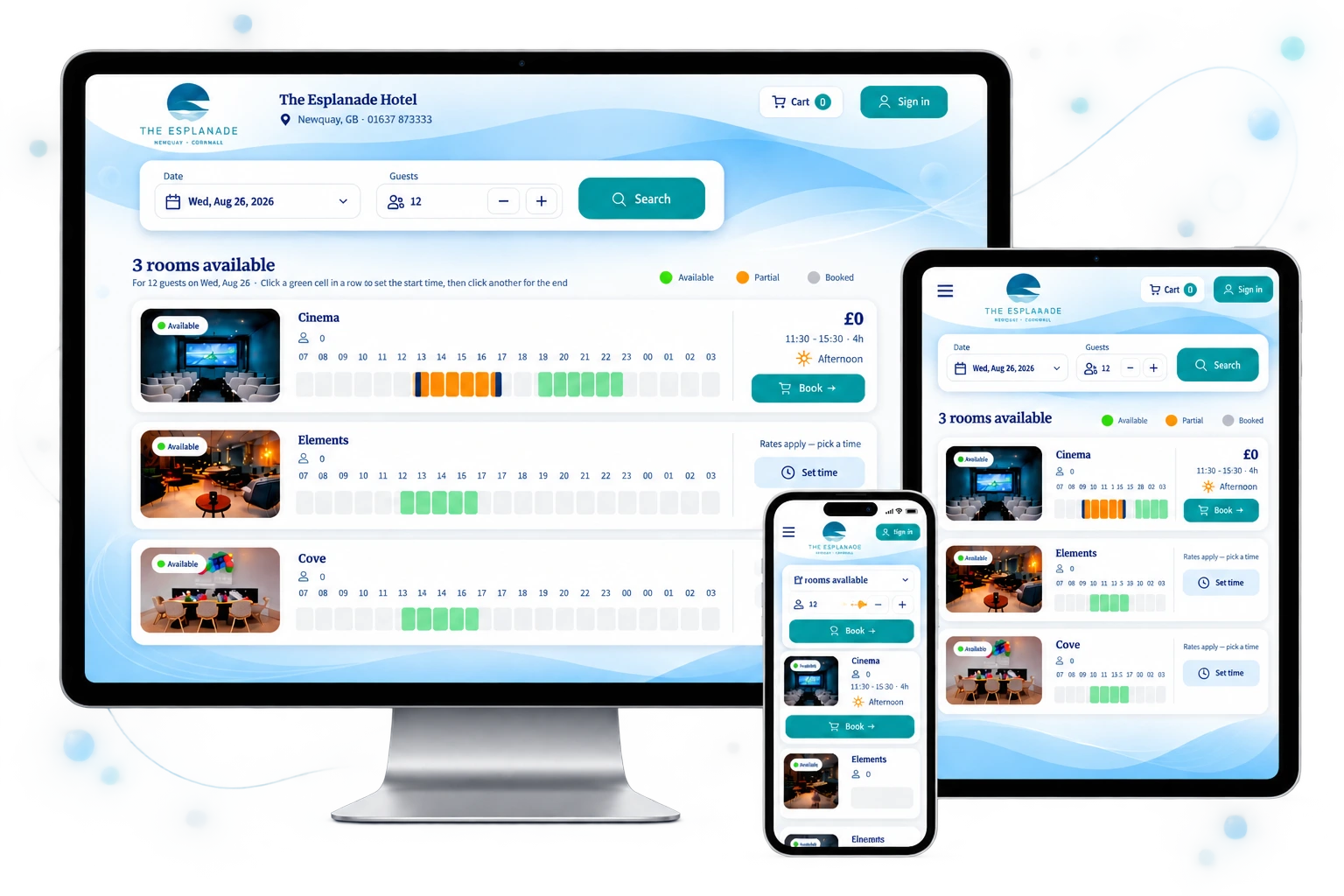
Works on your website · Captures real event details, not just "contact me" · Every request flows into LightCater — no re-typing
Most "contact us" forms give you a name and a vague message. LightCater's online booking captures the whole event — so the request is already half a contract.
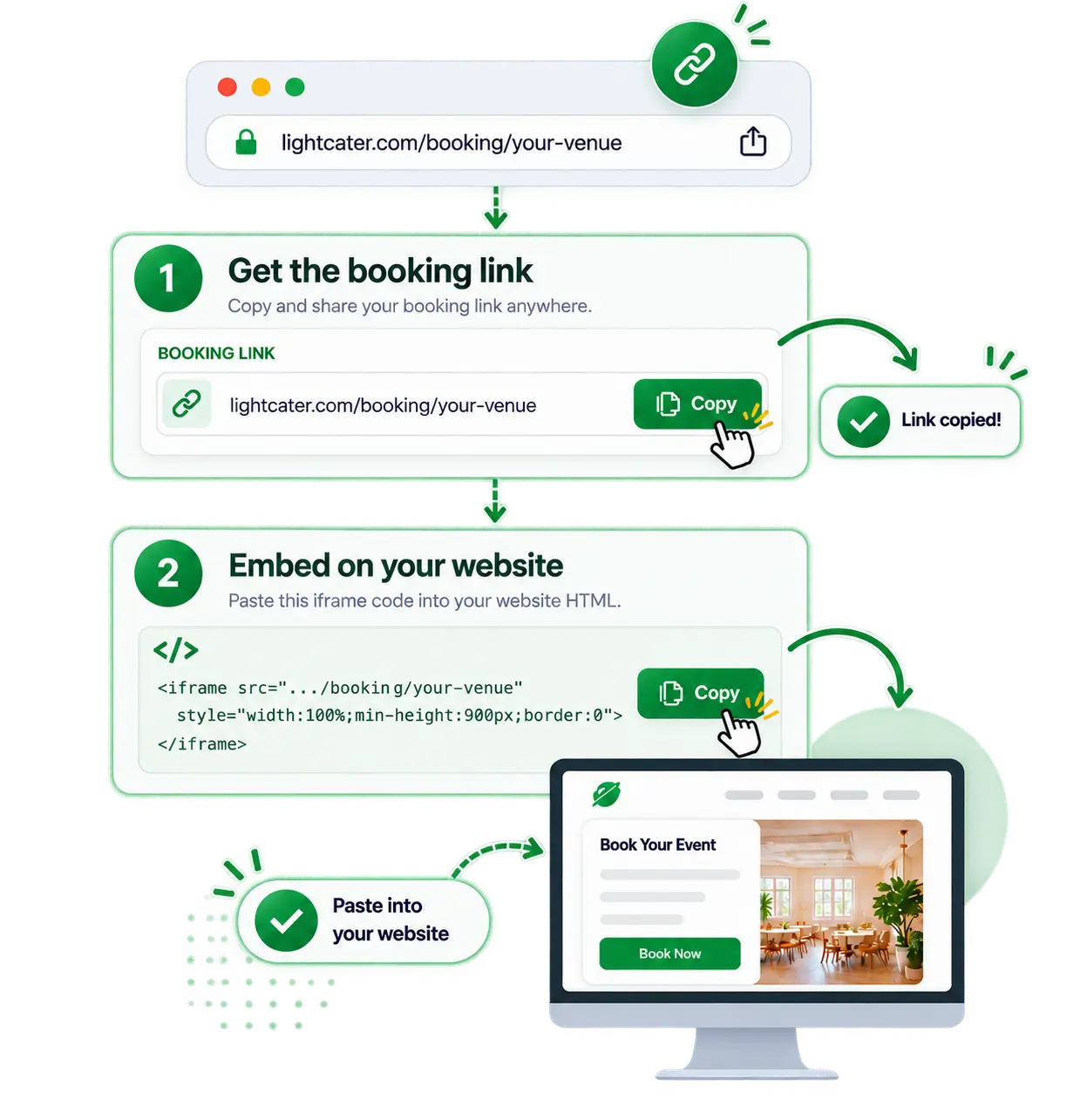
Turn online booking on in LightCater and you get a shareable link plus an iframe snippet. Paste it into your website, add it to your Instagram bio, or send it in an email — wherever your customers are.
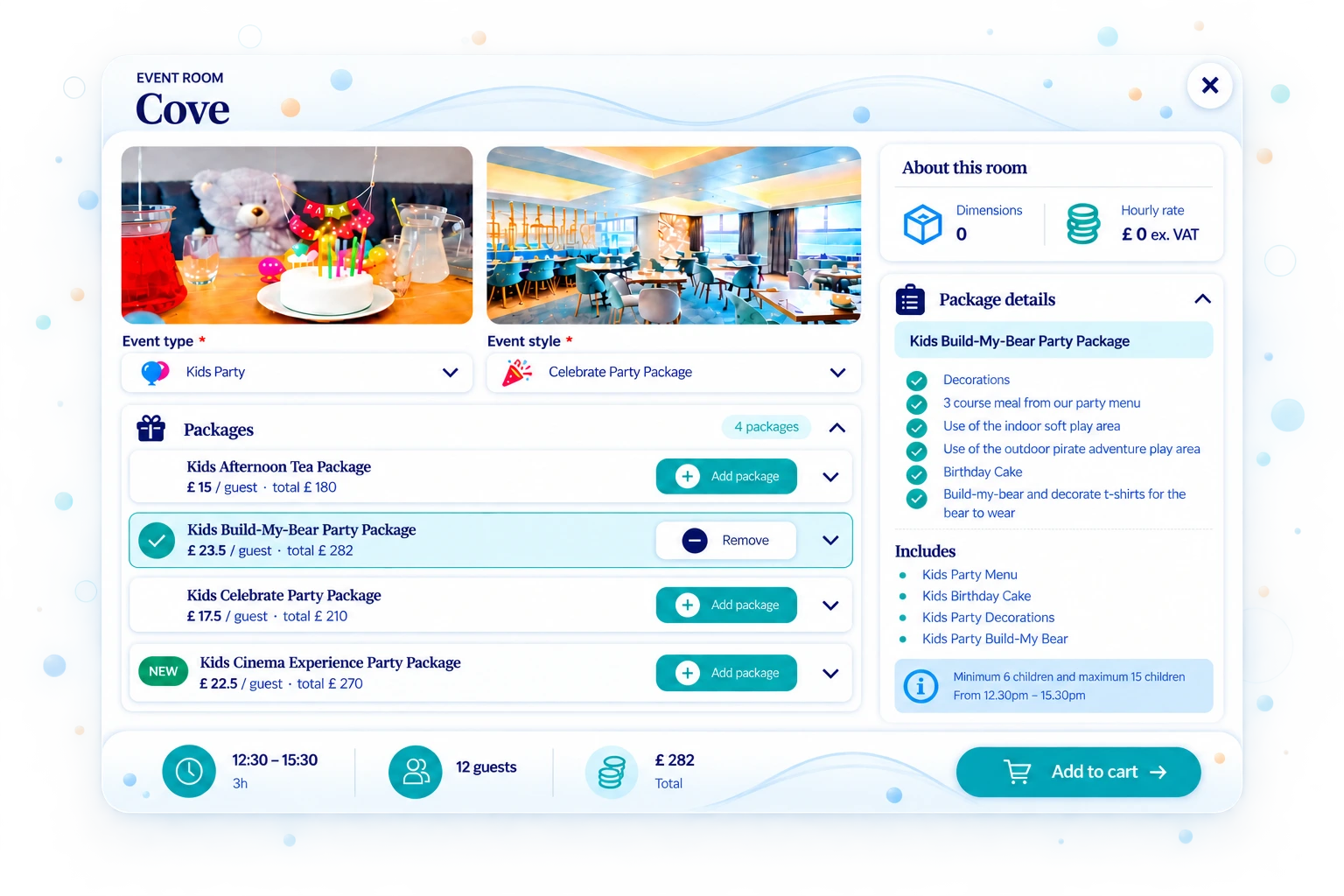
You decide what the form collects — event type and style, date and time, guest count, room, menu, A/V needs, how they heard about you, and more. Customers self-qualify before they ever reach your inbox.
Every submission appears under Online Requests in LightCater. Review the details, then import — and the customer, contact, event, room, menu and deposit are created for you. No copy-paste, no re-typing.
Optionally take a deposit at the time of booking, so the date is held with real commitment — not just a hopeful enquiry.
Your logo, your colours (custom CSS), your domain feel. The form speaks English, German, French, Italian or Spanish for international guests.
A request isn't locked into one path. Decide what each one becomes — book it, hold it, or nurture it.
Import a request in one click and LightCater builds the customer, contact, event, room, menu and deposit for you — no re-typing.
Not ready to confirm? Keep it as a lead in your inbox, qualify it, and follow up when the timing is right.
Optionally take a deposit at the time of booking, so the date is held with real commitment — not just a hopeful enquiry.
Lock the room on booking so the same space can't be double-booked while you finalise the details.
Every request arrives with event type, date, guest count and menu — so you can triage and prioritise the best ones fast.
New requests can auto-email your sales or events team, so nothing sits unseen and every enquiry gets a fast reply.
Enable Online Booking in LightCater and choose what the form asks. Set your rooms, menus, rules and branding.
Copy the link or the embed snippet onto your site. Customers can now request events any time of day.
New requests land under Online Requests. Import to a full event in one click and carry on from there.
Try LightCater free for 14 days, or book a quick demo and we'll set up your booking form with you. No pressure, no setup fees.