Never lose an enquiry to a sticky note again.
Capture every event enquiry — web form, phone call, email or walk-in — in one place, and track each one from first contact to signed booking. Every lead has an owner, a next step and a status, so nothing slips through and nothing goes cold.
One inbox for every enquiry.
The wedding email, the phone call about a corporate lunch, the walk-in asking about your hall — they all land in a single lead inbox instead of scattering across three staff members' inboxes and a notepad. Enquiries from your website form flow in on their own; phone, email and walk-in leads take a few seconds to add. Every lead carries an owner, a status and a clear next step, so anyone on your team can pick it up and know exactly where it stands.
- A single lead inbox for the whole team
- Web form, phone, email and walk-in enquiries
- Website forms feed leads in automatically
- An owner, a status and a next step on every lead
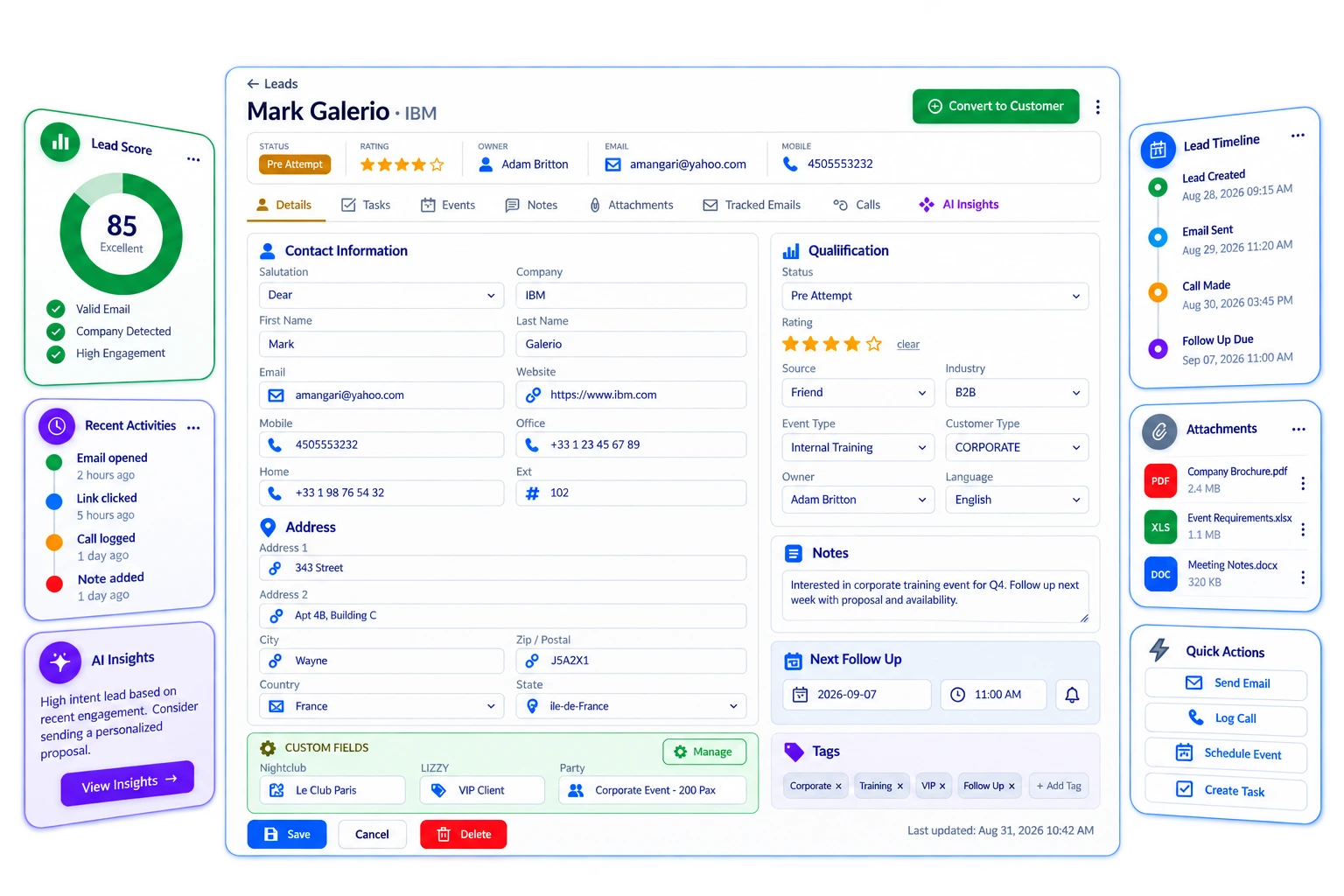
A full profile on every lead.
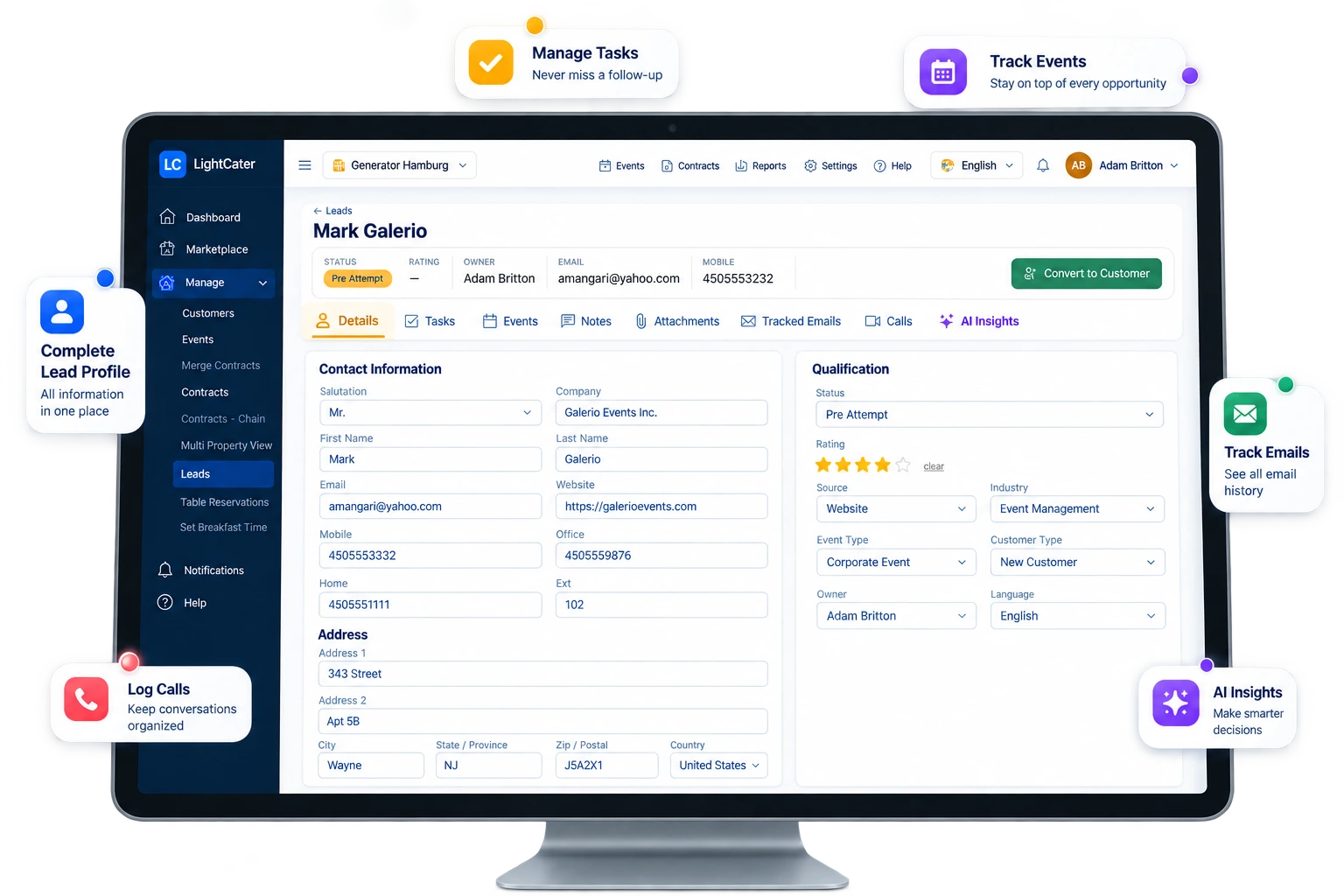
Open a lead and everything you need to qualify it is on one screen. Alongside the contact and company details sits a qualification panel: the current status, a 1–5 star rating, where the lead came from, the industry and event type, the owner who's responsible and the client's preferred language. Need to track something specific to your business — a referral partner, a menu preference, a guest count band? Add your own custom fields and they live right beside the rest.
- Contact and company details in one record
- Qualification panel — status, 1–5 star rating, source, industry, event type, owner and language
- Custom fields for the details your business tracks
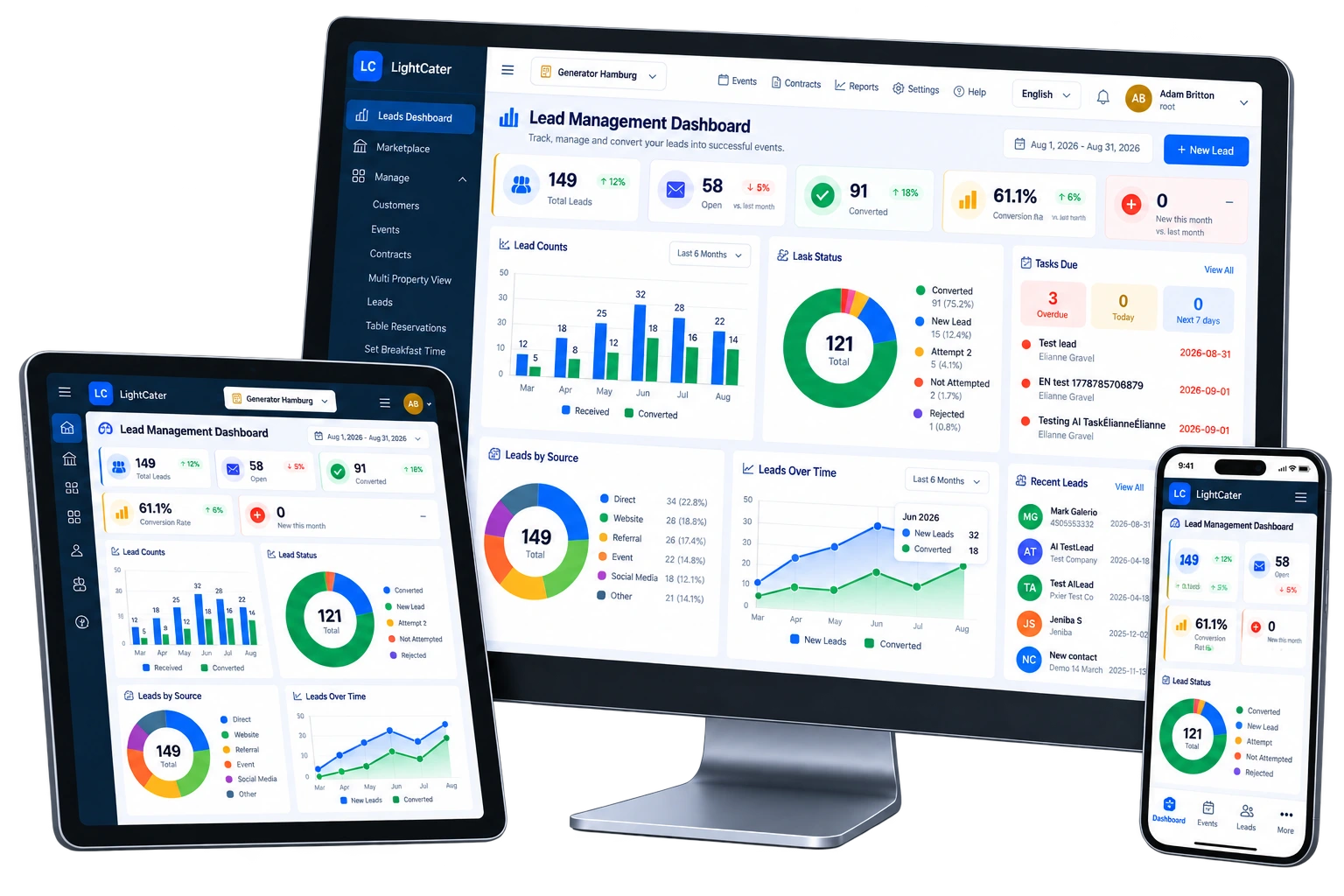
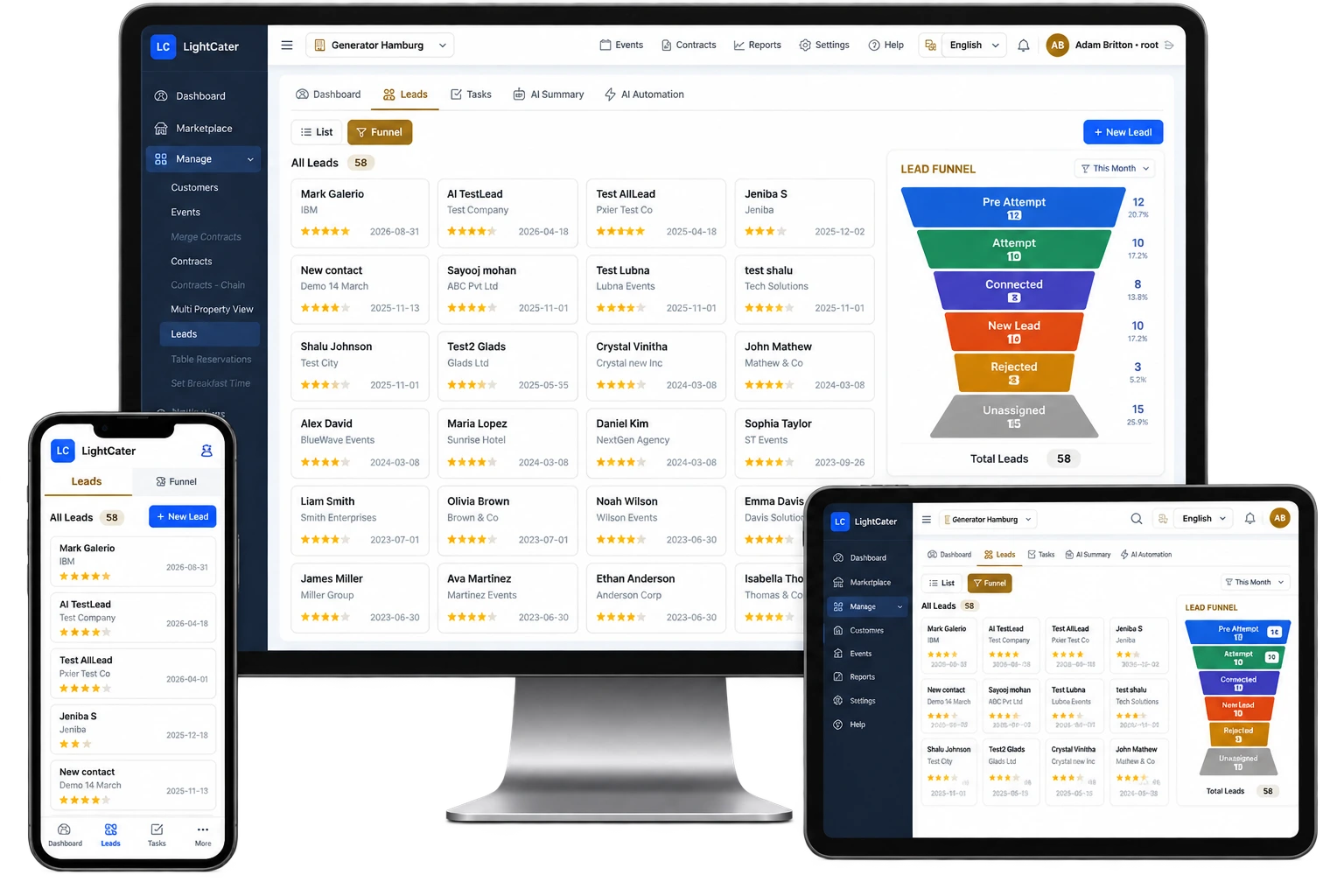
A funnel you can read at a glance.
A visual funnel lays out every open enquiry by stage — new, contacted, quoted, won, lost — and clicking a stage filters the list to just those leads, so you can work one band at a time. Above it, a lead dashboard turns the whole pipeline into numbers you can act on: totals, what's open, what's converted, your conversion rate and how many leads are new this month, plus a status funnel, a leads-by-source breakdown and a conversion-by-month trend. Tasks due and overdue, upcoming reminders and your newest leads all sit on the same page.
- Clickable pipeline funnel that filters by stage
- KPIs — total, open, converted, conversion rate, new this month
- Leads by source and a conversion-by-month trend
- Tasks due, overdue, reminders and newest leads on one page
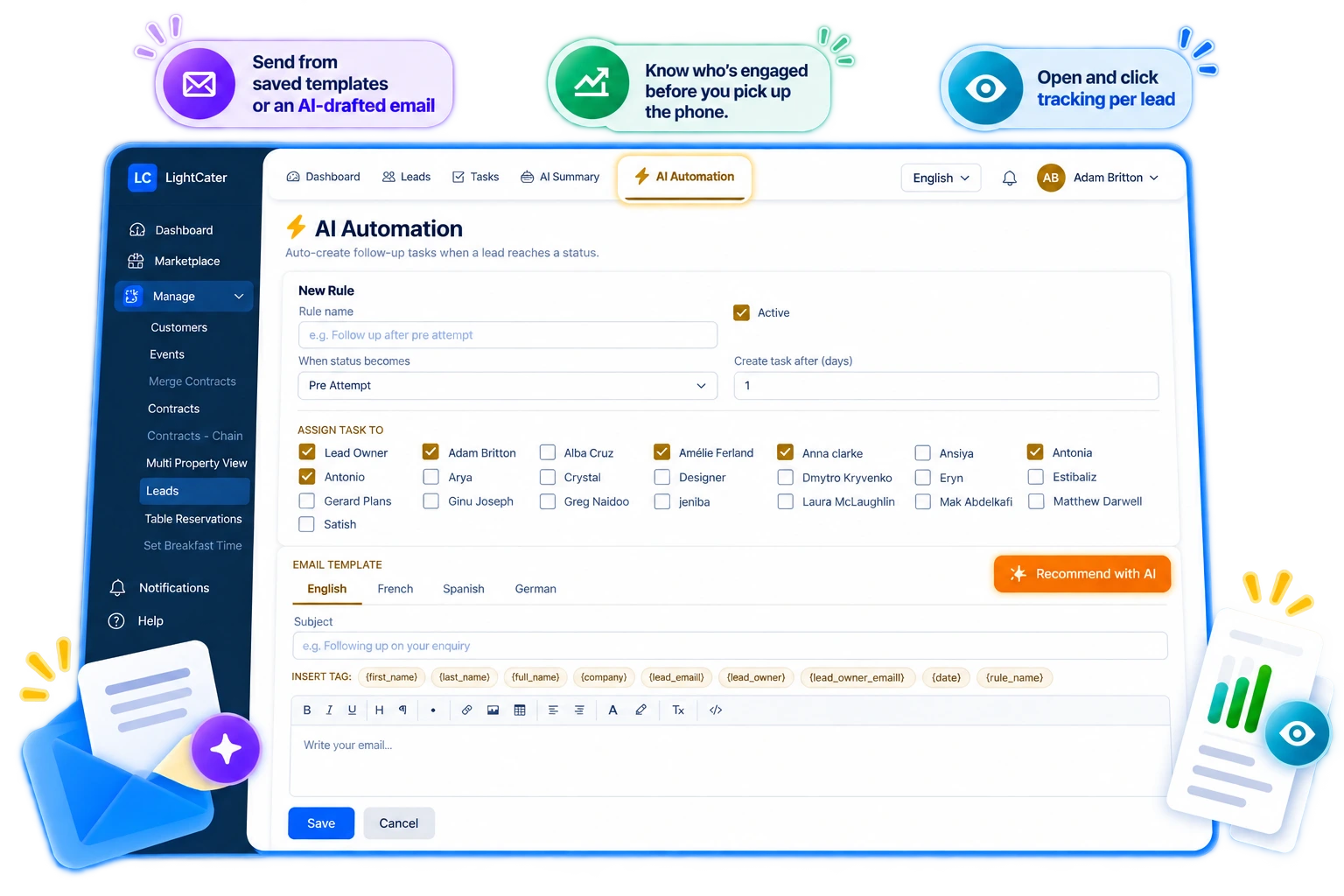
Tasks, reminders and automatic follow-ups.
Most enquiries are lost not to a competitor but to a slow reply. Assign a task on any lead with a priority, a due date and a status, and set a date-and-time reminder so the quote you meant to send on Tuesday actually goes out on Tuesday.
Then let the routine work run itself. Automation rules watch for a lead reaching a status — say "Quoted" — and, a set number of days later, automatically create the follow-up task and send a templated email to the owner or a teammate. Merge fields like first name and company drop in on their own, so every reminder reads as if you wrote it by hand.
- Tasks with priorities, due dates and statuses
- Date-and-time reminders on any lead
- Automation rules — on a status change, create a task and send a templated email after N days
- Merge fields (first name, company) fill emails automatically
- Route the follow-up to the owner or a teammate
Send, and see who's reading.
Reply to a lead straight from the record — pick a saved template or start from an AI-drafted email, then send. LightCater tracks opens and clicks per lead, so you can tell the couple who's opened your quote three times from the one who never saw it, and time your next call accordingly.
- Send from saved templates or an AI-drafted email
- Open and click tracking per lead
- Know who's engaged before you pick up the phone
Turn a won lead into a booking in one click.
- Enable the add-on from the in-app Marketplace.
- Capture and work your leads — qualify them, set follow-ups and log every call and reply.
- Convert when they say yes. One click turns the won lead into a customer and event — the contact, notes and history all carry over, so there's nothing to re-type.
When an enquiry becomes a real event, you shouldn't have to rebuild it from scratch. Converting a lead creates the customer and event in seconds with everything you already captured attached, and it flows straight into the proposal, contract, invoice and BEO workflow — the same booking, carried all the way through.
Turn the add-on off anytime from the Marketplace; your leads and their history stay exactly where they are.
Every touch, kept in one place.
Nothing about a lead lives in someone's memory. Each lead keeps its own events — meetings and tastings, with invitees — plus a notes and activity timeline, a full status history you can scroll back through, and file attachments for the signed quote or the floor plan. When a colleague picks up the lead, or you come back to it three weeks later, the whole story is right there.
- Events per lead with invitees
- Notes and activity timeline
- Status history on every lead
- File attachments — quotes, plans, contracts
AI that works your pipeline for you.
Switch on AI Insights and LightCater reads your enquiries the way a seasoned sales manager would — scoring them, telling you what to do next, drafting the email, and pointing at where the bookings are hiding.
Lead scoring
Every lead gets a 0–100 score with a Hot, Warm or Cold label and the reasons behind it — so you work the enquiries most likely to book first.
Suggested next actions
Ask what to do next and the AI proposes concrete follow-up tasks — add them to the lead in one click.
AI-drafted emails
Generate a ready-to-send follow-up written from the lead’s own details. Edit and send, or use it as a head start.
Lead briefing
A plain-English summary of the lead before you call — including its sentiment and buying intent.
Pipeline health
Zoom out and the AI reads the whole board — stale leads, unstatused enquiries, overdue tasks — and hands you strategic recommendations.
On every plan
The AI layer is an optional add-on you can switch on for any LightCater plan, and off just as easily.
Built for teams juggling enquiries.
If you take more enquiries than you can hold in your head, lead management keeps them straight. It's built for caterers fielding requests from every direction, banquet halls and venues quoting several dates at once, and any team where more than one person answers the phone.
Instead of guessing who followed up with whom, you get one shared list, clear ownership, a status and a next step on every enquiry — so the busy season doesn't cost you bookings you already had in hand.
- Caterers handling enquiries from every channel
- Banquet halls quoting many dates at once
- Venues with multiple people answering the phone
- Sales teams that live and die by follow-up
Lead management questions.
What is lead management in LightCater?
How do leads get in?
Can it follow up automatically?
Does it track email opens?
Does it connect to proposals and contracts?
What does the AI do?
How much does it cost?
Keep every enquiry moving toward a booking.
Run a real event in LightCater free for 14 days, then switch on Lead Management in a couple of clicks.