Book the dining room and the events, together.
For venues, hotels and restaurants that serve à la carte or private dining alongside their events. Take a booking in seconds, see the whole book three ways — a colour-coded calendar, a list and a live floor map — and let the system flag conflicts and auto-fit the right table for you. It runs in the same LightCater system that already handles your events, so front-of-house sees the whole day in one place.
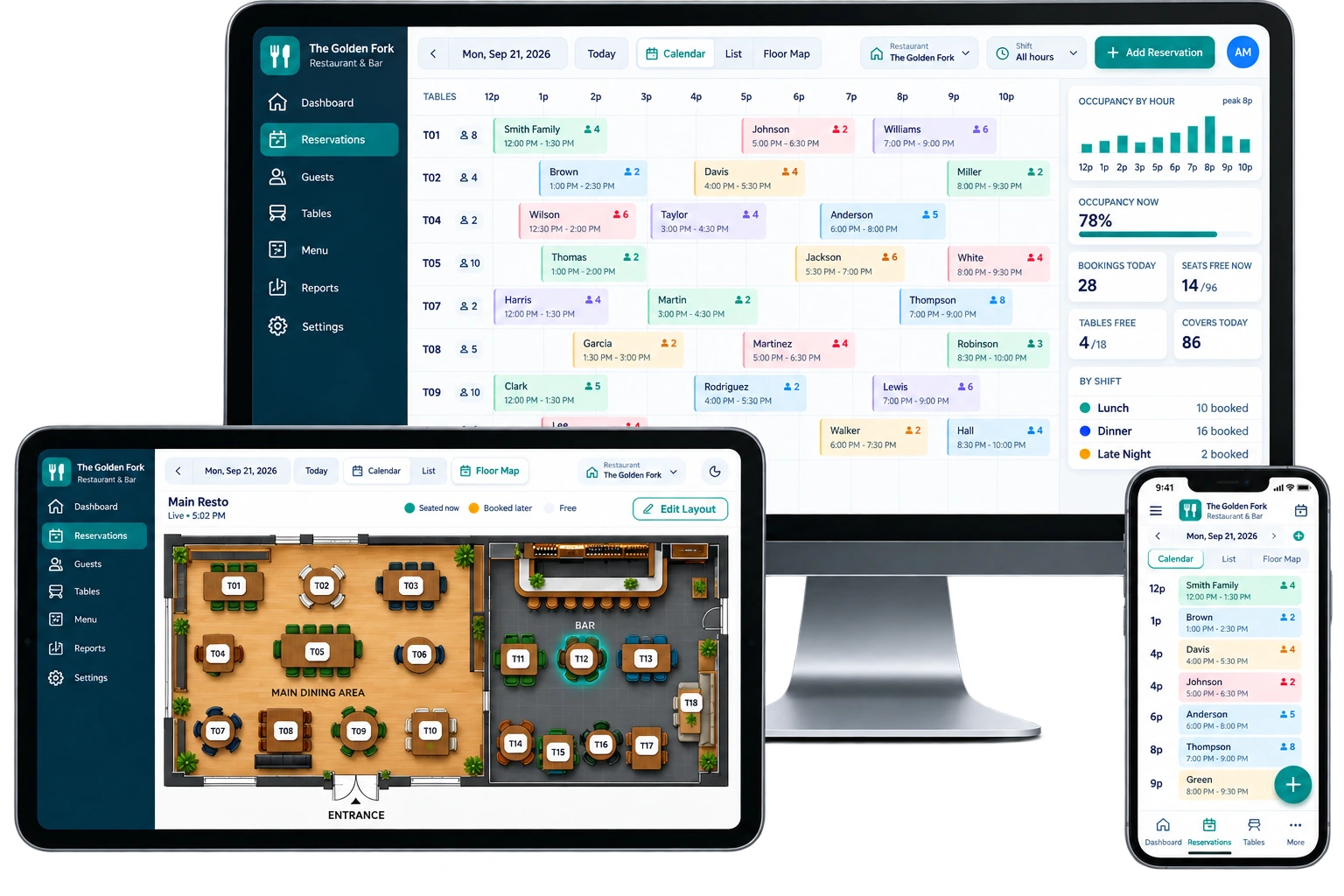
Three ways to see the whole book.
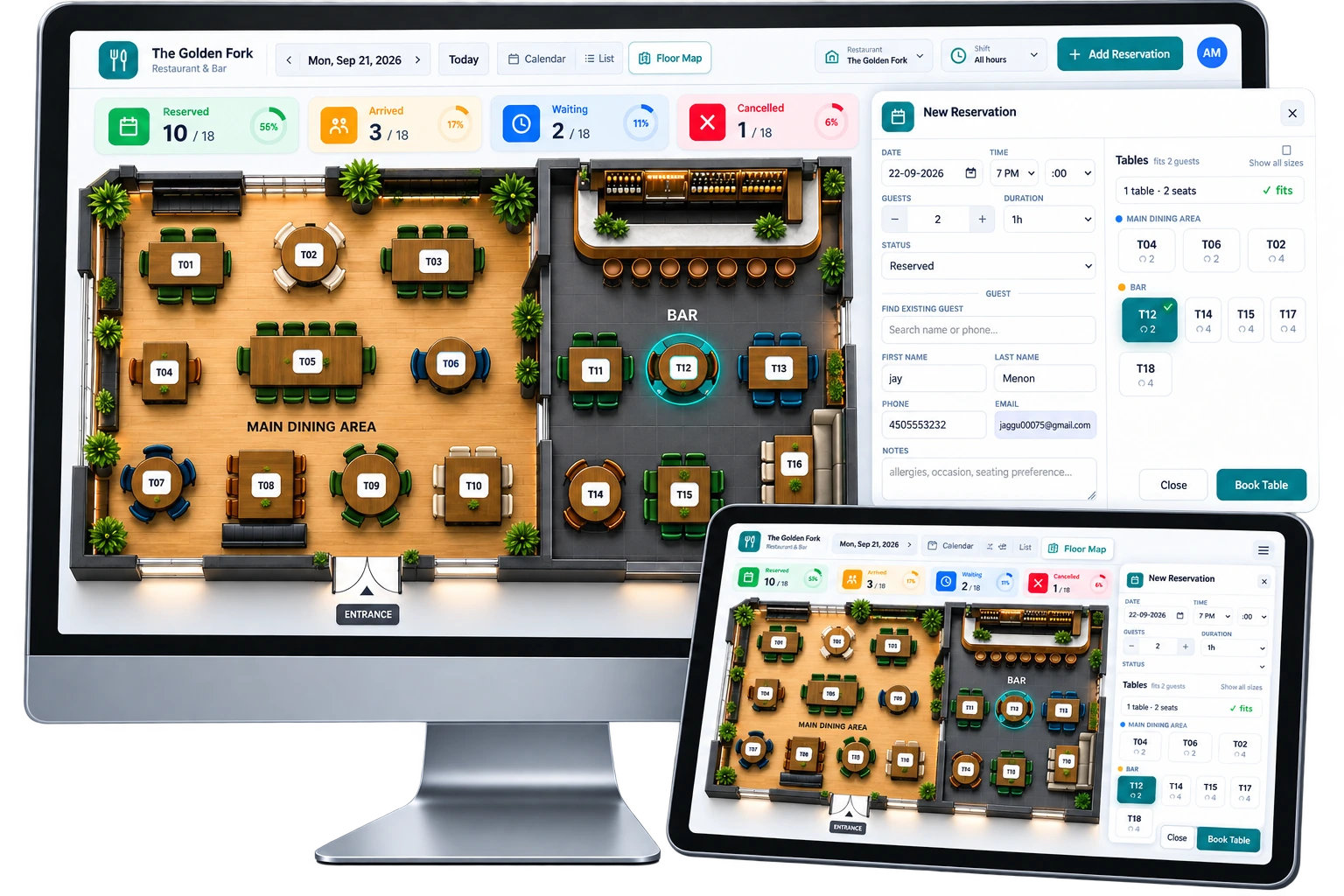
Look at the day however suits the moment. The Calendar is an hourly timeline of every table against time, colour-coded by status so you can read the room at a glance. The List view lines up every booking for the day when you just want to scan names and times. And the Floor Map shows your room as it really is, with live table status. Switch between them without leaving the screen — and it all sits right next to your event bookings, so a private dinner and a walk-in party show up on the same day.
- Calendar — hourly timeline of tables × time, colour-coded by status
- List — every booking for the day in one clean run
- Floor Map — a live plan of the room with table status
- Filter the calendar by shift, and see dining and events together
Take and edit a booking in seconds.
Pick a date, a time and a duration, set the party size, and assign one or more tables by section. Search for an existing guest or create a new one on the spot, and drop in any notes. As you go, the system checks availability and flags conflicts automatically so you never double-seat a table — and it will auto-fit the smallest suitable table for the party, keeping your bigger tables free for bigger parties. Editing a booking later works the same way.
- Date, time, party size and duration in one quick form
- Assign one or more tables by section
- Search an existing guest or create a new one, add notes
- Automatic conflict checks and auto-fit to the smallest suitable table
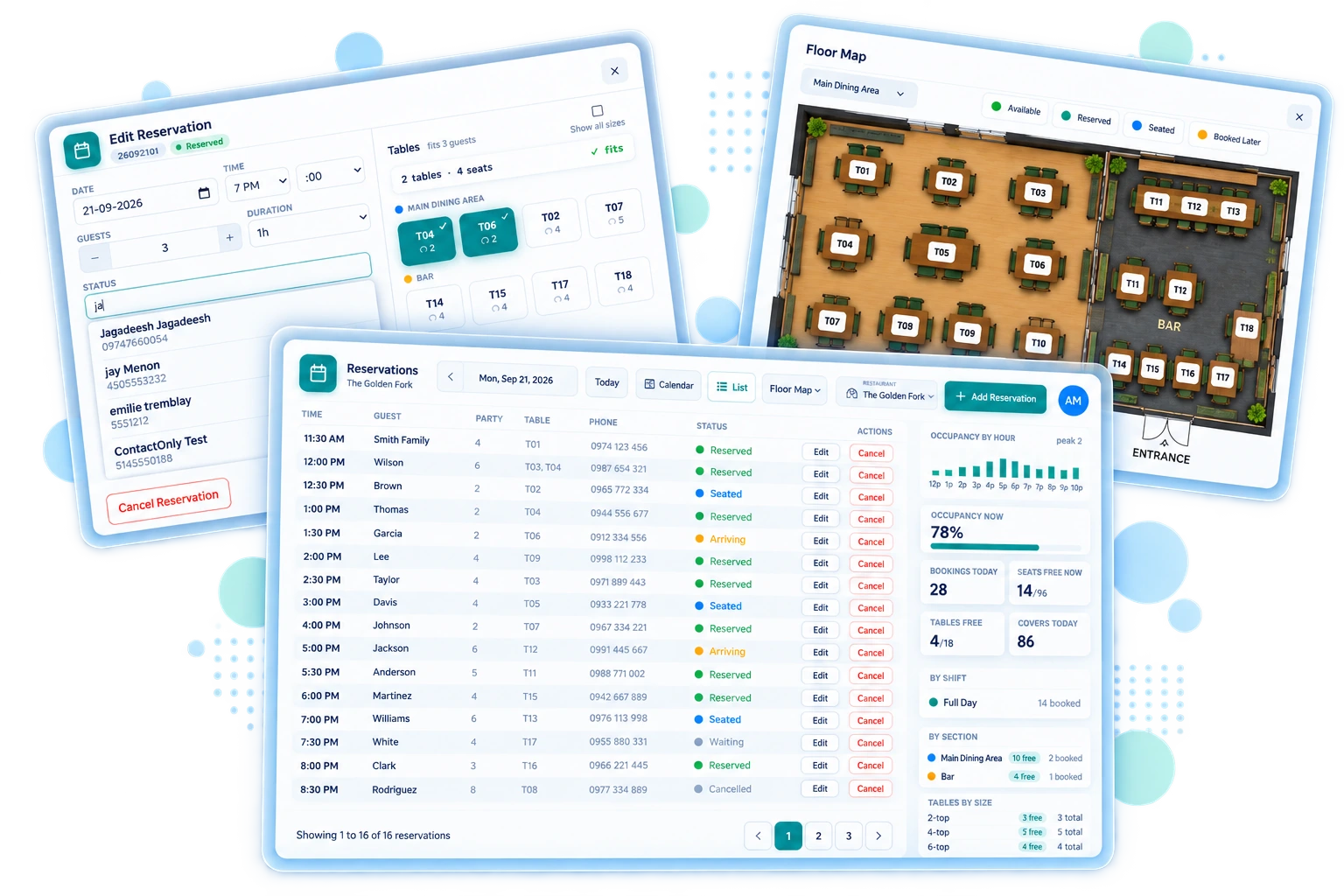
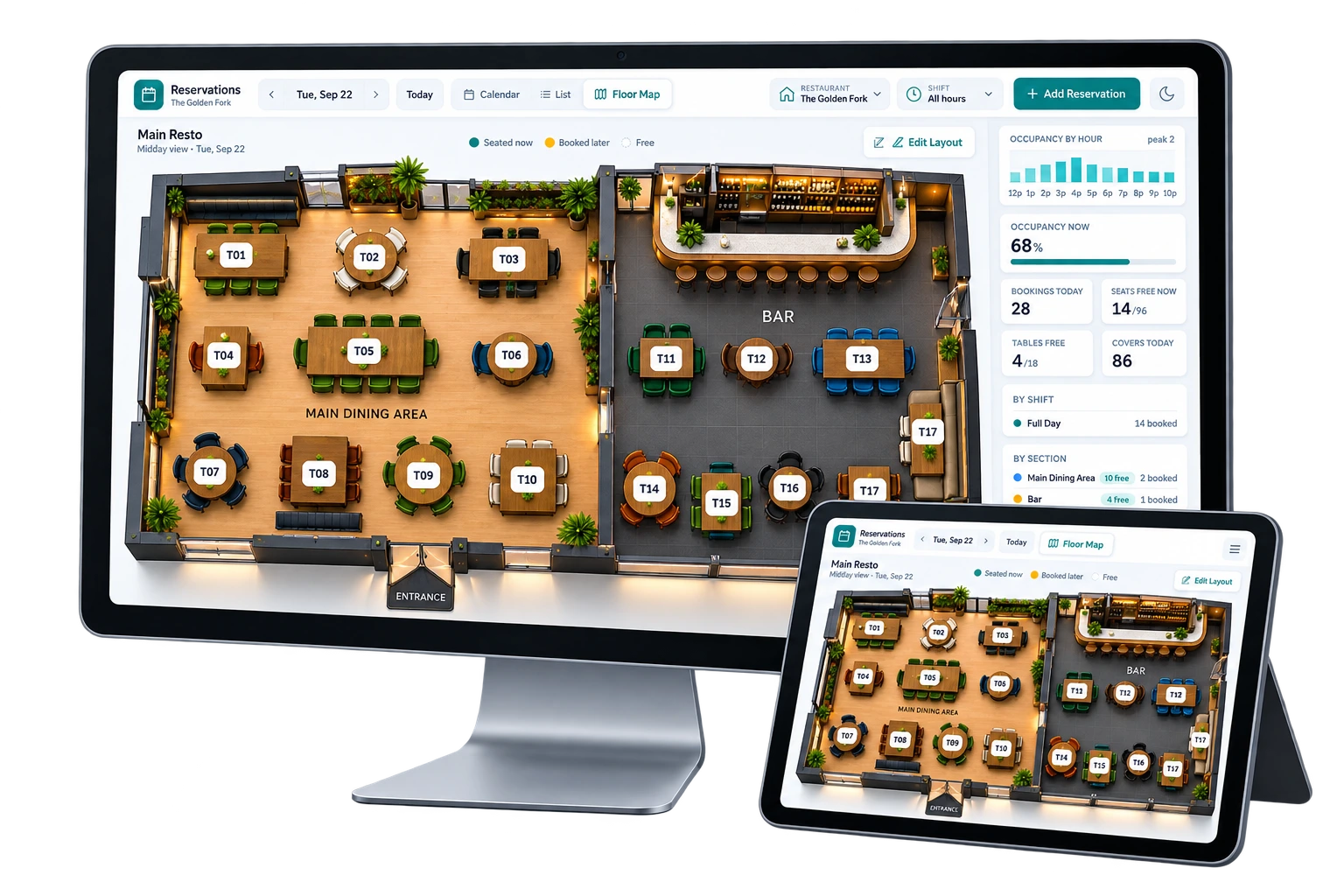
A live map of your room, and an editor to arrange it.
The floor map is a visual plan of your dining room with live table status — seated, booked-soon or free — so a host can see exactly what's open right now. Tap a free table to start a booking on it. When your layout changes, open the drag-to-position layout editor, move your tables where they really sit, and save the plan. Set it up once and the whole team works from the same picture.
- Live status per table — seated, booked-soon, free
- Tap a free table to book it
- Drag-to-position layout editor — arrange tables and save the plan
Waiting list, statuses and shifts.
Move a booking through clear statuses — reserved, arrived, waiting, cancelled — so everyone knows where each party stands. When you're full, keep walk-ins on a waiting list and seat them as tables turn. Cancellations are a soft-cancel that keeps the record, so nothing disappears from the day. Define your sections and set shift and opening windows per day, then filter the calendar down to a single shift when you're focused on one service.
- Statuses: reserved, arrived, waiting, cancelled
- Waiting list, and soft-cancel that keeps the record
- Sections and per-day shift/opening windows
- Filter the calendar by shift
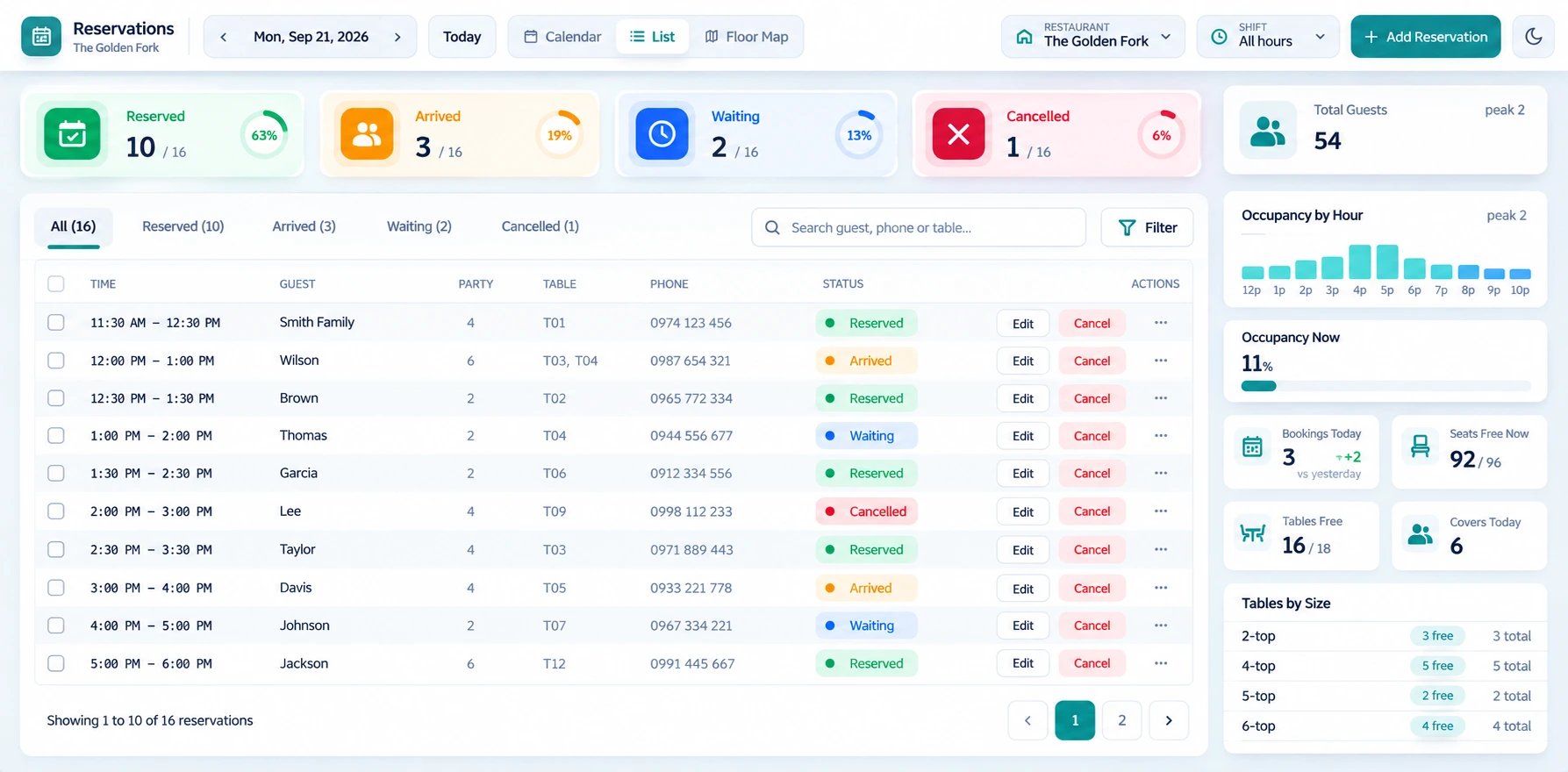
Live floor analytics, right in the sidebar.
You don't have to leave the book to know how the day is going. The sidebar keeps a live read on the numbers that matter — bookings per hour, occupancy, peak covers, how many seats are free right now, and how the day breaks down by shift, table size and section. It's the pulse of the room without a separate report.
- Bookings per hour and occupancy %
- Peak covers and seats free now
- Bookings by shift, table-size mix, and by-section stats
Rules you set, bookings that arrive on their own.
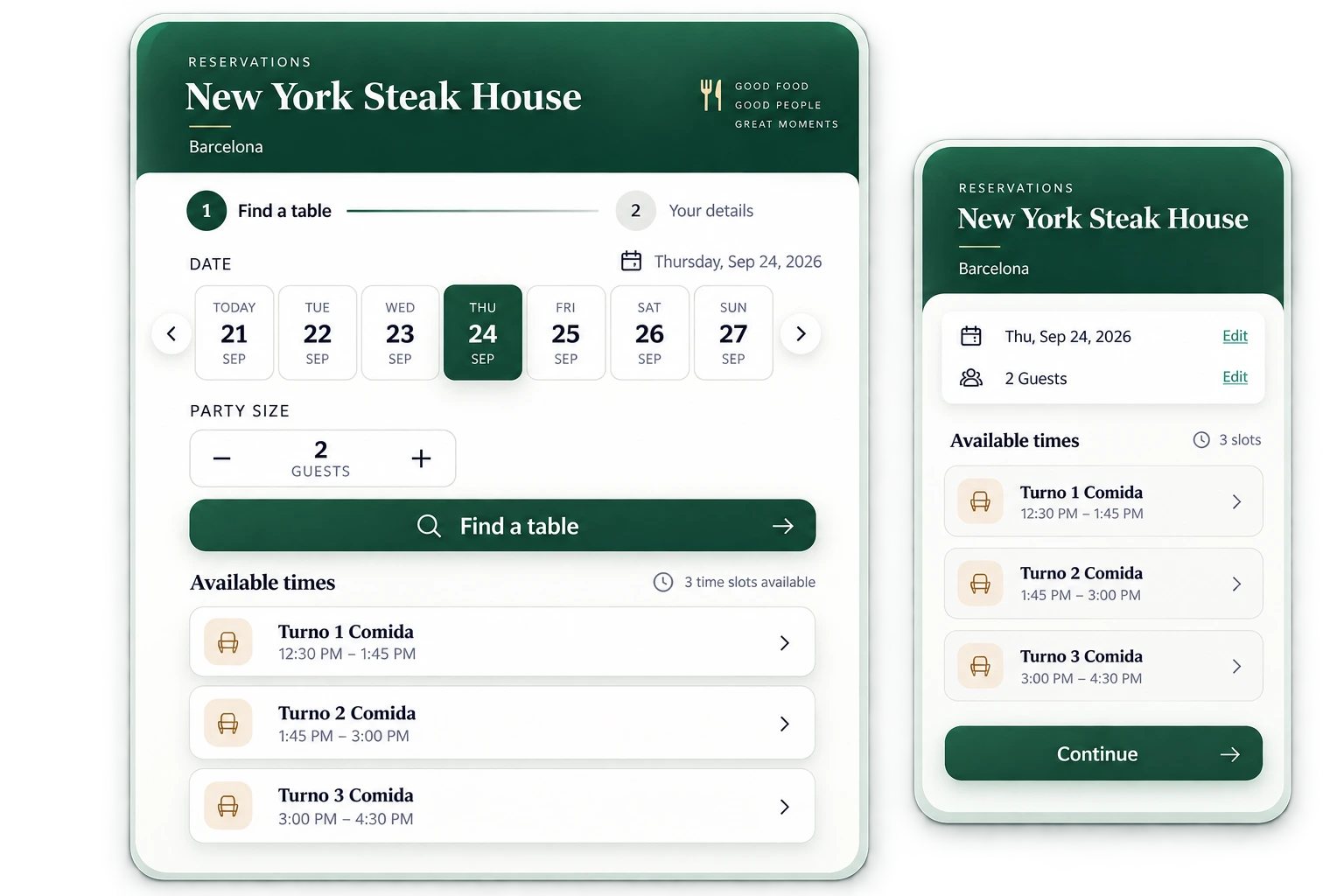
Set the guardrails once: cut-off times, a maximum party size, and display settings that suit how your host works. Need to hold a table for a VIP or take it out of service? Lock it temporarily and it drops out of availability. Online reservations from your website booking widget feed straight into the same book — no re-keying — and everything is timezone-aware, using your venue's local time so a booking made from anywhere lands at the right hour. Run more than one restaurant, and each has its own floor; it all sits alongside your events and, if you've enabled it, the POS.
- Cut-off times, max party size, temporary table locks
- Online reservations feed in from your website widget
- Timezone-aware — uses your venue's local time
- Multi-restaurant, alongside events and the POS
Built for venues that seat and cater.
- Restaurants with events — take à la carte reservations for the dining room while the private room runs a booked function.
- Hotels with F&B — manage restaurant and bar covers alongside banquet and conference bookings.
- Banquet venues with a dining room — keep everyday table bookings and your event calendar in a single system.
If your venue does more than events — a dining room, a bar, private dining on the side — you've probably been running those reservations in a second tool or a paper book. Table Reservations brings them into LightCater, so the team that manages your events also sees who's coming to eat.
It's an optional add-on you can switch on from the in-app Marketplace, and turn off anytime; your bookings stay exactly where they are.
Table reservation questions.
How do I take a reservation?
Does it prevent double-booking?
Can I see a floor plan?
Does it handle a waiting list?
Can guests book online?
How much does it cost?
Seat the room without a second system.
Table Reservations is an optional add-on on any plan, priced to your venue. Talk to us and we'll set it up alongside your events.