Turn every event into a 5-star review.
Automatically collect post-event reviews and satisfaction surveys, watch your ratings trend over time, and catch an unhappy client early enough to make it right — then put your best reviews to work.
Ask every guest, automatically.
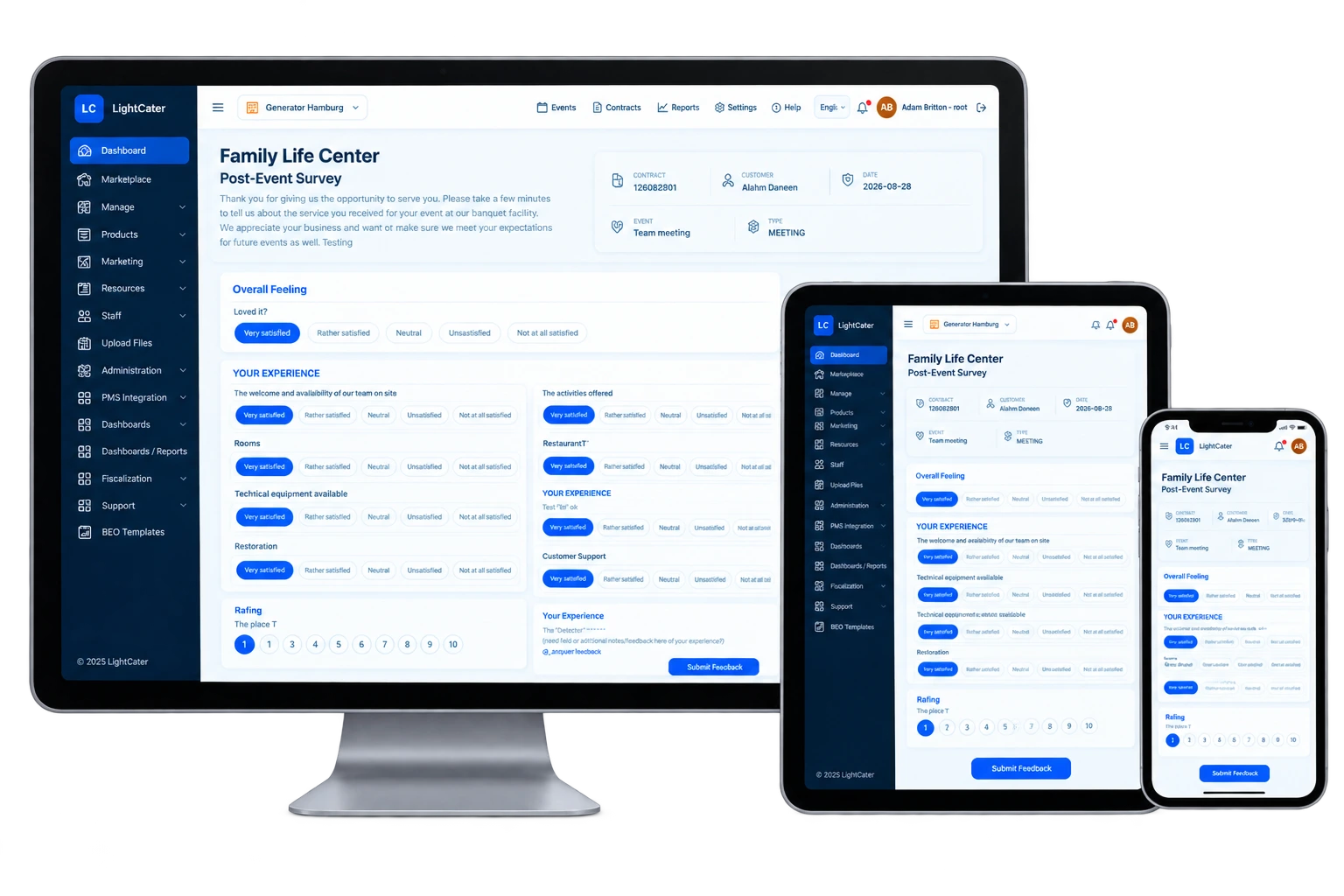
The moment an event wraps, LightCater reaches out for you. Guests give a quick star rating and a line or two of feedback from any phone — no logins, no friction — so responses actually come in instead of getting forgotten the week after.
- Automated post-event surveys
- Star ratings and written feedback
- Response tracking per event
- One-click, mobile-friendly for guests
Feedback is only useful if you use it.
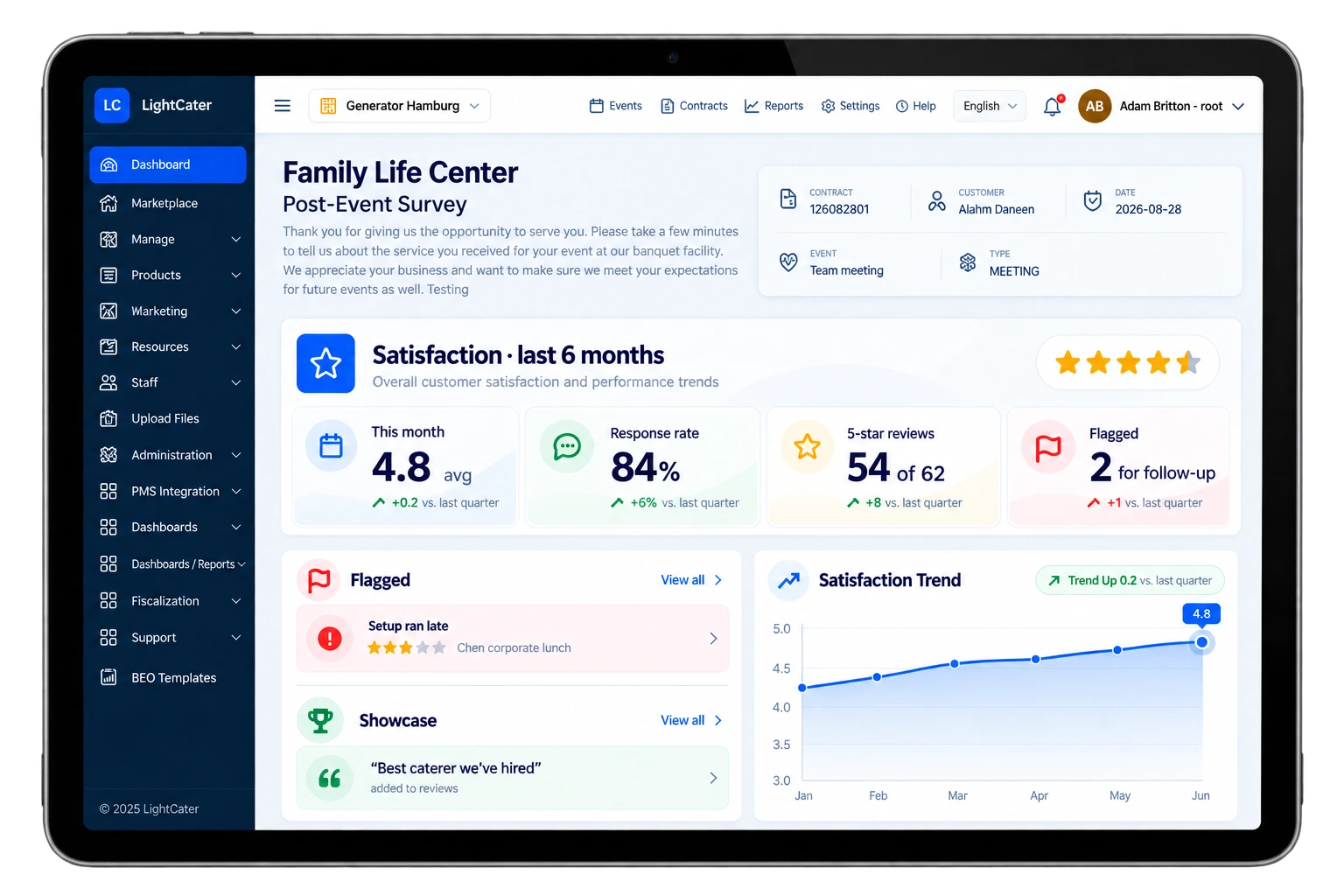
Every response rolls up into a rating trend you can read at a glance, so you know whether service is improving or slipping. A low score is flagged the moment it lands — the chance to call a client back and fix things while it still matters — and your happiest reviews are ready to put in front of your next prospect.
- Watch satisfaction trends over time
- Flag unhappy customers for follow-up
- Showcase your best reviews
Set up once, then let it run.
- Enable the add-on from the in-app Marketplace.
- Pick when surveys go out — they send automatically once an event is marked complete.
- Watch responses roll in. Ratings feed your trend, low scores get flagged, and your best reviews are ready to showcase.
There's nothing for your guests to install and nothing for you to chase. Once it's on, every completed event triggers its own survey, and the results land back on the customer record and your dashboard on their own.
Turn it off anytime from the Marketplace; your existing reviews and history stay exactly where they are.
Event feedback questions.
When are surveys sent?
What do guests give — stars, comments, or both?
Am I alerted to a bad review?
Can I show reviews publicly?
Is it included in my plan?
Make every event earn its next review.
Run a real event in LightCater free for 14 days, then switch on Customer Feedback in a couple of clicks.