Start simple. Add what you need.
LightCater does the whole event lifecycle out of the box. When your business is ready for more, switch on an add-on from the Marketplace — no reinstall, no new tools to learn, and you can turn any of them off just as easily.
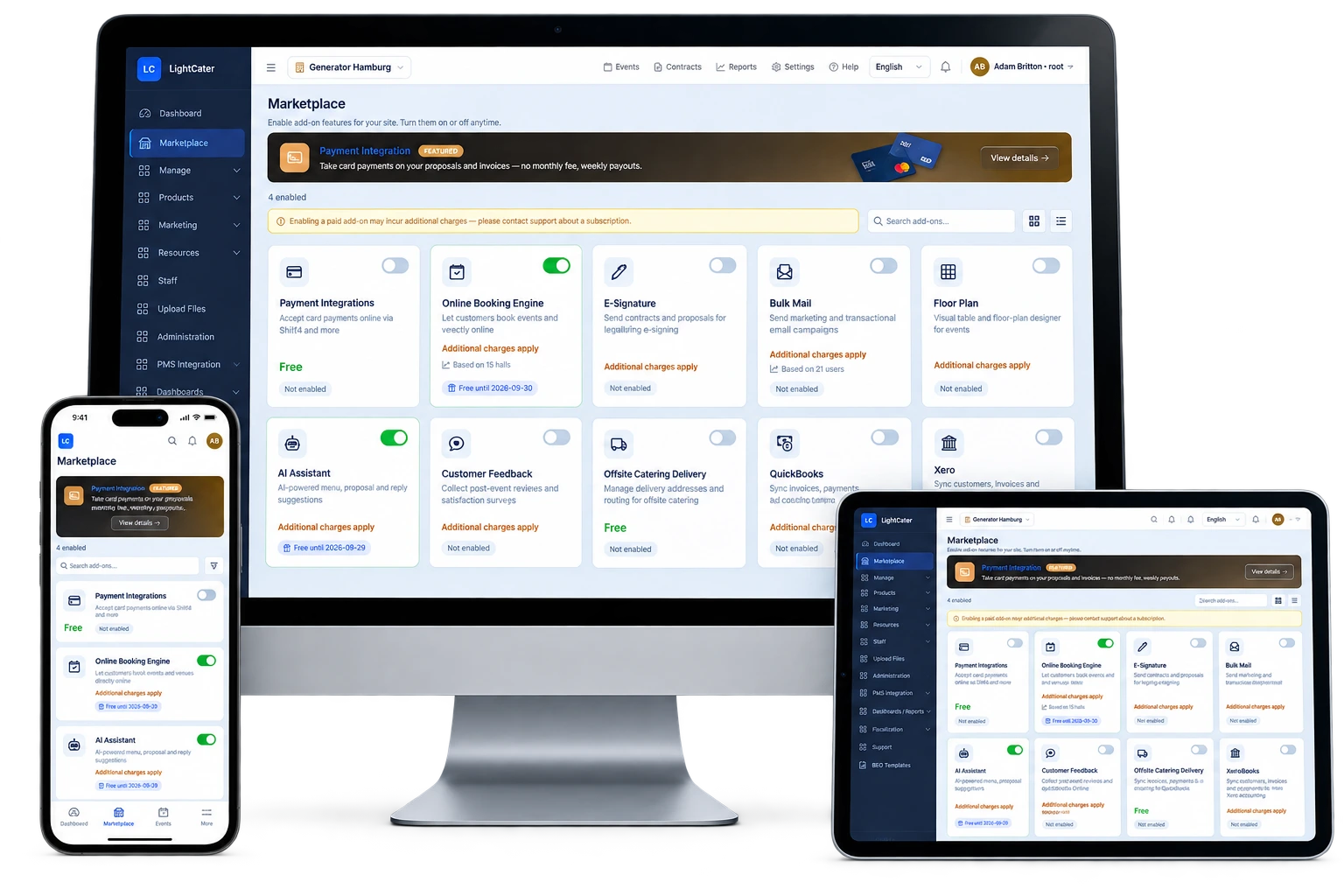
36 ways to do a little more.
Switch any of these on from the Marketplace inside LightCater, in one click, with no reinstall and nothing new to learn. Turn them off just as easily.
Optional add-ons
Online Booking Engine
Let customers check availability and book you online, 24/7.
Optional add-onE-Signature
Send contracts for legally-binding signing in the browser.
Optional add-onProposals
Branded proposals your clients review and accept online.
Optional add-onFloor Plan 2D & 3D
Design tables, seating and staging in 2D, or walk the room in 3D.
Optional add-onAI Assistant
Drafts your emails, surfaces follow-ups, keeps everyone posted.
Optional add-onBring Your Own AI
Run LightCater's AI on your own Claude, ChatGPT or Gemini key.
Optional add-onCustomer Feedback
Collect post-event reviews and satisfaction scores.
Optional add-onBulk Mail
Design and send email campaigns to your customer list.
Optional add-onLead Management
Capture enquiries and track them through to a booking.
Optional add-onWebsite Enquiry Form
An embeddable form that turns website visitors into leads.
Optional add-onAppointments & Meetings
Book client tastings and site visits with a Meet, Teams or Zoom link.
Optional add-onpxierMeet AI Notes
Records your calls and writes the summary and next steps for you.
Optional add-onGoogle & Outlook Calendar
Confirmed events land on your team's own calendars automatically.
Optional add-onCaterer Portal
Give each partner caterer a private link to the events you assign them.
Optional add-onCrew Scheduling
Post event shifts; staff claim them from their phone and clock in on site.
Optional add-onDigital Signage
Show today's events on lobby and room screens, with your own ads.
Optional add-onDocument Customization
Make BEOs, contracts and invoices look exactly like your brand.
Optional add-onCloud Storage
Keep every file with the event, contract or customer it belongs to.
Optional add-onQuickBooks
Sync customers, invoices and payments to QuickBooks Online.
Optional add-onXero
Sync customers, invoices and payments to Xero accounting.
Optional add-onTable Reservations
Take and manage table reservations alongside your events.
Optional add-onResto POS
A full point of sale for venues with a restaurant or bar.
Optional add-onRecipe Management
Build recipes with live food-cost and target margins.
Optional add-onAPI Access & Priority Support
Connect LightCater to your own systems, with a faster support line.
Optional add-onIncluded with LightCater plans
Built into LightCater and switched on from the same Marketplace. Which ones your plan includes is shown on the pricing page.
Payments
Take card payments right on your proposals and invoices.
IncludedSplit Bill
Split one contract into several invoices by date, percentage or guests.
IncludedPayment Plans
Deposits and balance due dates calculated for every contract.
IncludedBanquet Event Orders
Generate BEOs for the kitchen and floor in one click.
IncludedFunction Sheets
A detailed run-sheet for every function on the day.
IncludedPack Lists
Know exactly which equipment and items go out for each event.
IncludedTasks & Reminders
Task templates per event with automatic reminders to your team.
IncludedBatch Print
Print BEOs and event documents for a whole date range at once.
IncludedRecurring Events
Book weekly meetings or series bookings once, not twenty times.
IncludedOffsite Delivery
Manage addresses, timing and routing for drop-off catering.
IncludedPMS Integration
Post event charges straight to a hotel guest's folio.
IncludedCustom Reporting
Build, save and export the reports your business actually uses.
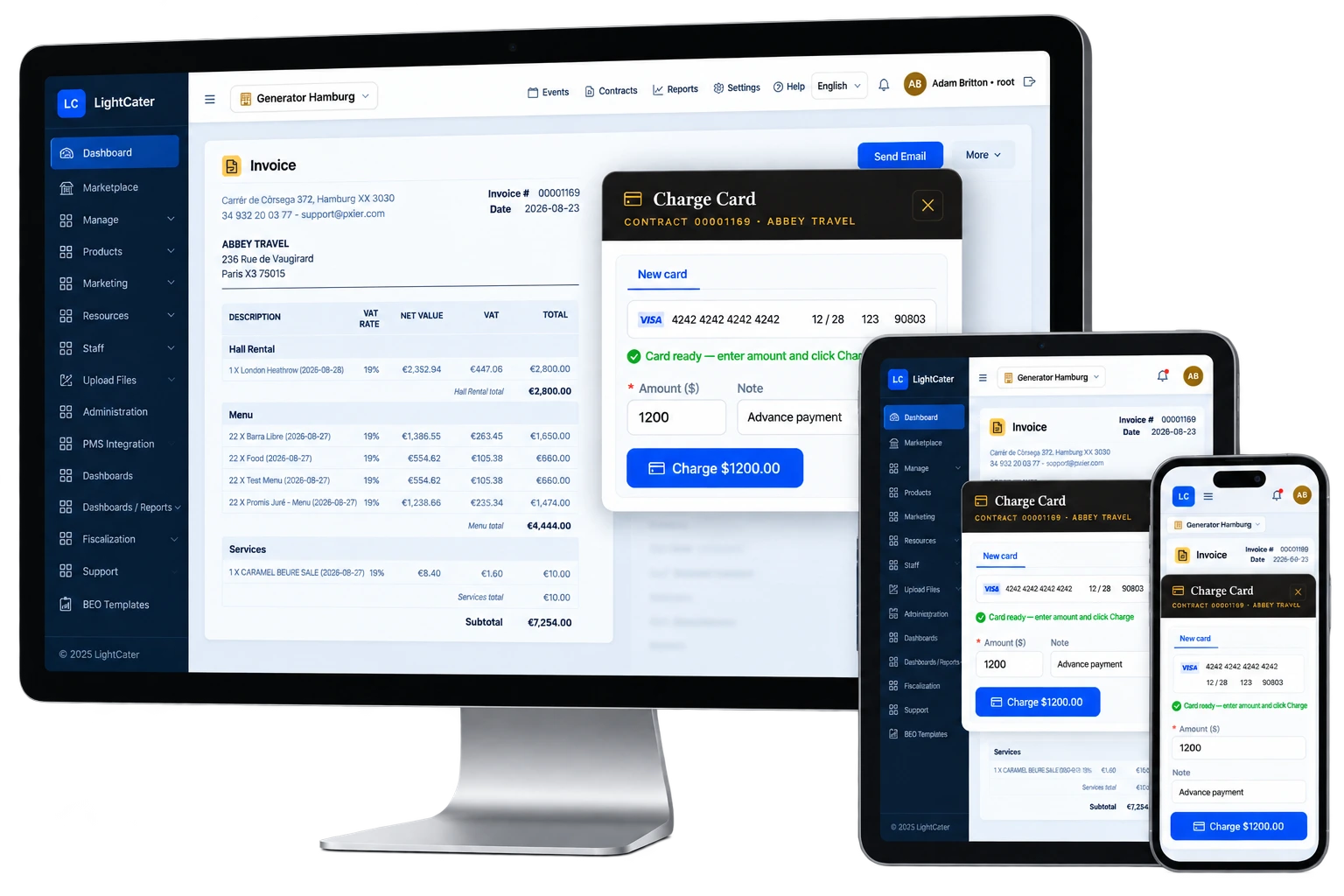
IncludedGet paid right on the invoice.
Turn on card payments and your clients can pay deposits, balances and on-site charges straight from their proposal, invoice or the customer portal — with the money landing in your bank automatically.
- Deposits & balances collected on proposals and invoices
- One flat rate on every card type — no card-type surcharges
- Automatic weekly payouts to your bank
- Bank-grade security and fraud protection
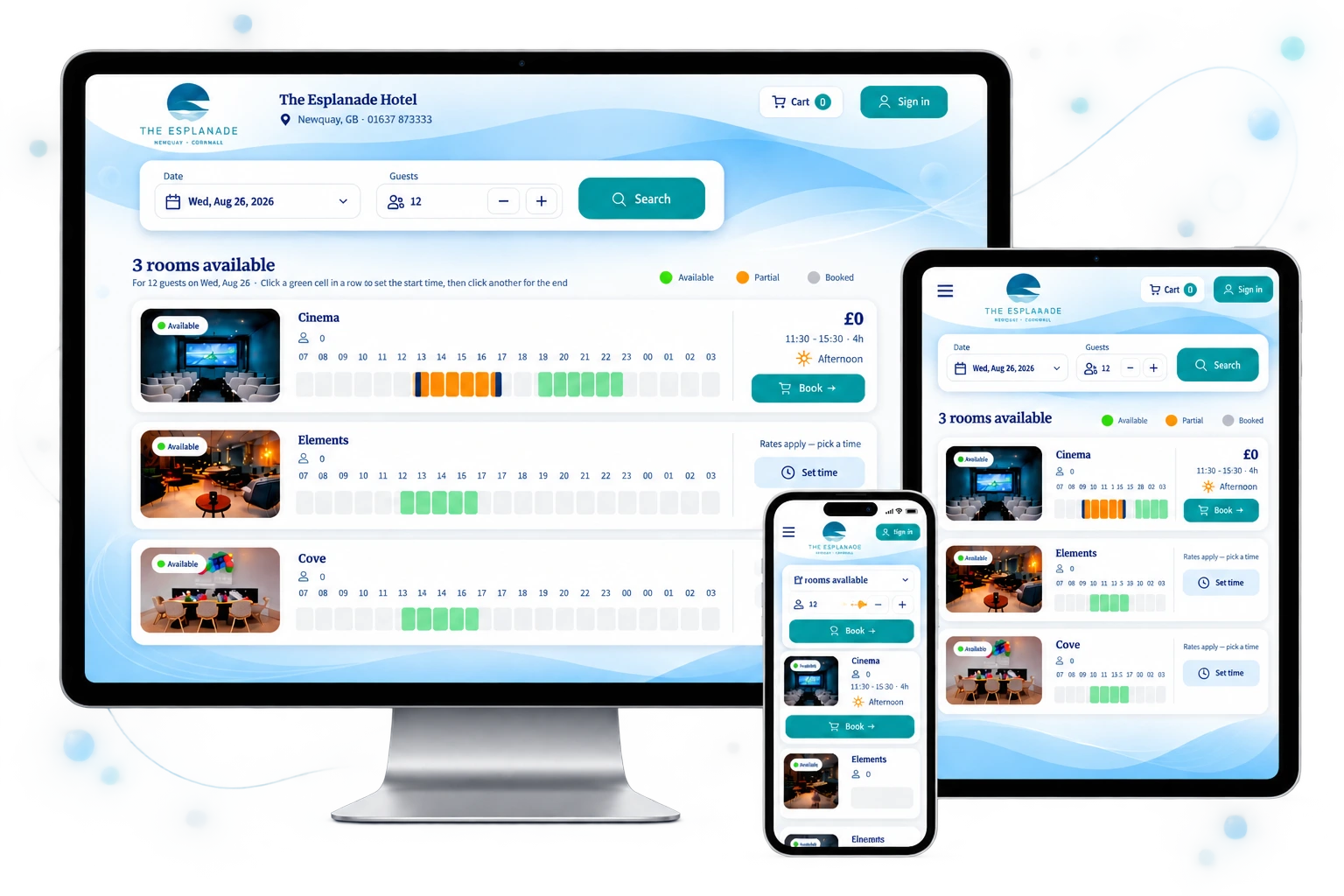
Let customers book you around the clock.
Publish a branded, mobile-friendly booking page so clients can check availability and request or book events and venues online — no back-and-forth emails, and every enquiry drops straight into your pipeline.
- Real-time availability for halls, rooms and packages
- Enquiries land in your pipeline automatically
- Collect a deposit at the time of booking
- Automatic confirmation emails to the customer
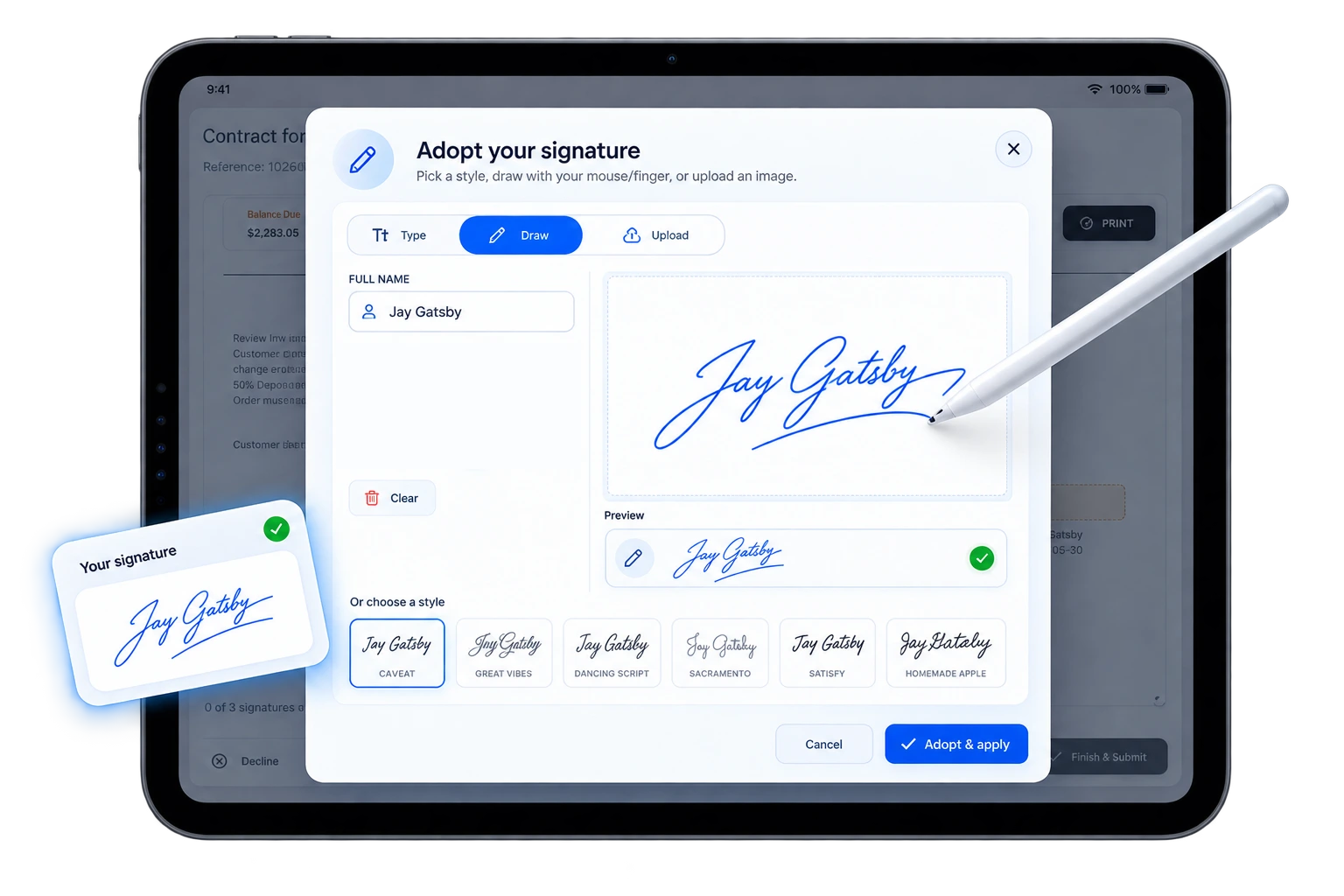
Contracts signed in the browser.
Send proposals and contracts for legally-binding electronic signature straight from LightCater. Your client signs in their browser — no app, no login — and the signed status flows right back onto the record.
- Sent · Opened · Signed — live status on the contract
- Captured signature + timestamp + device, audit-grade
- Signed PDF stored on the contract
Reach every customer in a few clicks.
Design and send marketing and transactional email campaigns to your customer list, with open and click tracking built in — so you can fill quiet dates and stay top of mind without a separate email tool.
- Drag-and-drop email designer with branded templates
- Segment by customer, event type or date
- Open & click tracking on every send
- Send now or schedule for later
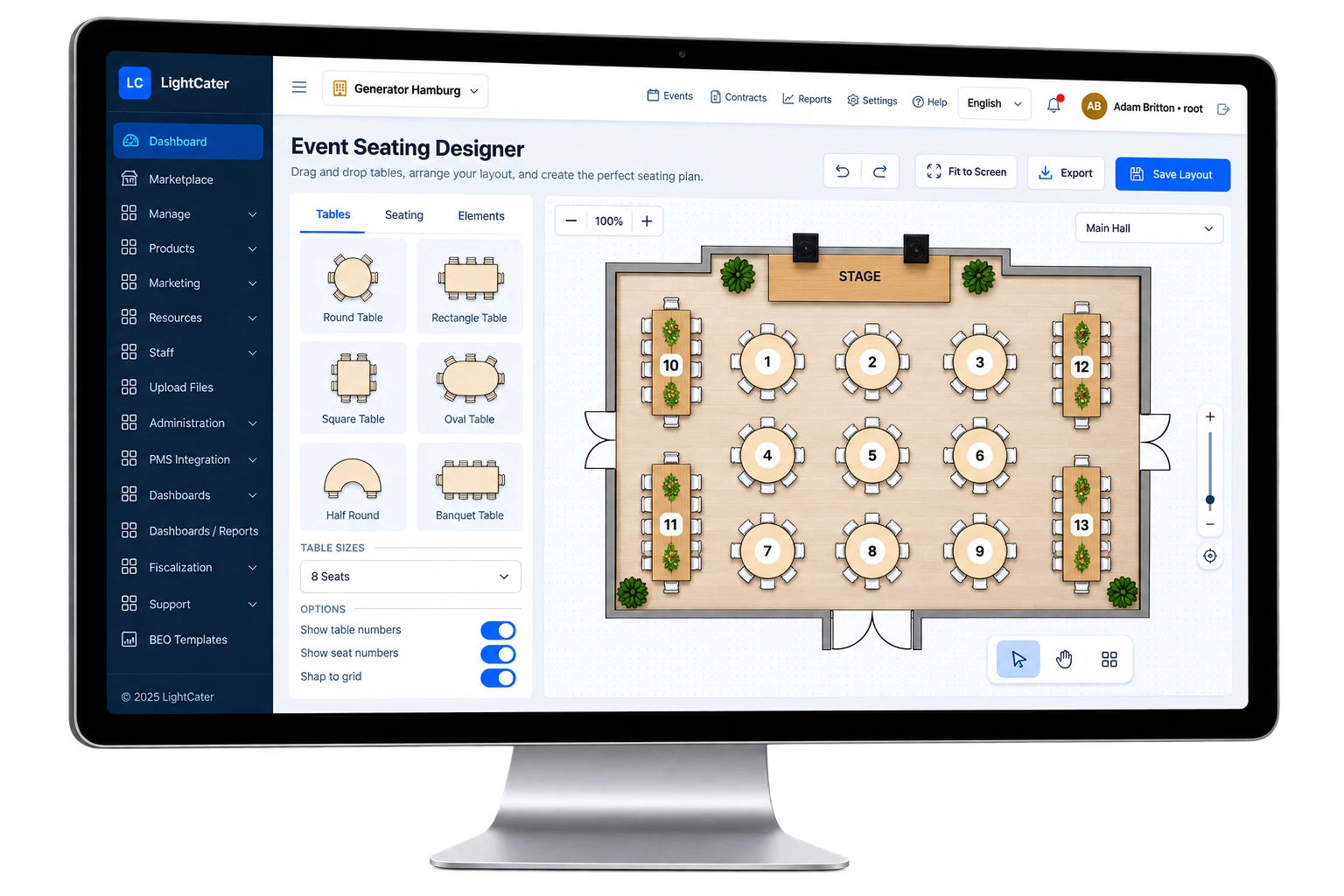
Design the room before the event.
Lay out tables, seating and staging on a visual floor plan — in 2D or true 3D — check it against your guest count, and share it with clients and staff so everyone walks in knowing exactly where things go.
- Drag-and-drop table & seating designer
- 2D and true 3D views — walk the room before the event
- Reusable room layouts with capacity checks
- Share the plan with clients and staff
- Attach the layout to the BEO
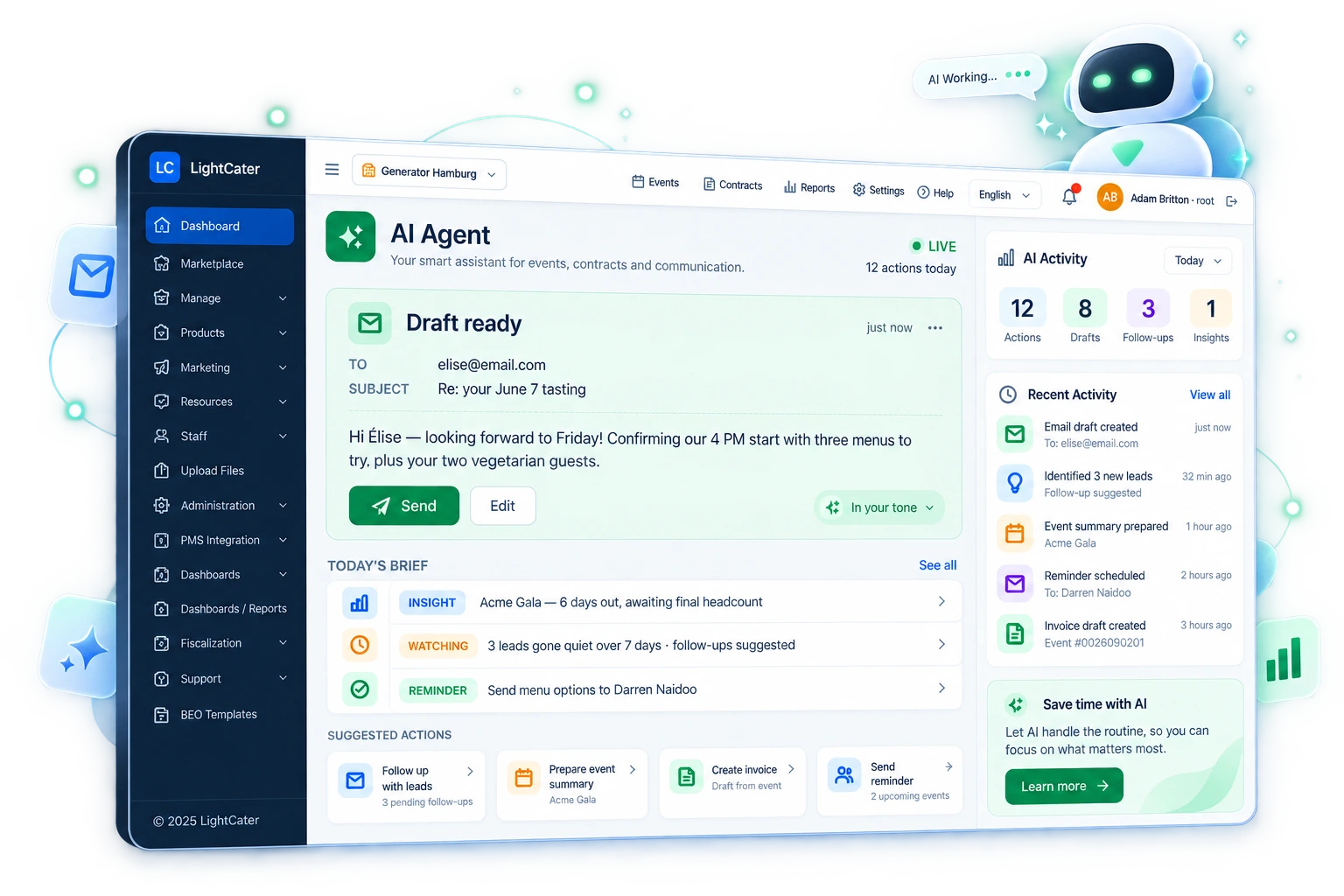
Let the busywork run itself.
The AI Agent is an optional layer for teams who want to move faster. It reads your customer records and surfaces what needs attention, drafts your emails so you're never starting from a blank page, and keeps clients and staff in the loop without you remembering to hit send.
- Customer CRM insights — follow-ups and opportunities, surfaced for you
- AI-assisted emails — clear first drafts in your tone, in seconds
- Automatic notifications to customers and staff — nothing slips
Optional add-on — added to any account. See pricing →
Turn every event into a 5-star review.
Automatically collect post-event reviews and satisfaction surveys, watch your ratings trend over time, and catch an unhappy client early enough to make it right — then showcase your best reviews.
- Automated post-event surveys
- Star ratings and written feedback
- Flag unhappy customers for follow-up
Run offsite catering like clockwork.
Manage delivery addresses, timing and routing for offsite and drop-off catering — all attached to the event, so your drivers have exactly what they need and nothing runs on a sticky note.
- Capture delivery address & timing per event
- Organise drop-off and pickup logistics
- Driver-ready delivery details
- Keeps offsite jobs on the same calendar
Keep your books in sync, automatically.
Push customers, invoices and payments from LightCater straight into QuickBooks Online or Xero — no double entry, no month-end transcription, and revenue reporting that always ties out.
- Sync customers, invoices & payments
- No manual re-keying — reconcile faster
- Keep revenue reporting accurate and current
- One-time secure connection for each
Take event requests with a custom form.
Publish a highly customizable request form so clients can ask for an event on a specific date — event type, guest count, budget and your own custom questions — and get a quote. Every submission lands in your Online Requests queue, ready to convert to a lead or event.
- Highly customizable request form
- Feeds directly into Online Requests
- Custom fields for your event types
- Embed it on your own website
Staff every event without the group texts.
Crew Scheduling turns each booked event into the shifts it needs: servers, bartenders, chefs, setup crew. Your staff see open shifts on their phone and claim the ones they want. You approve, track who actually showed up, and send hours to payroll, all from the same place you run the event.
- Staffing templates suggest the positions each event needs, by service style and guest count
- Staff claim open shifts from their phone: no app to install, just a secure link
- Priority rules for VIP and last-minute events, so your best people see them first
- A staffing board shows coverage at a glance; text and email alerts fill gaps fast
- GPS check-in and check-out, timesheets, and a payroll export, with labour cost shown on each event
Keep partner caterers on the same page.
Venues that work with outside caterers can assign each event to a caterer and give them a private, secure link. Each caterer sees only the events assigned to them, with the BEO, menu, room setup and timings they need. You stop emailing PDFs back and forth, and nobody works from yesterday's version.
- Assign a caterer to any event from the event card
- One private link per caterer: no logins or passwords to manage
- Choose what each caterer may see: BEO, menu, setup, invoice, contract or proposal
- Pickup and delivery times, guest counts and notes always current
Your lobby screens, updated by your bookings.
Digital Signage puts today's events on the TVs in your lobby and outside each room, straight from LightCater. When an event moves rooms or changes time, the screens update on their own. Between events, run your own ads and announcements to promote upcoming dates, your restaurant or seasonal menus.
- Main lobby boards (as many as you need) list the day's events and rooms
- Room screens show the current and next event for that room
- Choose per event whether it appears on screens, and the name guests see
- An ads library rotates your own promotions between listings
- Works on any smart TV or screen with a browser: just open the screen's link
Tastings, site visits and calls, booked in seconds.
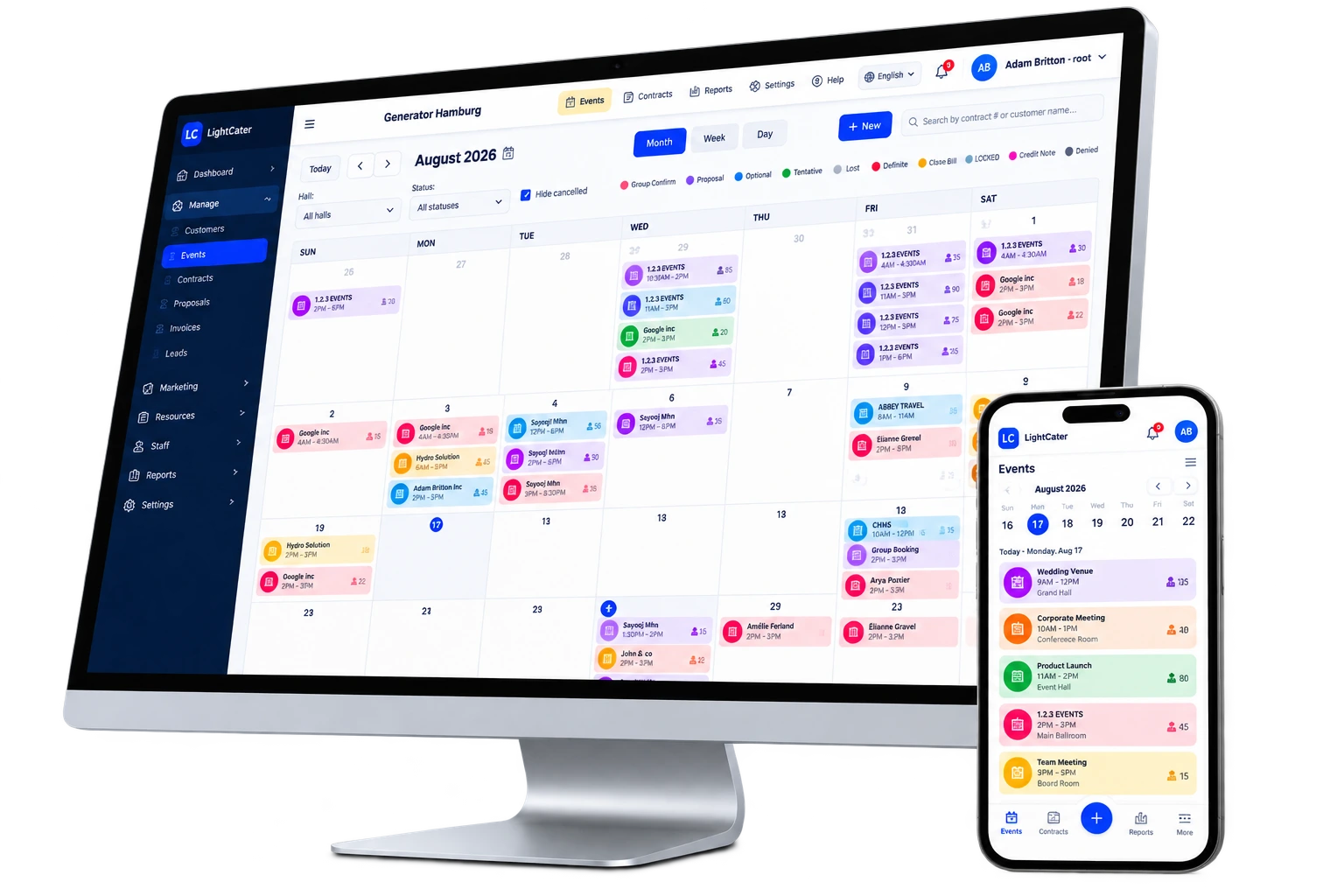
Appointments & Meetings adds a meetings calendar right next to your events. Book a tasting, a venue walk-through or an online call with a client, invite your team, and LightCater creates the Google Meet, Microsoft Teams or Zoom link and sends the invitation from your business email, so it lands in everyone's own calendar.
- Events and Appointments side by side, in day and week views
- Invite staff, customers, contacts or any email address
- Automatic Google Meet, Teams or Zoom links, or paste your own
- Calendar invitations (.ics) sent from your business email address
- Book a room for in-person meetings and track each appointment's status
Never take call notes again.
pxierMeet joins your sales calls and client meetings, transcribes them and writes the summary for you: what the client asked for, the decisions made, and the next steps with who owns them. Every call is saved on the lead or customer it belongs to, so anyone on your team can catch up in a minute.
- Accurate transcripts that tell speakers apart
- AI summary, action items and next steps after every call
- Calls saved on the lead's Calls tab, next to emails and quotes
- Search across all your calls: "who asked for a vegan menu?"
Your events, in the calendar you already use.
Connect Google Calendar or Microsoft Outlook and every confirmed event is added to your team's calendars automatically. Your chef, your manager and your sales team see the same schedule on their phones.
- Google Calendar and Outlook / Microsoft 365
- Confirmed events are added automatically, with no double entry
- Event name, room, guest count and a link back to the event
- LightCater stays the single source of truth for every booking
Bring your own AI. Keep full control.
Already pay for Claude, ChatGPT or Gemini? Add your own API key and LightCater's AI features (email drafts, insights, summaries) run on your account. You choose the provider, you see the usage on your own bill, and your data goes only to the AI company you already trust.
- Works with Anthropic Claude, OpenAI ChatGPT and Google Gemini
- Powers every AI feature in LightCater with your own key
- Keys are stored encrypted, and you can switch provider any time
- Ideal for companies with an approved AI vendor policy
Documents that look like your brand.
Your BEOs, contracts, invoices and proposals are what clients and staff actually hold in their hands. Document Customization lets you design every template: your logo, colours and fonts, which sections appear and in what order, your own terms. A live preview shows exactly what will print or be sent.
- Custom layouts for BEOs, contracts, invoices and proposals
- Visual editor with live preview, plus full HTML for designers
- Different templates for different event types and languages
- Merge fields fill in the client, menu, prices and dates automatically
Every file, right where you need it.
Floor plans from the client, signed vendor agreements, dietary lists, inspiration photos: attach them to the event, contract or customer they belong to instead of hunting through inboxes. Share selected files with your client through their customer portal.
- Attach files to events, contracts and customer profiles
- Share chosen files with clients in their portal
- PDFs, images, spreadsheets and more, securely stored in the cloud
- Your whole team finds the latest version in one place
Connect LightCater to everything else.
For groups and larger venues with their own systems, API Access opens LightCater to your developers: pull events into your data warehouse, push bookings from your website, or connect a tool we don't integrate with yet. It comes with priority support, so your team gets faster answers.
- Secure API access to events, customers, contracts and invoices
- Build your own integrations, dashboards and automations
- Priority support line with faster response times
- Help from our team to plan the integration
Pricing on request. Talk to us →
Everything the kitchen and floor need, on paper and on screen.
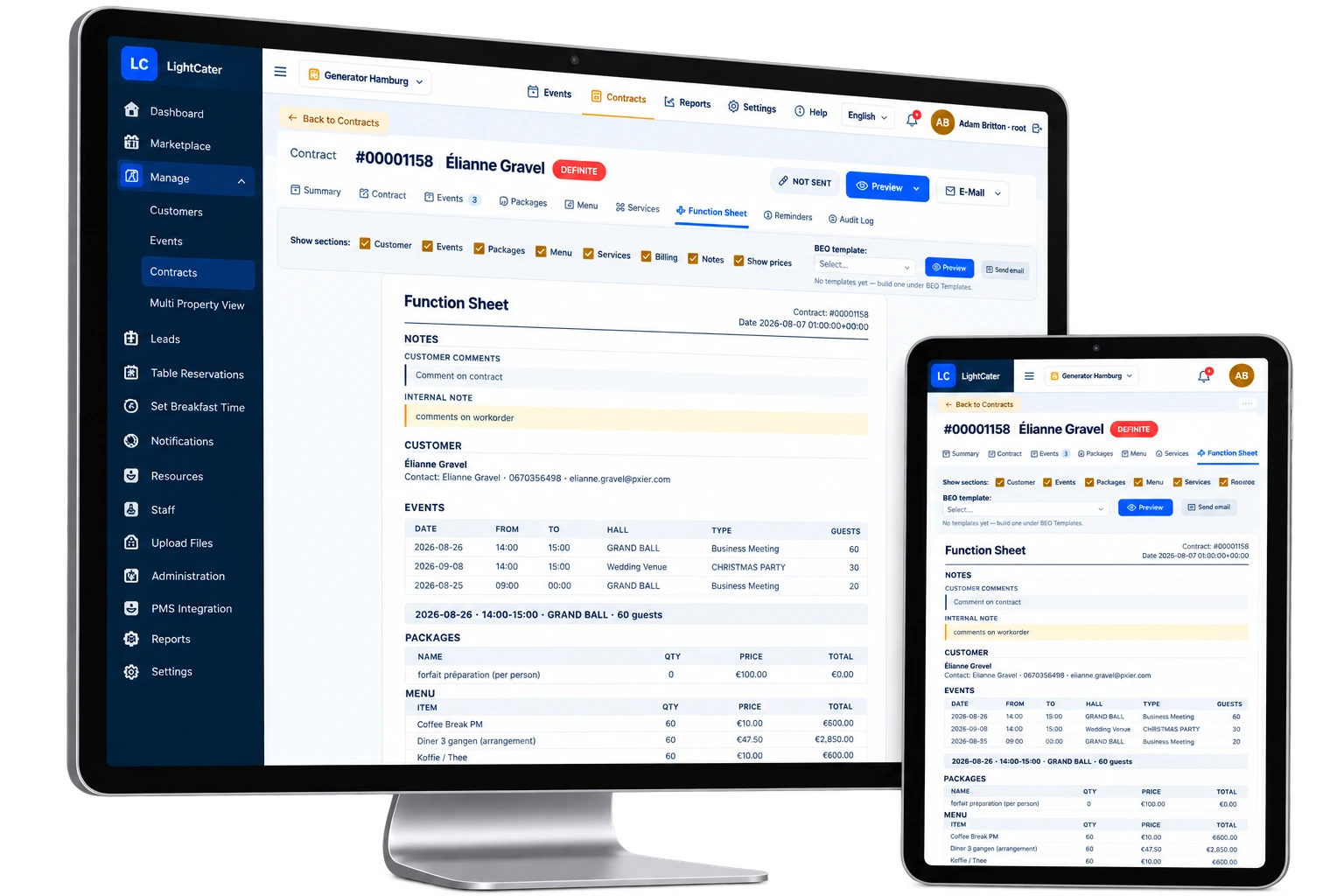
LightCater includes the operational documents that keep event day calm. Each one is generated from the booking itself, so when the client changes the menu or the guest count, the BEO, the function sheet and the pack list change with it.
- Banquet Event Orders: menu, timings, setup and notes for kitchen and floor
- Function Sheets: a detailed run-sheet for every function
- Pack Lists: exactly which equipment and items go out, per event
- Tasks & Reminders: task templates per event type with automatic reminders
- Batch Print: print the BEOs for a whole week in one go
- Recurring Events: book a weekly meeting or a series once
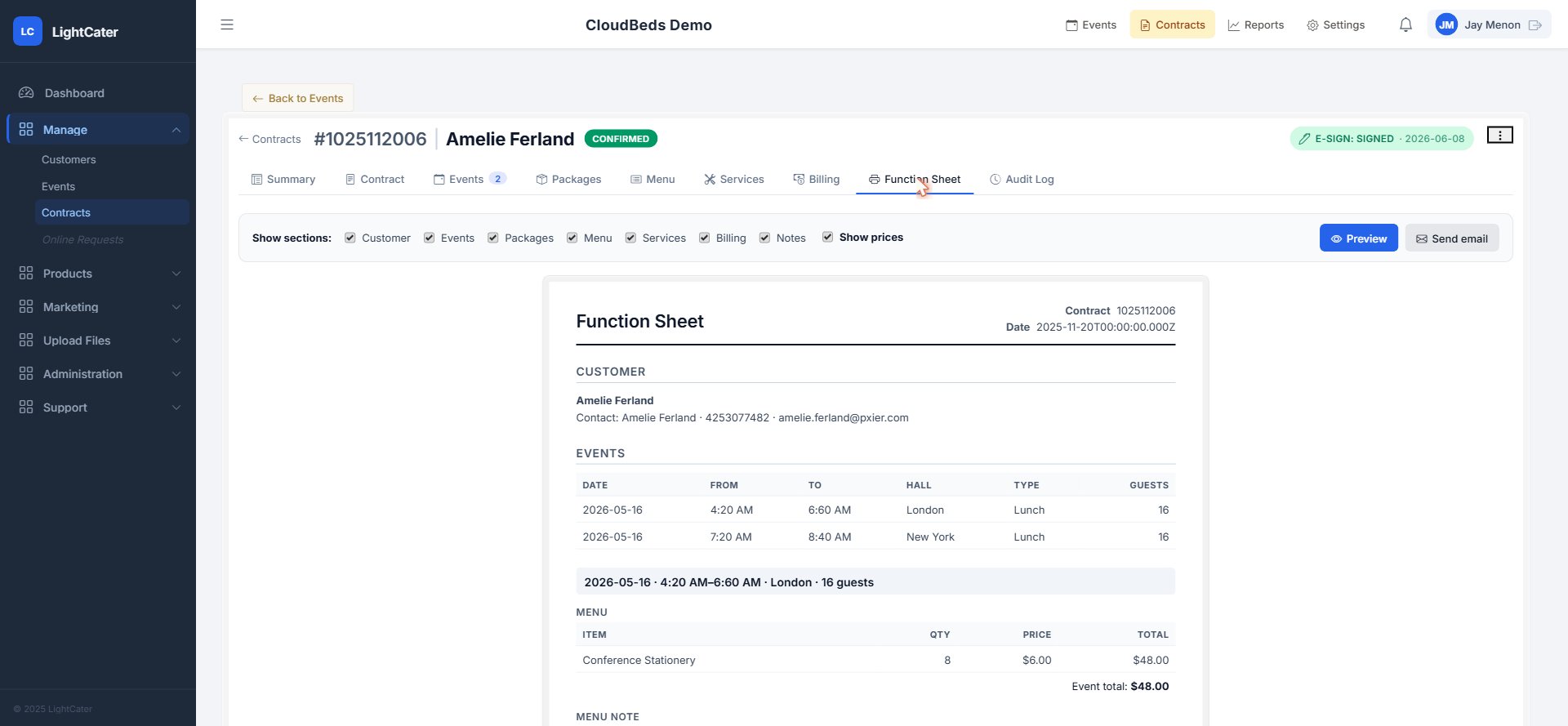
Bill it the way your client needs it.
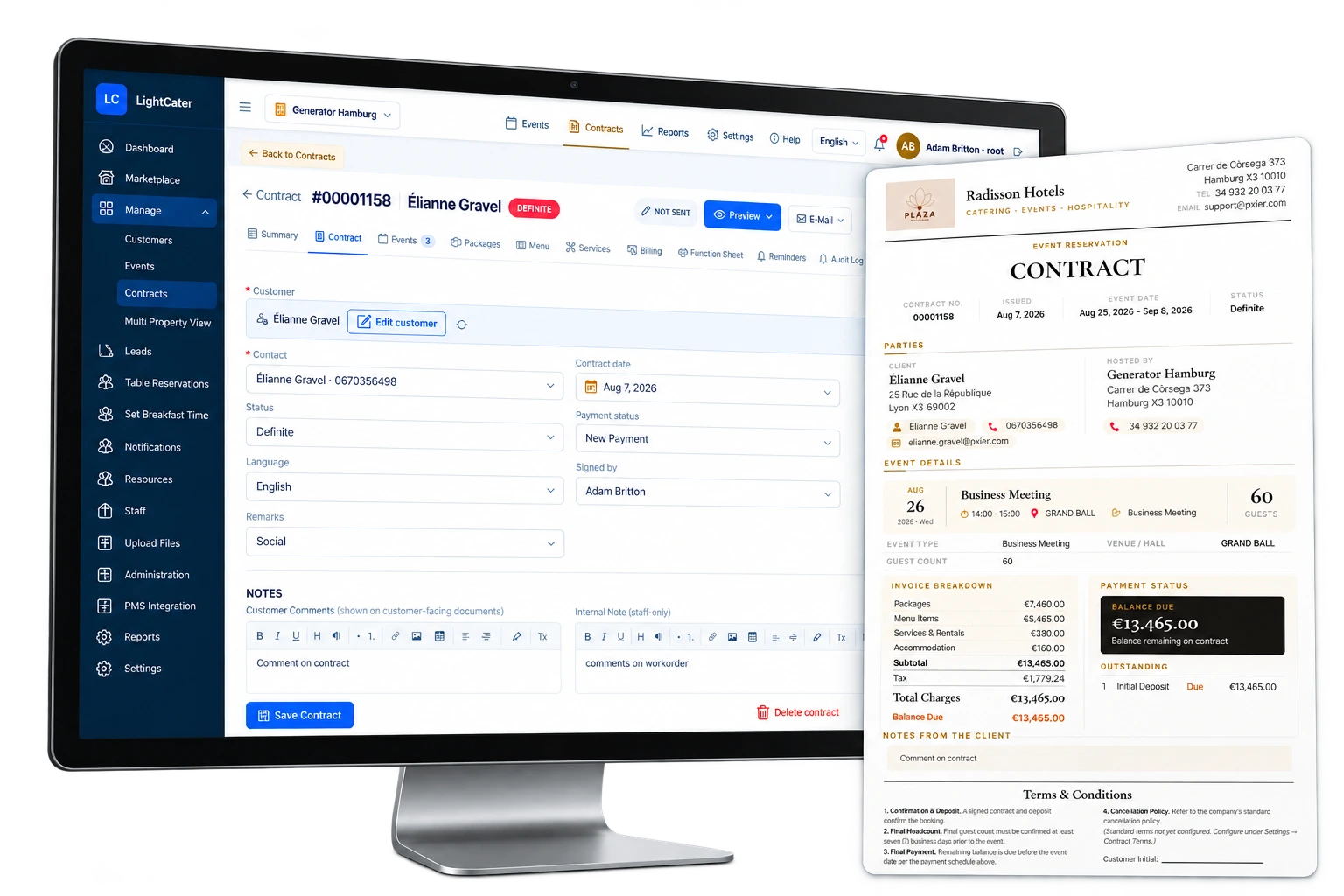
Corporate client wants the dinner and the bar on separate invoices? The couple's parents are splitting the bill? Split Bill divides one contract into several invoices. Payment Plans work out the deposit and every balance due date for you, so you always know what's owed and when.
- Split by date, by percentage, by guest count, or pick the items yourself
- Each split is its own invoice, sent to its own contact, with payments tracked against it
- Payment schedules calculated from the event or contract date
- Your own deposit rules, recalculated whenever the bill changes
Hotel events, on the guest's folio.
For hotels and resorts, LightCater connects to your property management system. Post event charges to the group's master folio or a guest's room, look up PMS guests and companies, and keep event and hotel billing in step without re-keying a thing.
- Connects with Mews, Cloudbeds and eviivo
- Post charges from the contract's billing page in one click
- Find PMS guests and companies from the event
- See room reservations alongside the event
The numbers you ask for, without a spreadsheet.
Build your own reports from your bookings, revenue, payments and customers. Pick the columns, filters and totals, save the report, and run it again next month in one click.
- Choose columns, filters, grouping and totals
- Save reports and share them with your team
- Export the results to share with your accountant or owners
- Live dashboards for revenue, bookings and pipeline
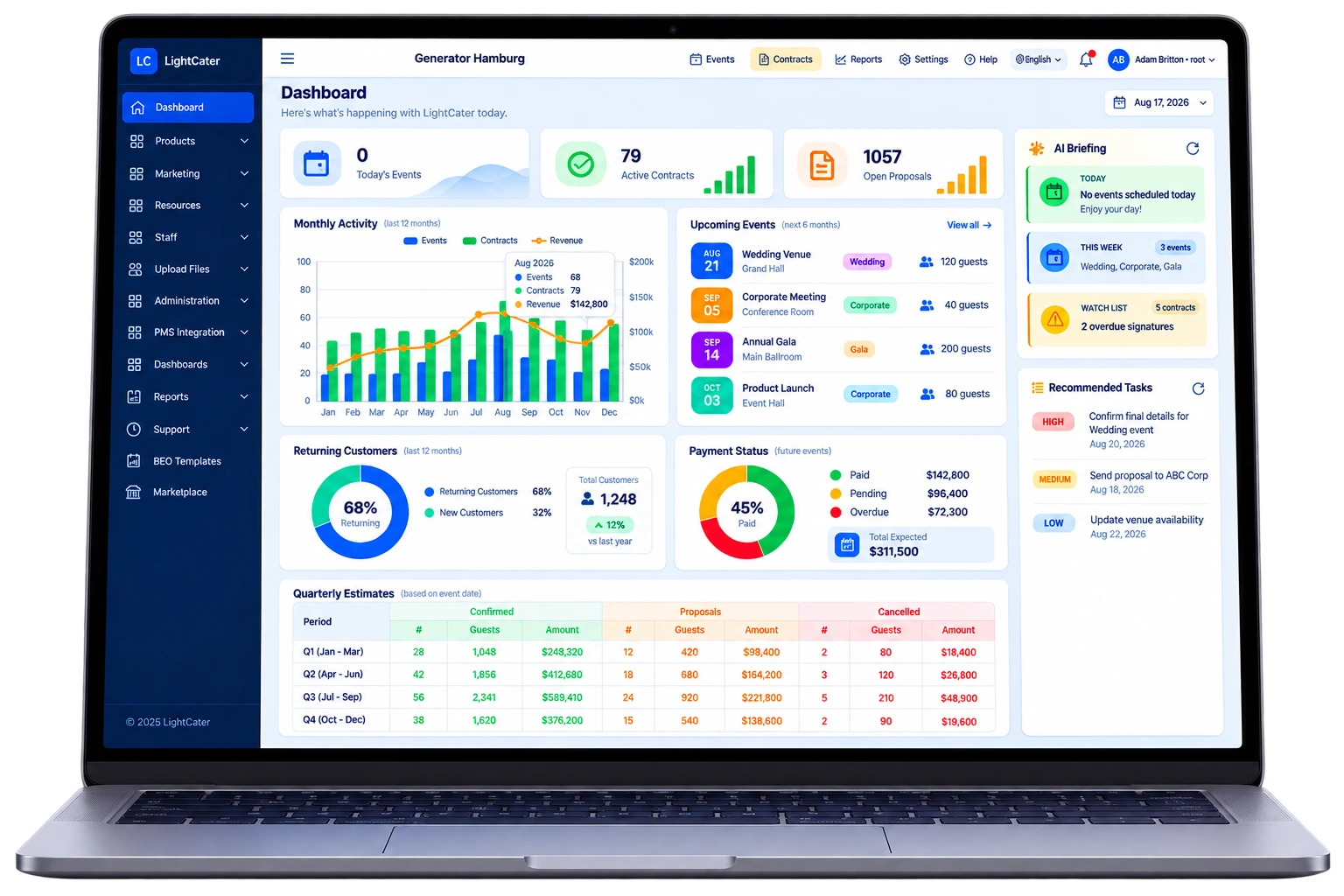
On when you want them. Off when you don't.
Every add-on lives in the in-app Marketplace. Flip one on and it's ready to use — no reinstall, no migration. Most start with a free grace period, and you can switch any of them off at any time. Your core plan never changes.
Start with the essentials, grow into the rest.
Set up a real event free for 14 days — then switch on any add-on the day you need it.