Price your menu to make money.
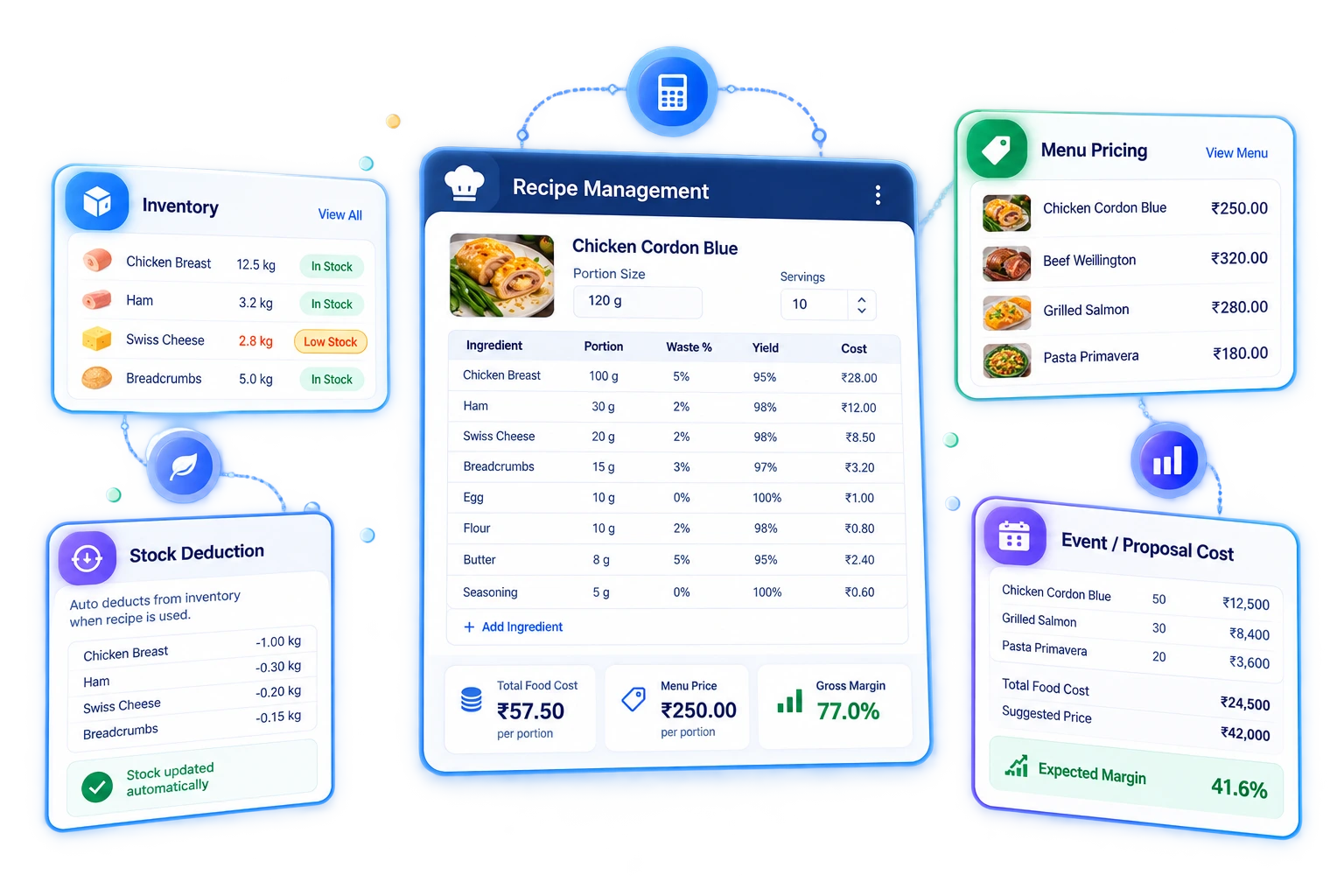
Build a recipe for every menu item — ingredients, quantities, portions — and see the real food cost and margin behind each dish, so your catering menu is priced on numbers instead of guesswork.
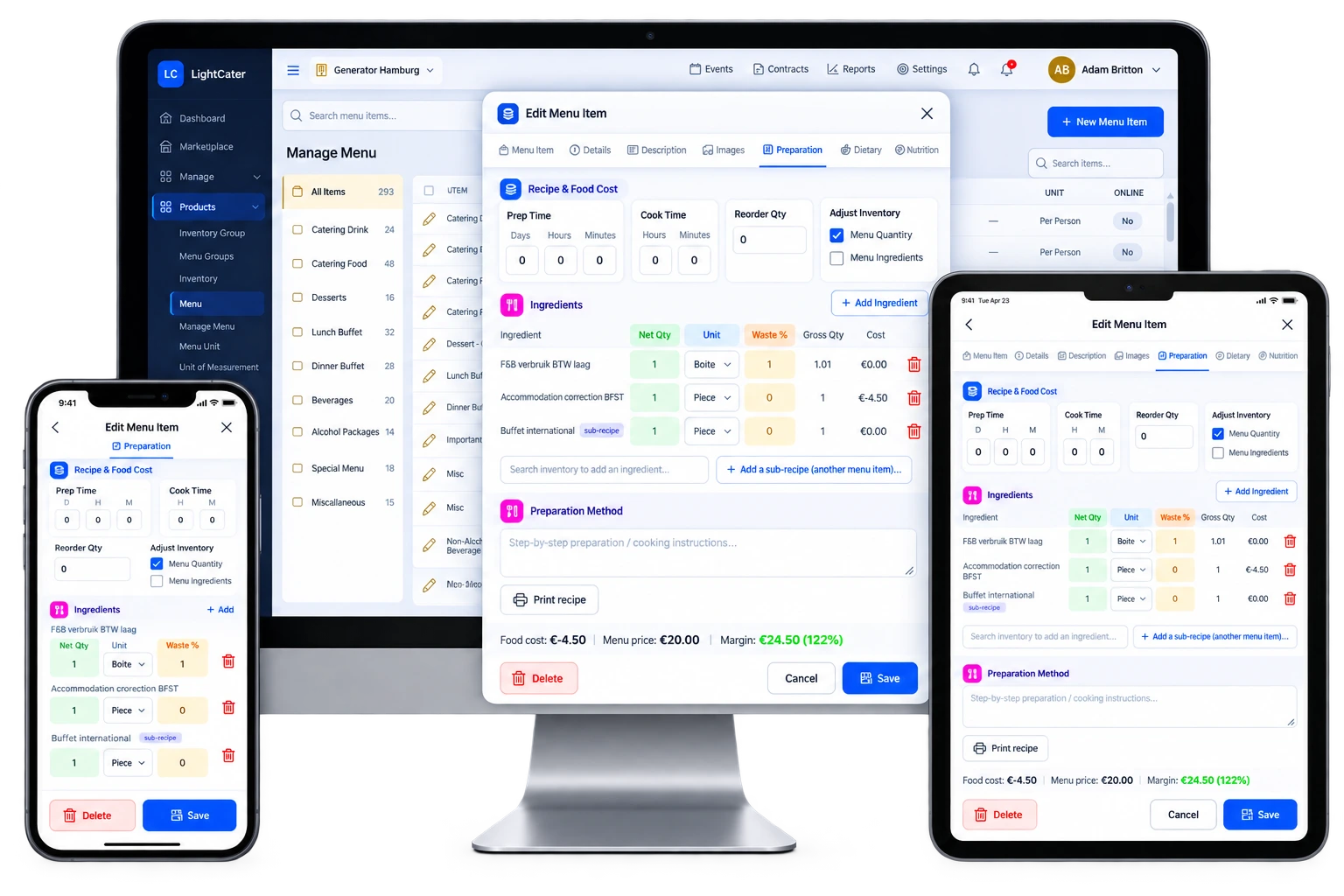
A recipe for every dish.
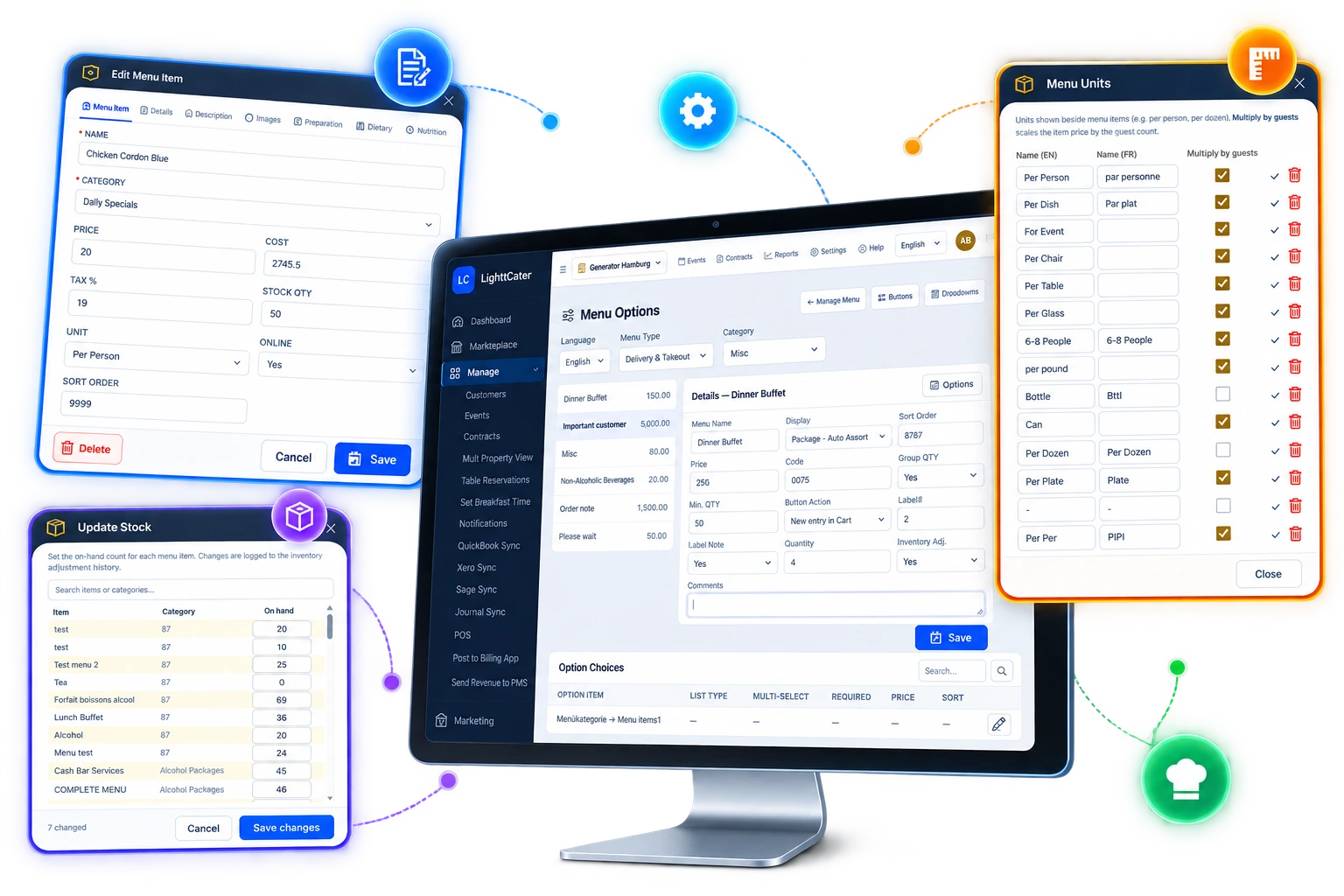
Open any menu item in Manage Menu and build its recipe from the ingredients you already stock. For each line you set a net quantity, a waste % for trim and yield loss, and a unit — and LightCater does the arithmetic for you, showing the gross quantity you actually buy and a live cost per line that adds up to the dish. Note the prep and cook time and you know exactly what it takes to plate it.
- Add ingredients straight from your inventory
- Net quantity, waste % and unit on every line
- Gross quantity and live cost per line, calculated
- Prep & cook time in days, hours and minutes
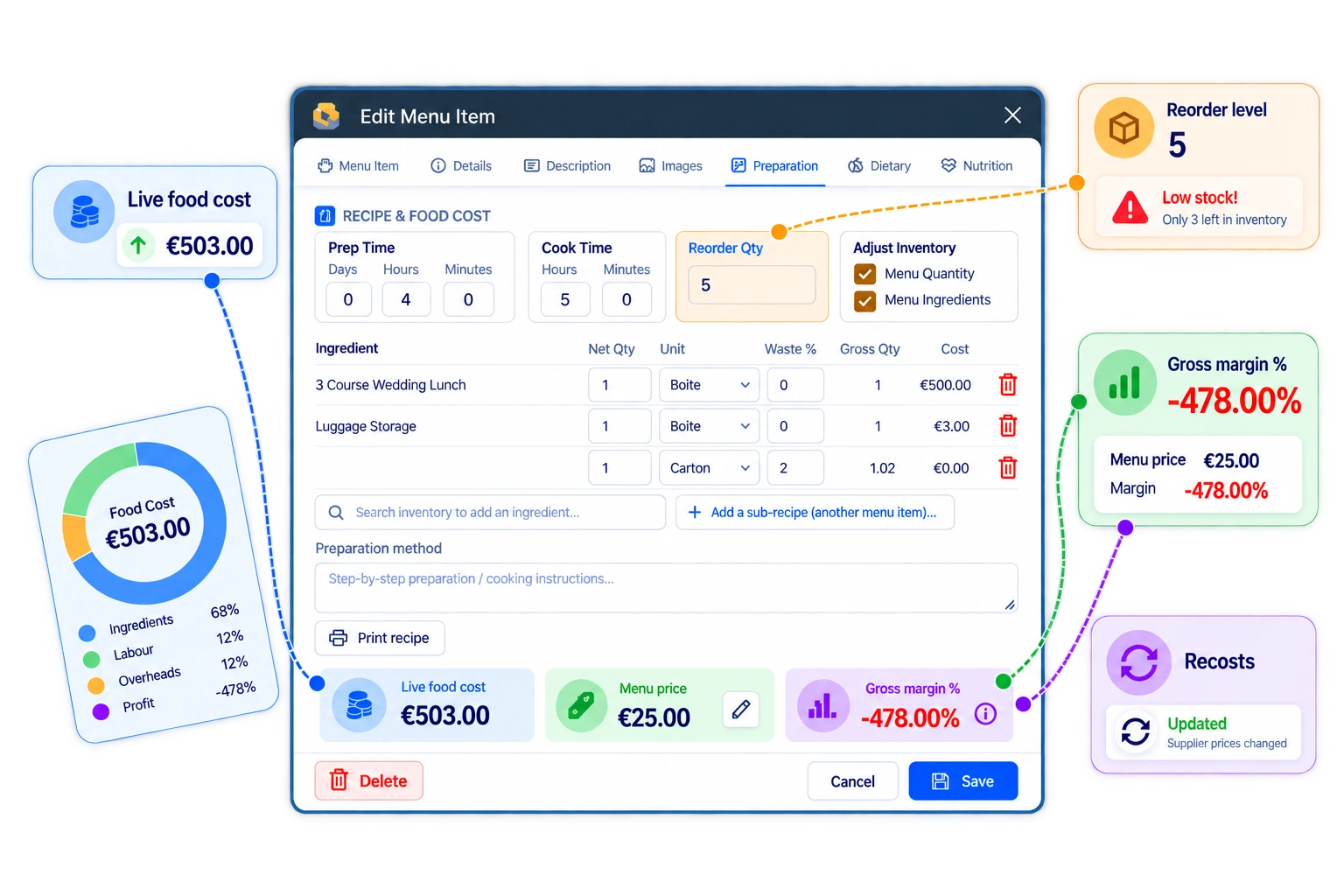
Know the margin before you quote.
Every line rolls up into a real food cost for the dish, shown right next to its selling price with the gross margin %. Because ingredient prices come straight from your inventory, that cost moves the moment a supplier price does — so you price your catering menu on live numbers and stop finding out at month-end that a popular dish was losing money.
- Live food cost rolled up from every line
- Gross margin % shown next to your price
- Recosts on its own when supplier prices change
- A reorder level that warns you on low stock
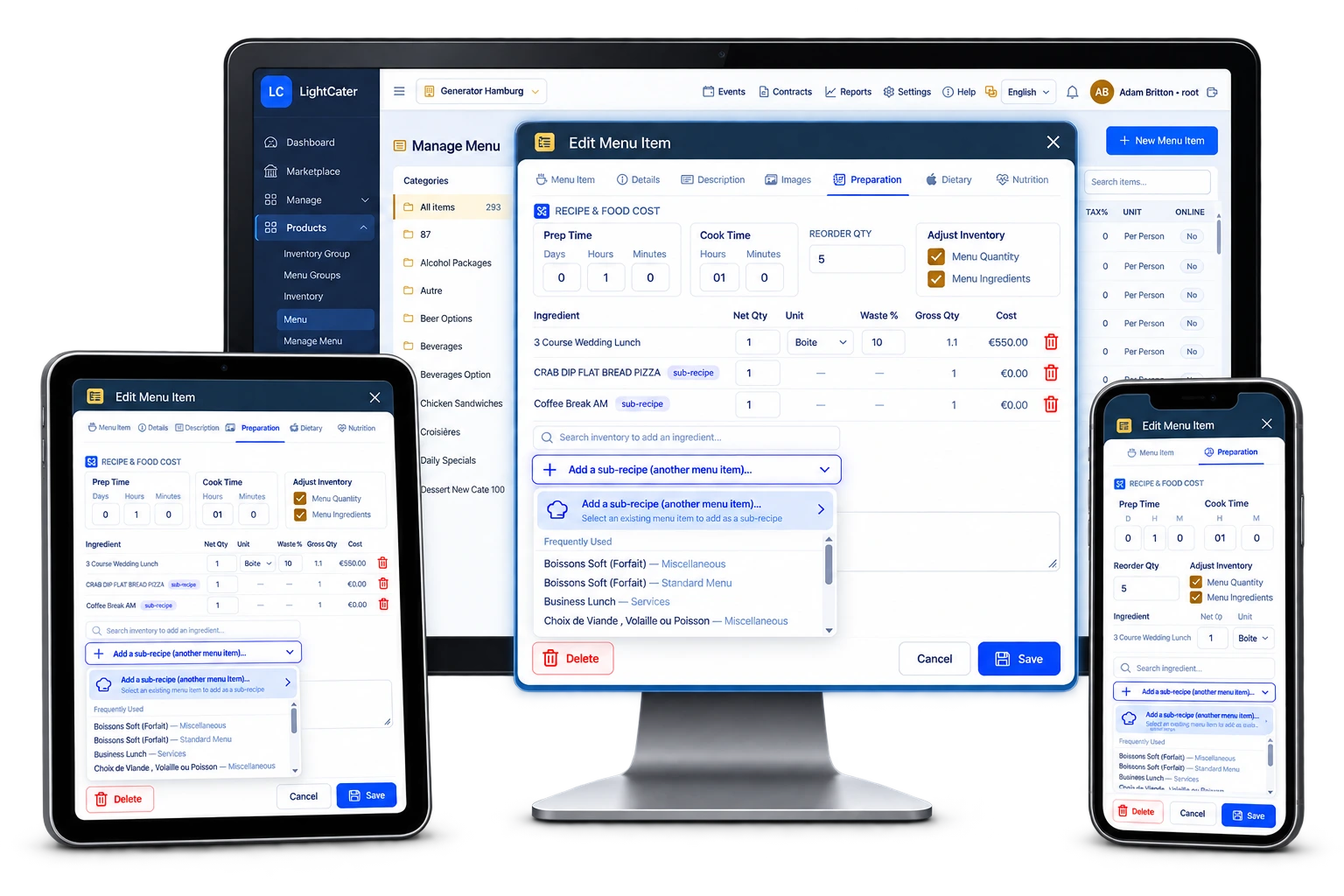
Sub-recipes that nest.
Build a prep once — a house sauce, a stock, a dressing, a spice blend — and drop it into every dish that uses it. Recipes can nest, so a sub-recipe can hold sub-recipes of its own, and its cost flows all the way up. Change the prep in one place and every dish that depends on it recosts automatically, with no re-entering ingredients.
- Build a prep once and reuse it everywhere
- Recipes nest — a sub-recipe inside a sub-recipe
- Update the component and every dish recosts
- No duplicate ingredient entry across dishes
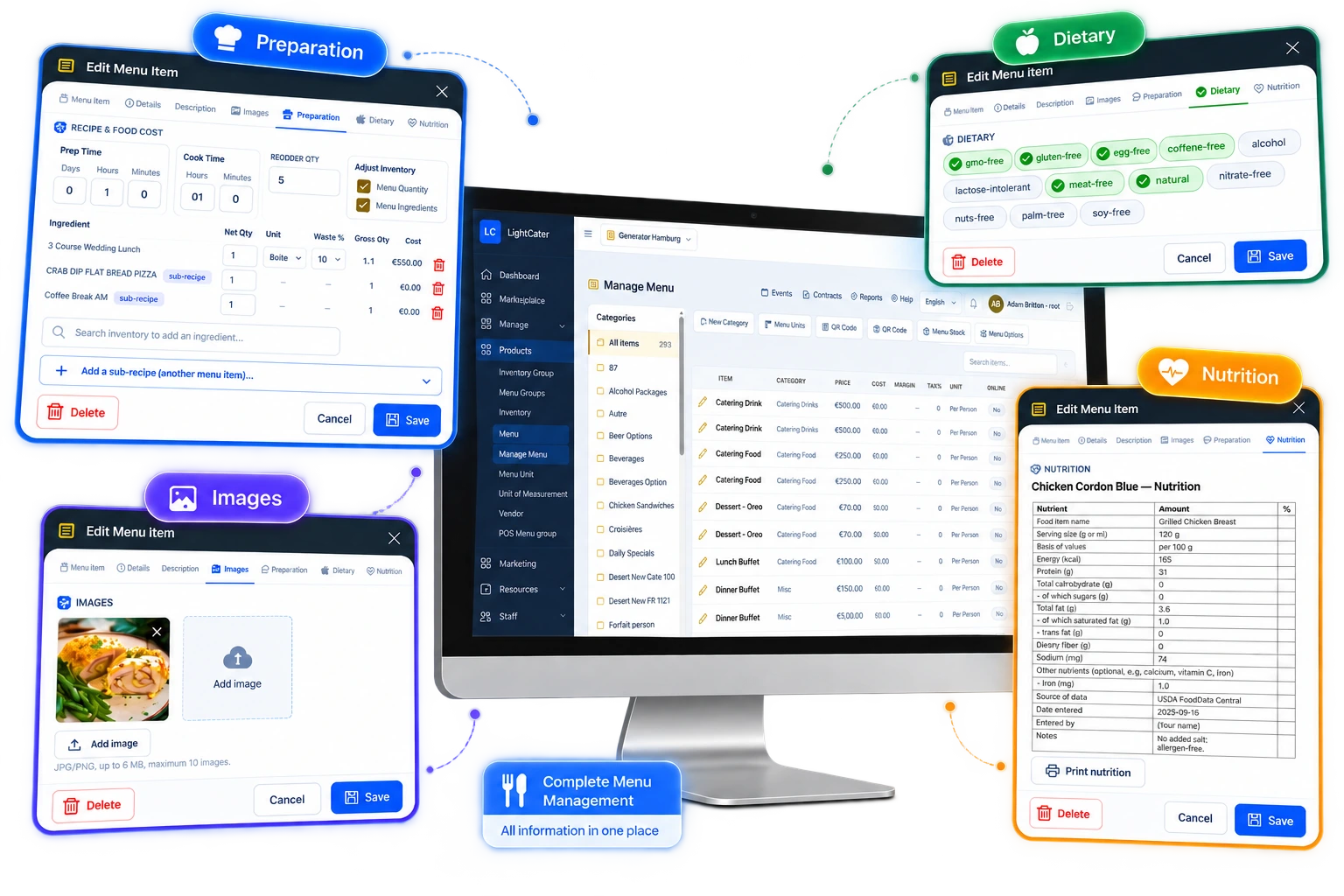
Everything the kitchen needs.
Each item carries its dietary tags — gluten-free, nut-free, dairy-free, vegetarian and more — along with nutrition notes and a preparation method so anyone on the line can plate it the same way. Print a clean recipe sheet and nutrition sheet for the kitchen, and attach a photo to every item so there's no doubt what the finished dish should look like.
- Dietary tags: gluten-free, nut-free, dairy-free, vegetarian…
- Nutrition notes and preparation method per item
- Printable recipe sheet and nutrition sheet
- A photo on every menu item
Costs that stay accurate.
Define your own units of measure and use the built-in converter to move between them — a bottle to glasses, a case to portions — so costing never drifts because someone bought in one unit and served in another. When an event is confirmed, LightCater batch-deducts ingredient stock for what was actually served, and you choose whether to adjust menu stock, ingredient stock, or both, so your counts always reflect real life.
- Define units of measure and convert between them
- Adjust menu stock and/or ingredient stock
- Batch-deduct ingredients after a confirmed event
- Counts reflect what was actually served
Build once, cost forever.
- Enable the add-on from the in-app Marketplace.
- Open Manage Menu and build a recipe — add ingredients with net quantity, waste % and unit, then set prep and cook times.
- Read the cost and margin. Gross quantity, live per-line cost and food cost roll up automatically, and update on their own as inventory prices change.
- Run the event. On confirmation, ingredient stock is batch-deducted for what was served, so your counts stay honest.
Sub-recipes let you build a component once — a house sauce, a stock, a spice blend — and drop it into every dish that uses it. Change the component and every recipe that depends on it recosts automatically.
Turn it off anytime from the Marketplace; your recipes, units and costing history stay exactly where they are.
Caterers who want to stop guessing.
If you price menus on a hunch and hope the margin is there, one wrong ingredient cost can quietly turn a booked event into a loss. Recipe Management is for caterers and venues who want to cost their menus accurately — dish by dish, portion by portion, waste and yield included — so the price on every proposal is one you know makes money.
It ties straight into your menu and inventory, so the recipes you build become the numbers behind your catering menu pricing — and the stock deductions behind your inventory counts.
Recipe & costing questions.
What is recipe management?
How does food costing work?
Does it handle waste and yield?
What are sub-recipes?
Does it update when ingredient prices change?
Can it track ingredient stock after an event?
How much does it cost?
Cost your menu the right way.
Run a real event in LightCater free for 14 days, then switch on Recipe Management in a couple of clicks — an optional add-on on any plan.