Everything you need. One workflow.
LightCater covers the whole event lifecycle for teams of any size — from the first enquiry to the signed contract to the printable BEO — and lets you add enterprise extras like PMS sync, POS and recipe costing only when you actually need them.
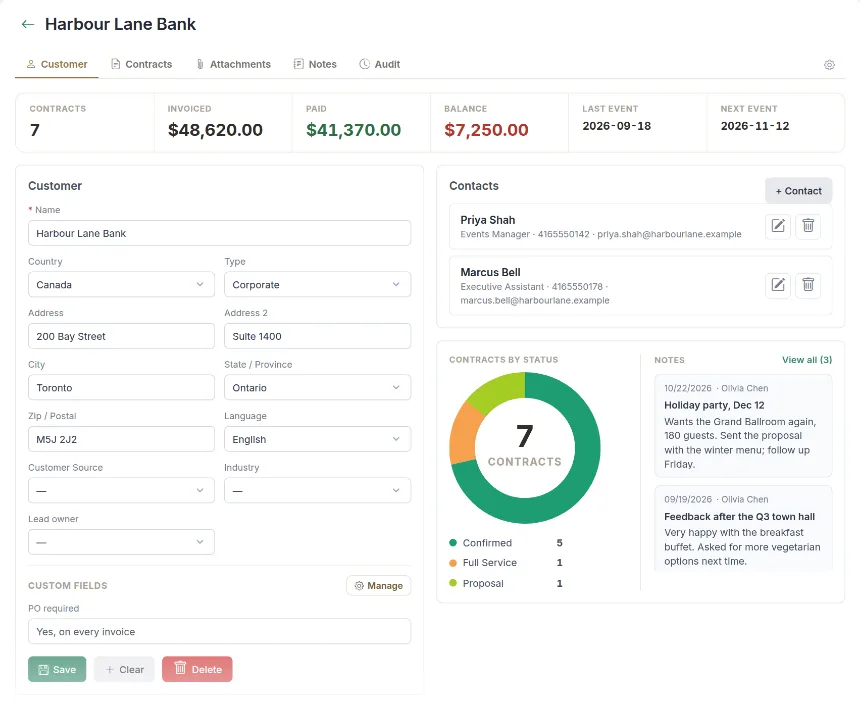
Every client and contact, in one place.
A clean, no-fuss CRM made for events. Keep contact details, event history, notes and follow-up reminders together — so anyone on your team can pick up a conversation without missing a beat.
- Full contact & event history
- Notes & follow-up reminders
- Turn an enquiry into a booking in seconds
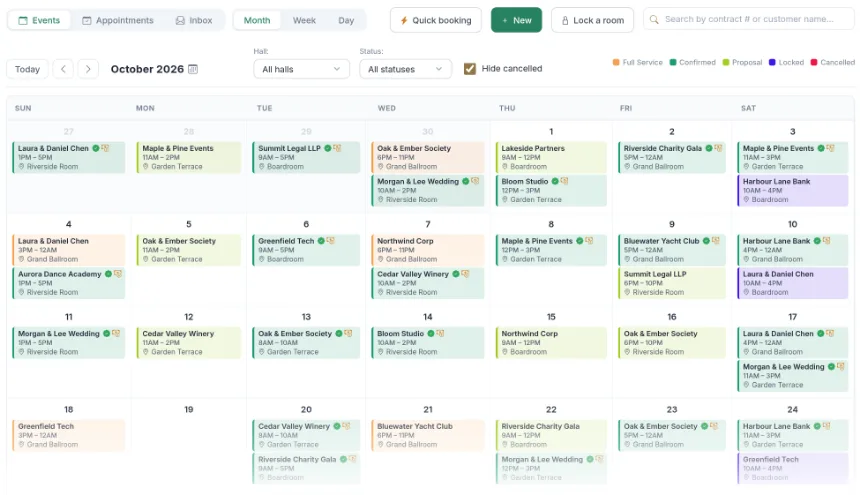
See your whole pipeline at a glance.
Daily, weekly and monthly views show every booking and hold across your rooms, colour-coded by status — so you instantly know what's confirmed, what's pending, and where you have space.
Conflict warnings stop you from accidentally double-booking the same room.
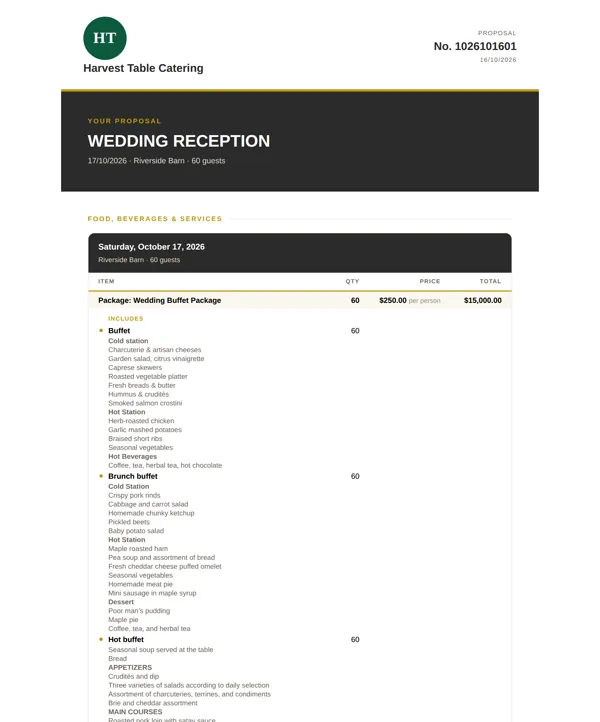
Branded quotes in minutes.
Pull in your menus, packages, rentals and services, set the guest count, and LightCater assembles a polished proposal your client can review online. Adjust line items, apply taxes and discounts, and send — all without leaving the app.
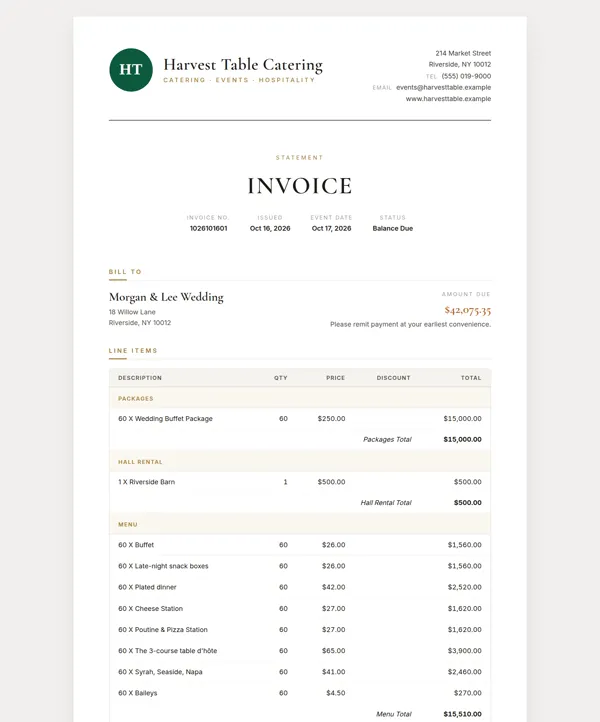
Accepted proposal becomes a contract.
One click turns an approved proposal into a contract and a tax-ready invoice — same figures, no re-typing, no transcription errors.
Track deposits, payments and outstanding balances so you always know who owes what.
One sheet your whole team trusts.
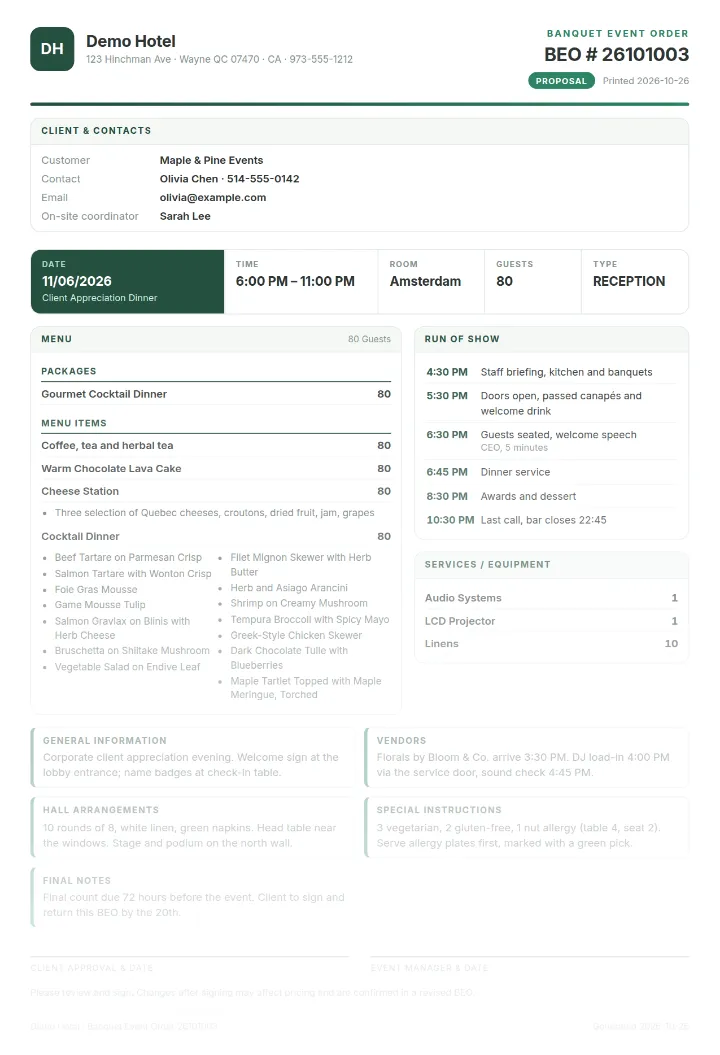
Every confirmed event produces a clean, printable BEO: timing, headcount, menu, room layout and special requests, all in one document. Print it or share it so the kitchen and floor staff know exactly what each event needs — no guesswork.
What to prepare, and what to order.
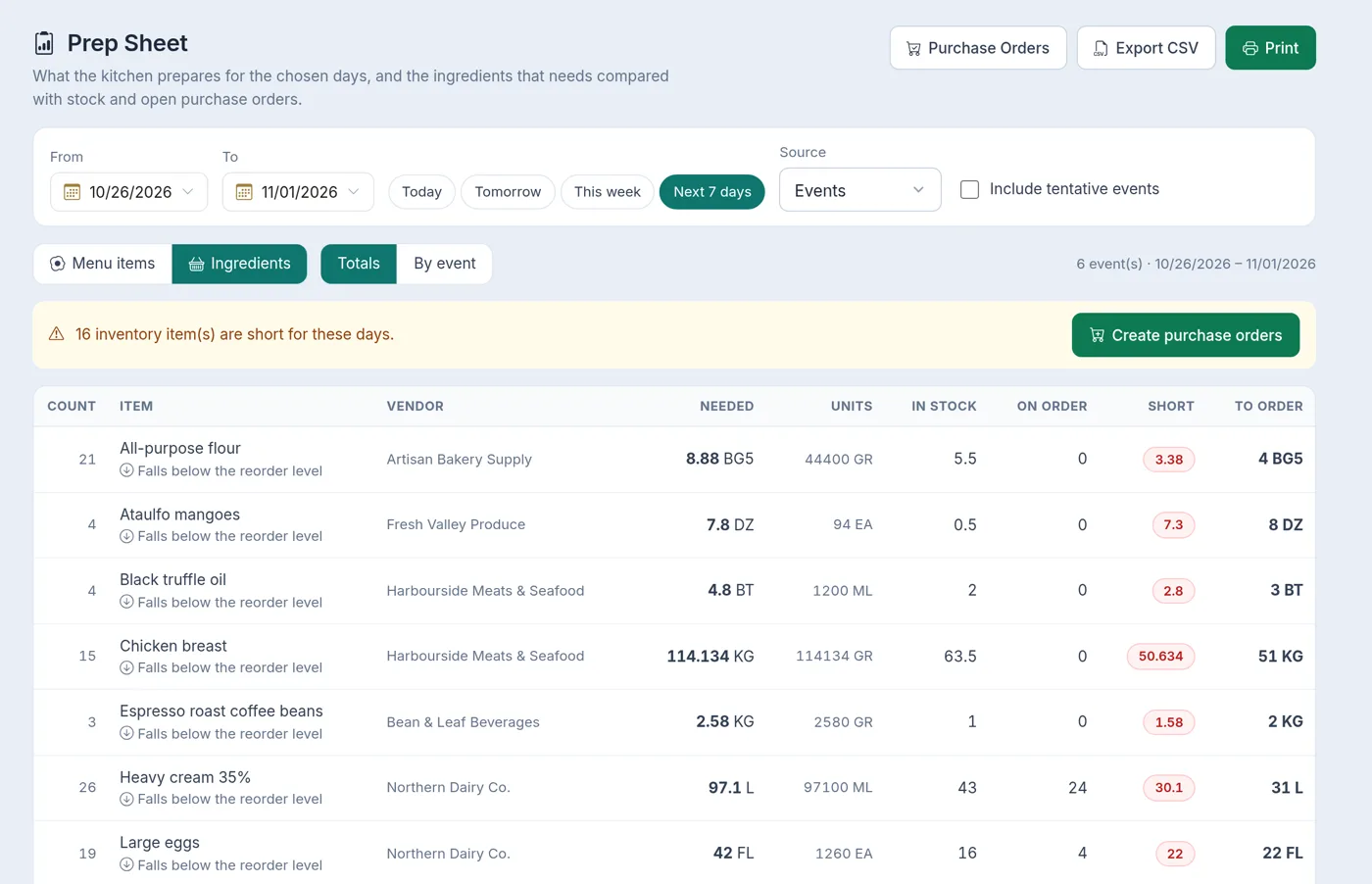
The prep sheet shows what the kitchen has to prepare for the chosen days, straight from your confirmed events, and the ingredients it needs compared with your stock and open purchase orders. Anything that's short goes onto a purchase order to the right supplier in one click.
- Dishes to prepare per day or per event
- Ingredients needed against stock and open orders (with Recipe Management)
- What's short, by supplier, turned into purchase orders
- Print it for the kitchen or export to CSV
Nothing left on the truck.
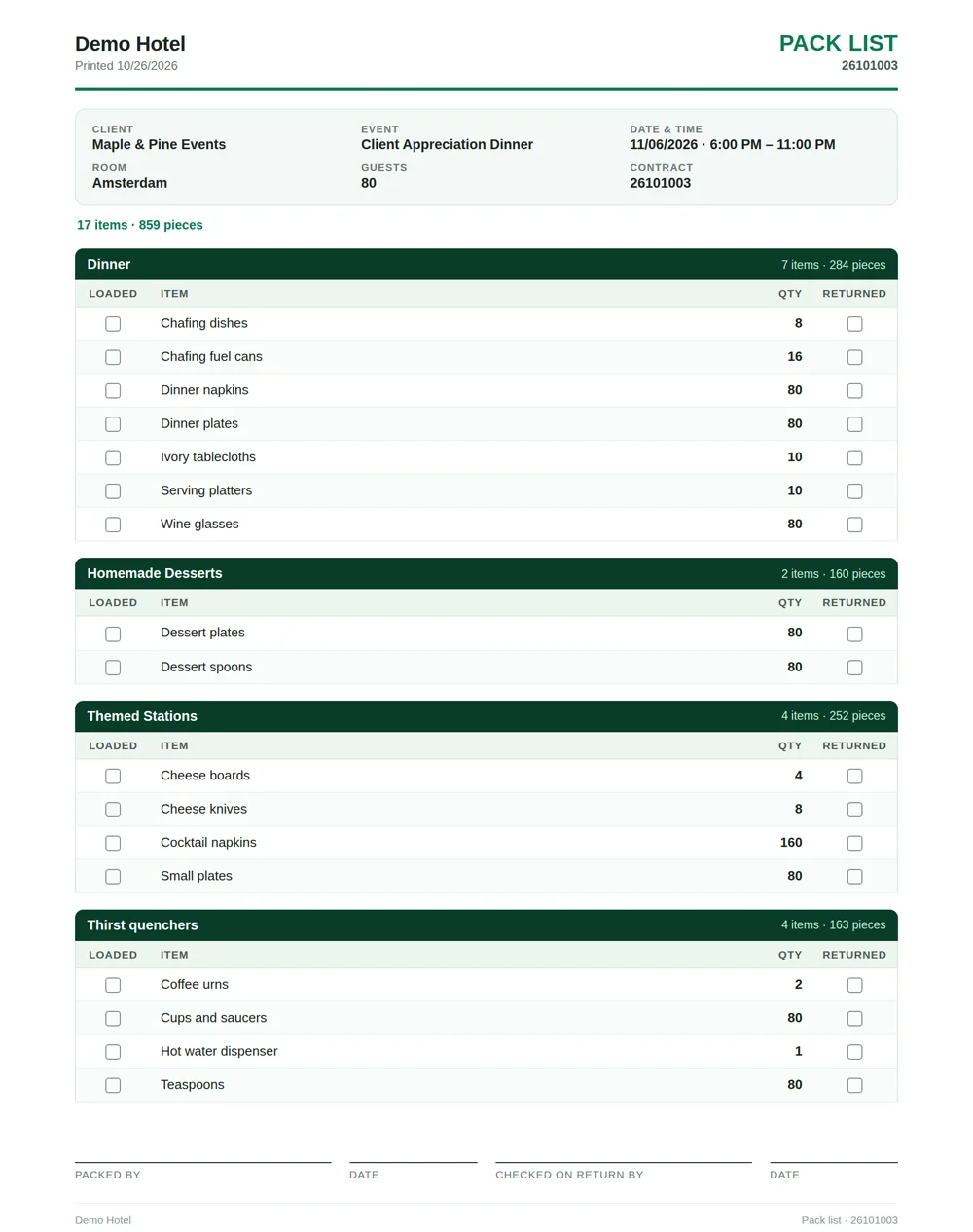
Every event gets a pack list: exactly which equipment and items go out, from chafing dishes to linens and serving platters. It's generated from the booking, so when the menu or the guest count changes, the pack list changes with it. With Rental Inventory, booking a table brings its chairs and linen too, and items are checked out and back in with barcodes.
- Equipment and items for every event
- Updates when the menu or guest count changes
- Ready to print for the team loading the van
- With Rental Inventory: availability, barcodes and returns
Know what every dish really costs.
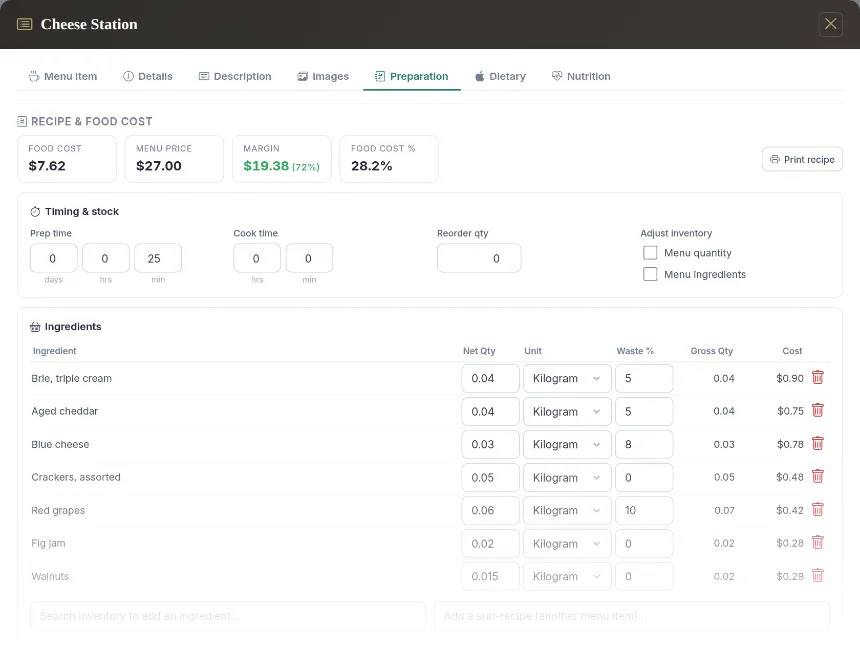
Build a recipe for every menu item: ingredients with net quantity, waste % and unit. LightCater calculates the gross quantity and live cost per line, then shows the real food cost and gross margin next to your price. Sub-recipes are reused across dishes, and ingredient stock can be deducted after a confirmed event.
- Ingredients with net quantity, waste % and unit
- Live food cost and margin % against your selling price
- Nested sub-recipes, prep and cook times
- Printable recipe and nutrition sheets
Optional add-on, switched on in the Marketplace. See recipe management →
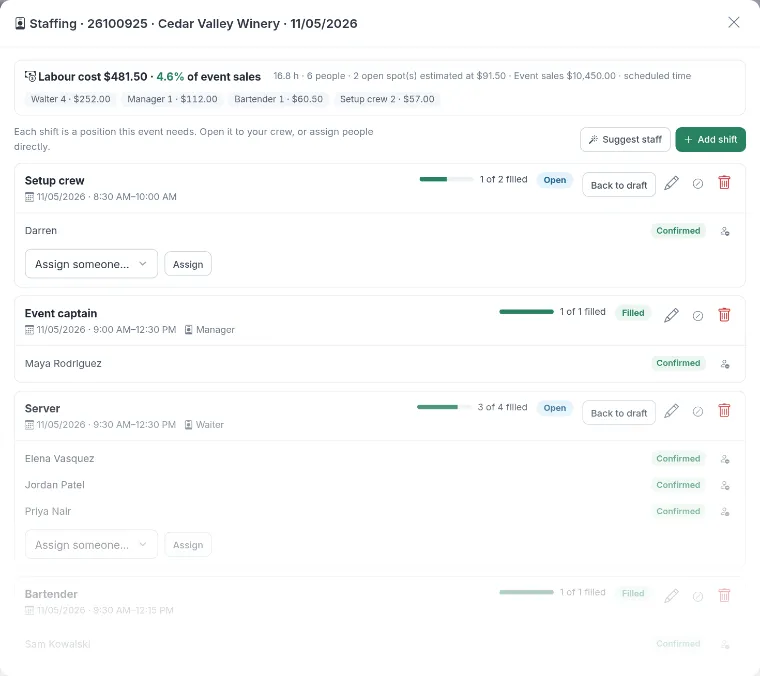
Staff every event without the group texts.
Each confirmed event gets the shifts it needs: event captain, servers, bartenders, setup crew. Assign people yourself or open the shifts to your crew, who claim them from their phone. You see who is confirmed, which spots are still open and what the event costs in labour.
- Shifts by position for every confirmed event, with staffing templates to suggest them
- Staff claim open shifts from their phone, no app to install; you approve
- Clock in and out on site, timesheets and a payroll export
- Labour cost and % of event sales on every event
Optional add-on, switched on in the Marketplace. See Crew Scheduling →
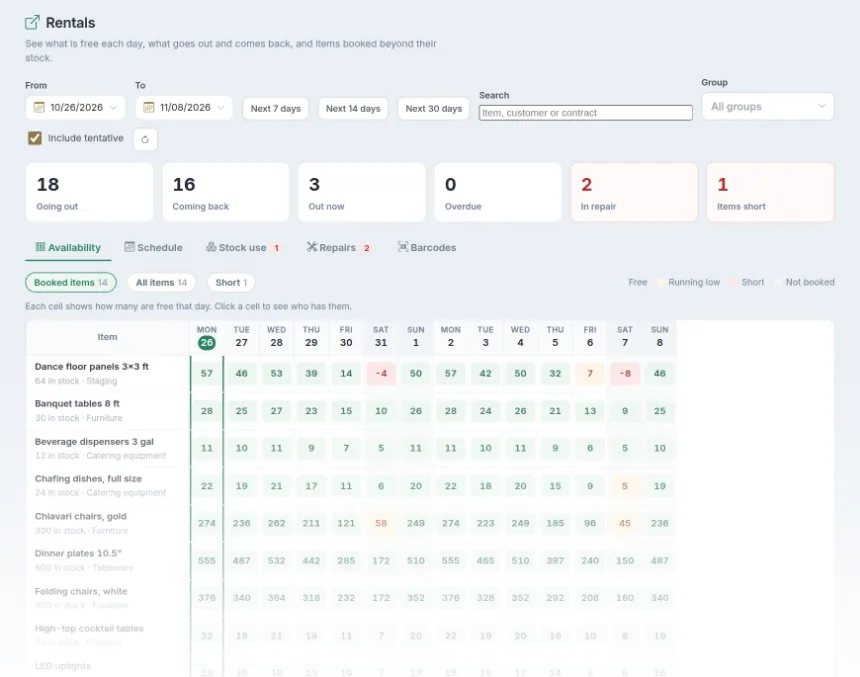
Rent out your equipment, never double-book it.
See how many chairs, tables, linens and chafing dishes are free each day, straight from your booked events. Items booked beyond your stock are flagged before the weekend, not on the loading dock. Track what goes out, what comes back and what needs repair.
- Day-by-day availability, with shortages flagged in red
- Schedule of what goes out and comes back, event by event
- Check-out and check-in with barcodes or your phone's camera
- Damaged or missing items logged, repaired or charged to the client
Optional add-on, switched on in the Marketplace. See rental inventory →
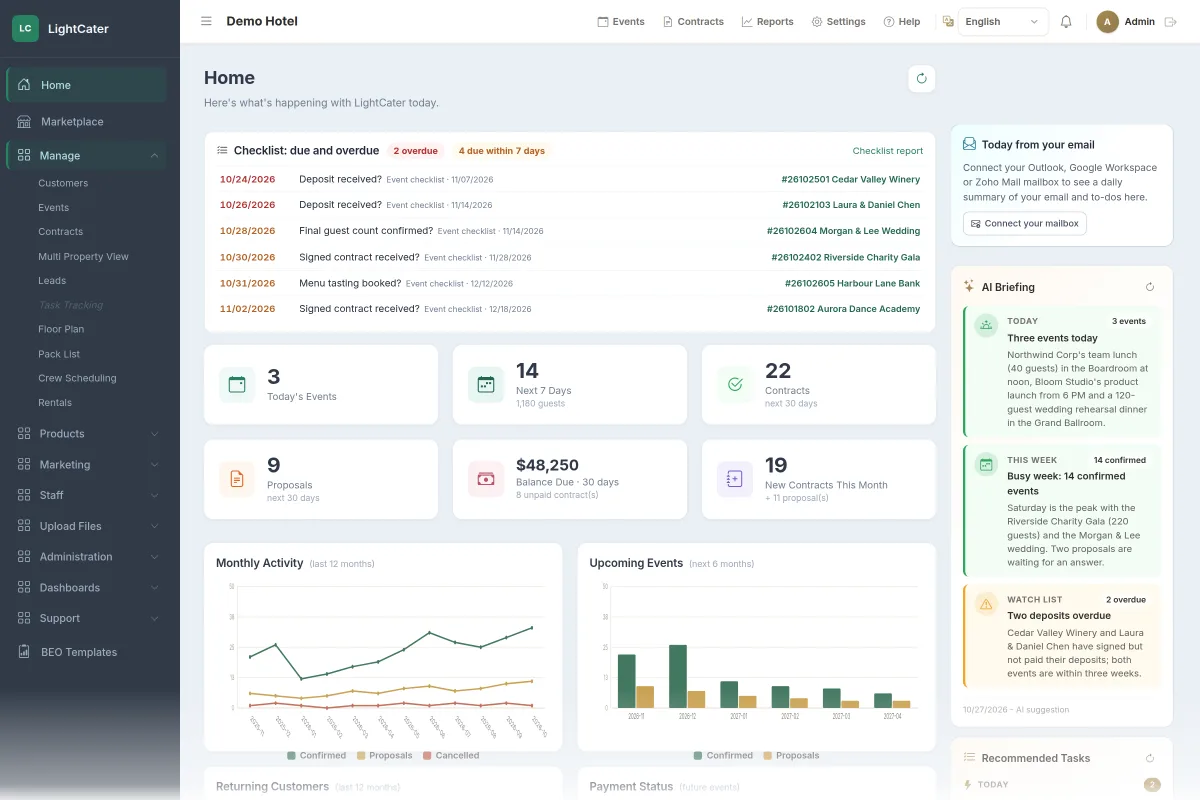
Your venue, at a glance.
The dashboard surfaces the numbers that actually run your week — bookings, revenue, deposits outstanding, what's coming up tonight. No drilling for what your morning meeting needs.
- KPI cards: bookings, revenue, deposits, next event
- Upcoming events list right at the top
- One-click into the contracts that need attention
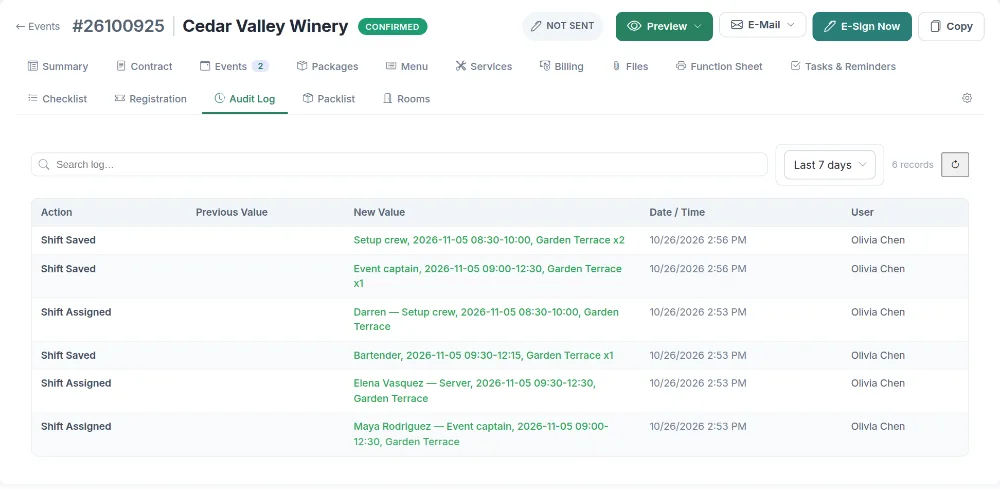
Every change, tracked.
Who edited that price? When did the menu change? Did the deposit get applied? Every modification to a contract is captured — user, field, old value, new value, timestamp — and searchable in one click.
- Filter by user, field, date or contract
- Old value → new value on every change
- Never wonder "who edited that?" again
Signed in the browser — no per-envelope fees.
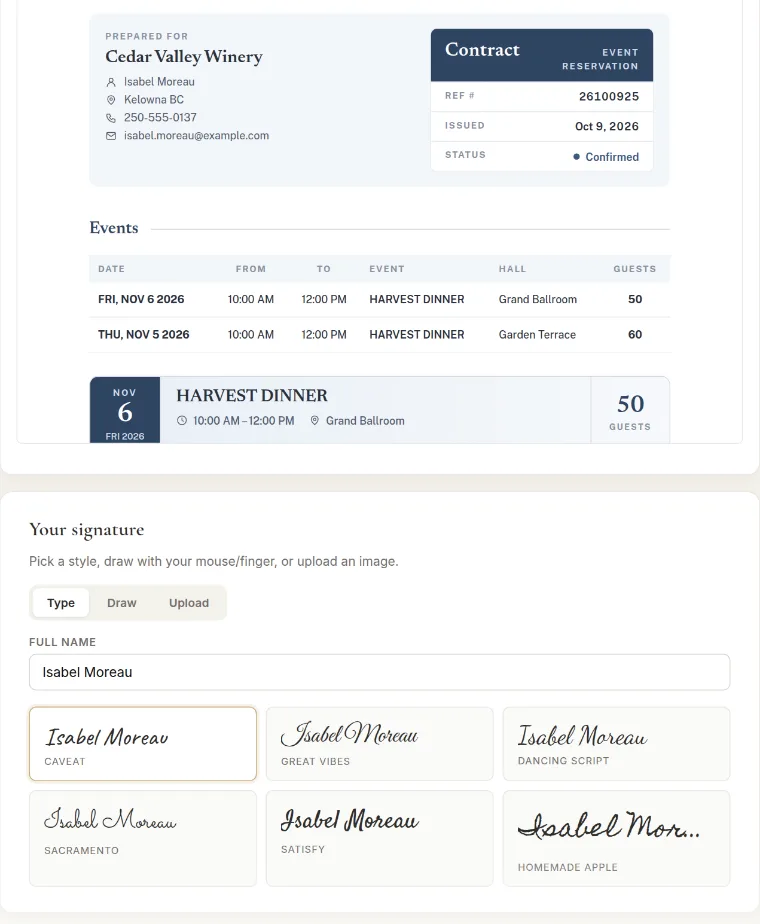
Send the contract for signature from inside LightCater. Your client signs in their browser — no app, no login, no third-party e-signature service tax. Signature status flows straight back into the contract.
- Sent · Opened · Signed — live status on the record
- Captured signature + timestamp + device, audit-grade
- No separate e-signature service or per-envelope fee
Six languages, one click.
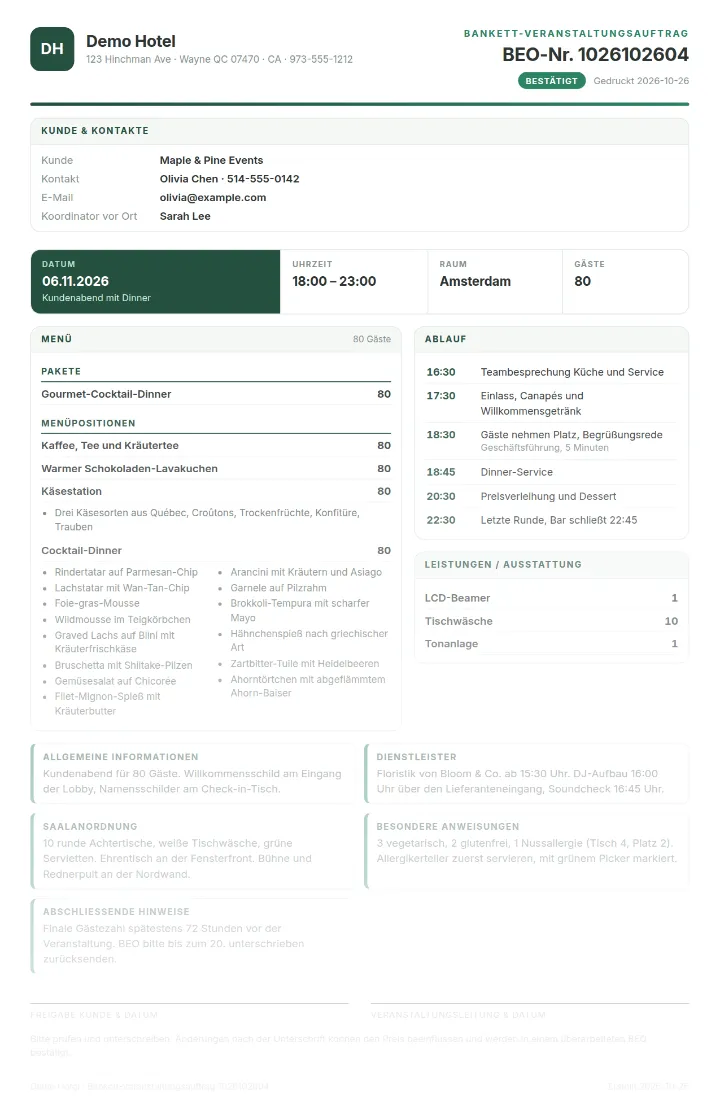
EN · DE · FR · IT · ES · NL. Function sheets, proposals, contracts and customer-facing emails all switch language with one click. Built for venues serving international guests — and kitchen teams who work in their own language.
- Per-customer language preference, remembered
- Print the BEO in your kitchen's working language
- Translations editable per venue — no rigid templates
Take the payment right on the event.
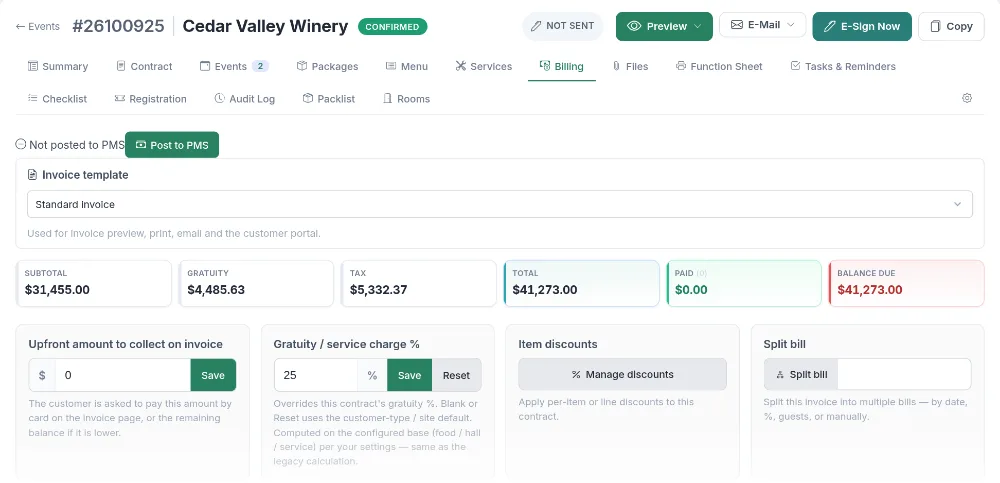
Collect deposits and balances without a second terminal — swipe, tap, key in, or charge a card on file, at competitive processing rates. Refunds and voids are one click, and invoices and payments sync straight to your accounting.
One page, one booking.
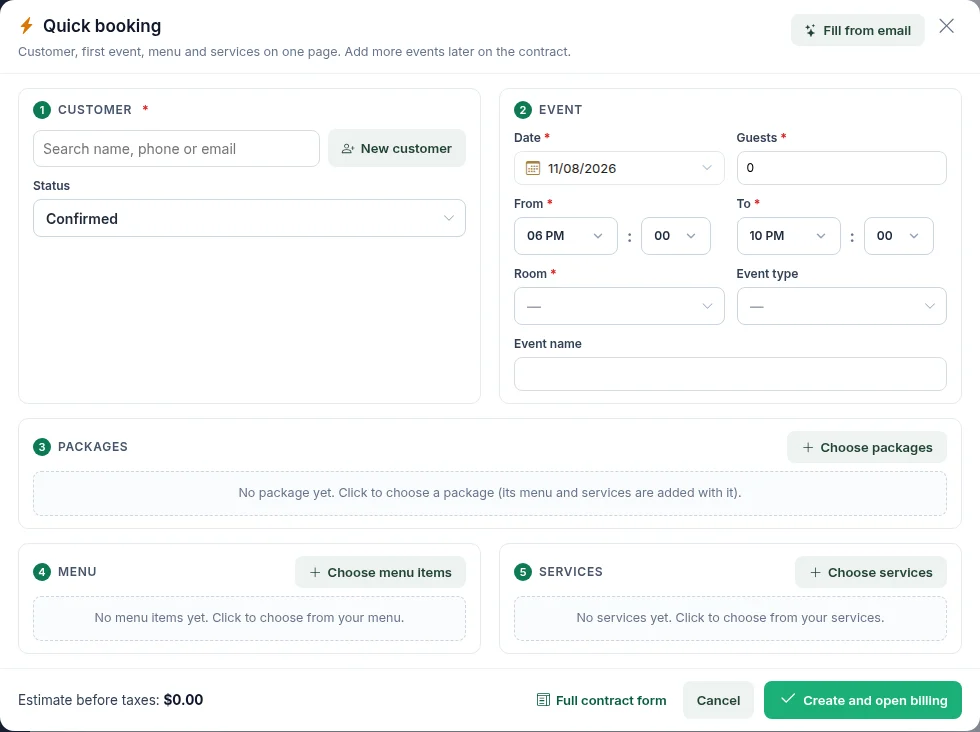
Book straight from the calendar without opening the full contract form. Customer, event, packages, menu and services sit on one page, with the estimate at the bottom. Create it and go straight to billing.
- Customer, event, menu and services on one page
- A running estimate before taxes
- Add more events later on the contract
- Fill from an email with the AI Assistant
Included in every plan.
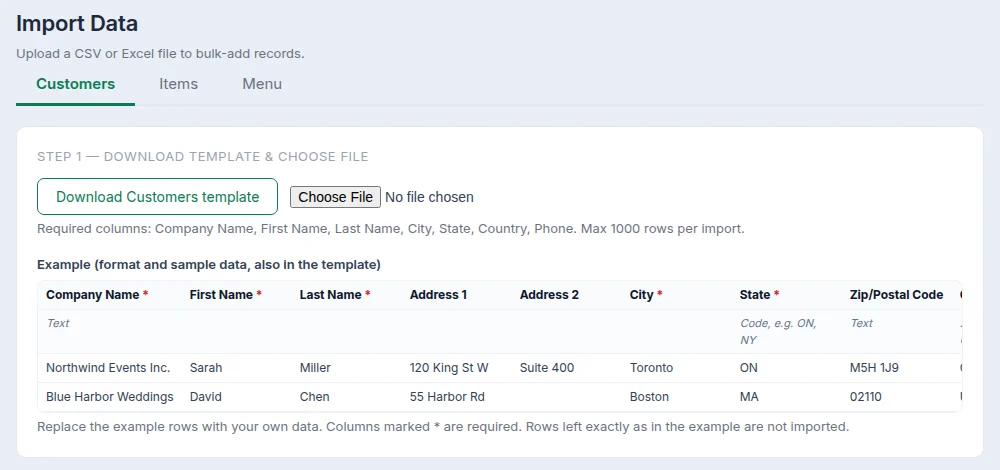
Bring your data with you.
Moving from another system or a spreadsheet? Upload a CSV or Excel file to add your customers, items and menus in bulk. Download the template, fill it in and import it.
- Customers, items and menus
- A ready-made template with example rows
- Up to 1,000 rows per import
Included in every plan.
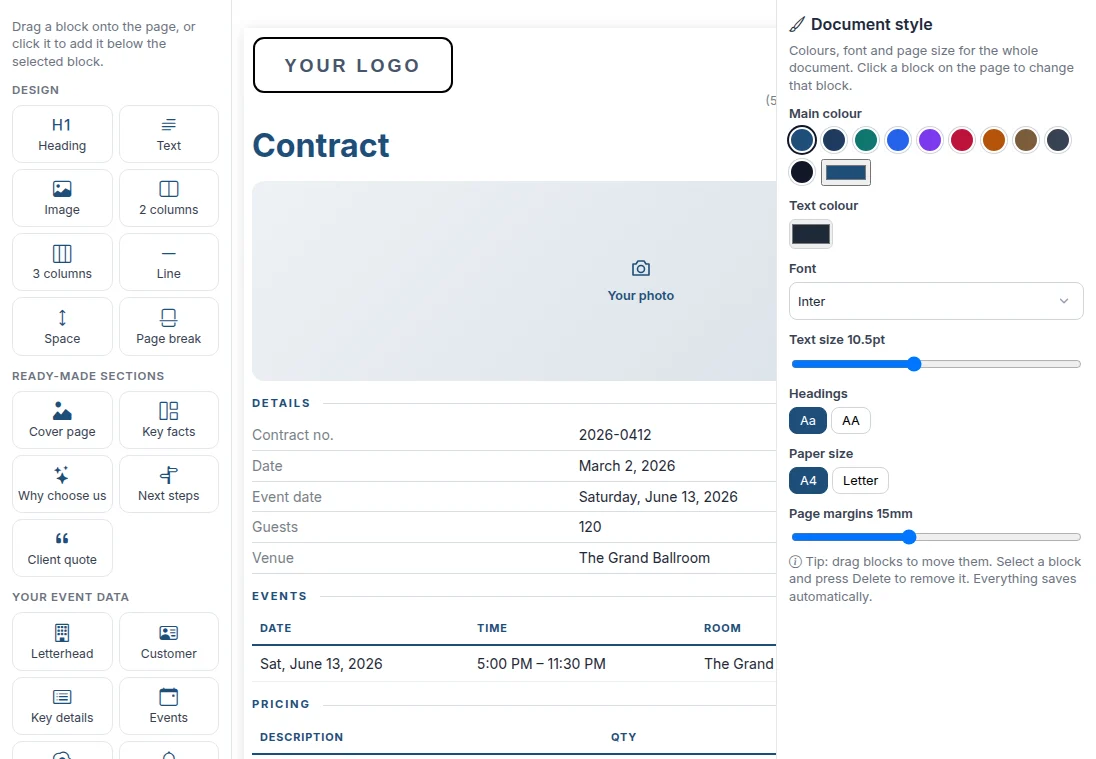
Your documents, your design.
Design your own proposals, contracts and invoices. Drag blocks onto the page, add your photos and text, and your event details fill in by themselves.
- Ready-made sections like cover page, key facts and client quote
- Your colours, font, paper size and margins
- Preview with example data before you use it
Included from Professional.
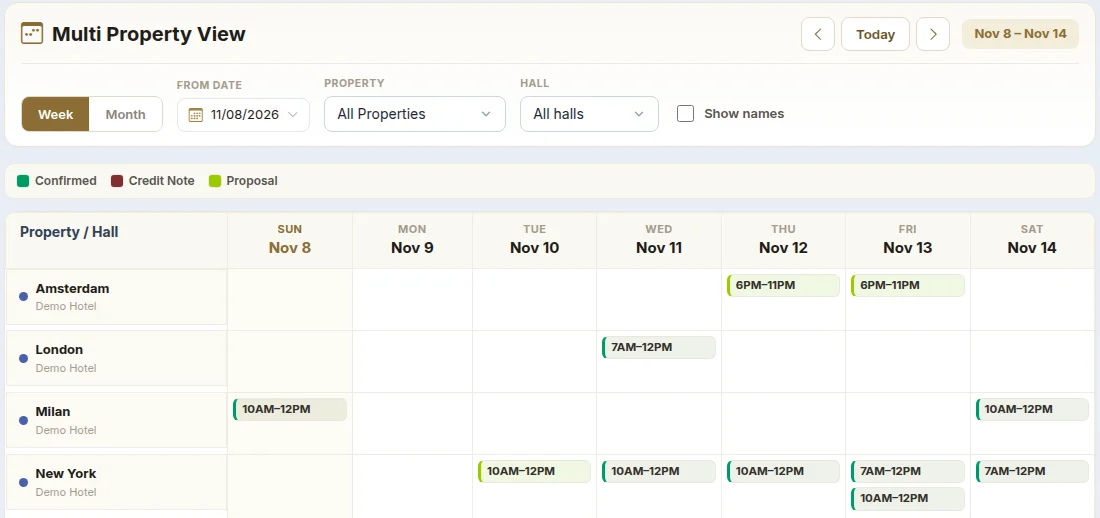
Every property, one view.
Run a group of hotels or venues from one account. See the events of every property and hall by week or month, keep all contracts in one list, and move between properties without logging out.
- Week and month calendar across properties and halls
- One contract list for the whole group
- Access set per property
- Search available rooms across locations
Included in Enterprise.
More that's built in.
The label on each card shows where it's included.
Booking and getting started
Book weekly meetings or series bookings once, not twenty times.
Standard and upSell tickets online with ticket types, prices and limits, your own questions, and QR check-in at the door.
Paid add-onDocuments
A production sheet per event for the kitchen, also available in Batch Print.
Standard and upSeveral people can sign the same contract.
Standard and upGet BEOs, function sheets, proposals and invoices signed online as well as contracts.
Professional and upAdd your own fields to contracts for the details your venue needs.
All plansPrint BEOs and event documents for a whole date range at once.
Standard and upHotels
See hotel group room blocks night by night in one view.
With PMS integrationSeat group breakfasts by morning and time slot, with a warning when a slot is over capacity.
With PMS integrationRoom nights and charges from your hotel system appear on the contract and invoice.
With PMS integrationPayments and connections
Split one contract into several invoices by date, percentage or guests.
All plansDeposits and balance due dates calculated for every contract.
Standard and upHotels on Mews can take card payments from staff screens and the client portal.
All plansConnect LightCater to your Lightspeed point of sale at no extra cost.
FreeYour team signs in with the work account they already use.
All plansTeam and add-ons
Questions your team answers on each contract or event, with due dates.
Standard and upRecords your calls and writes the summary and next steps for you.
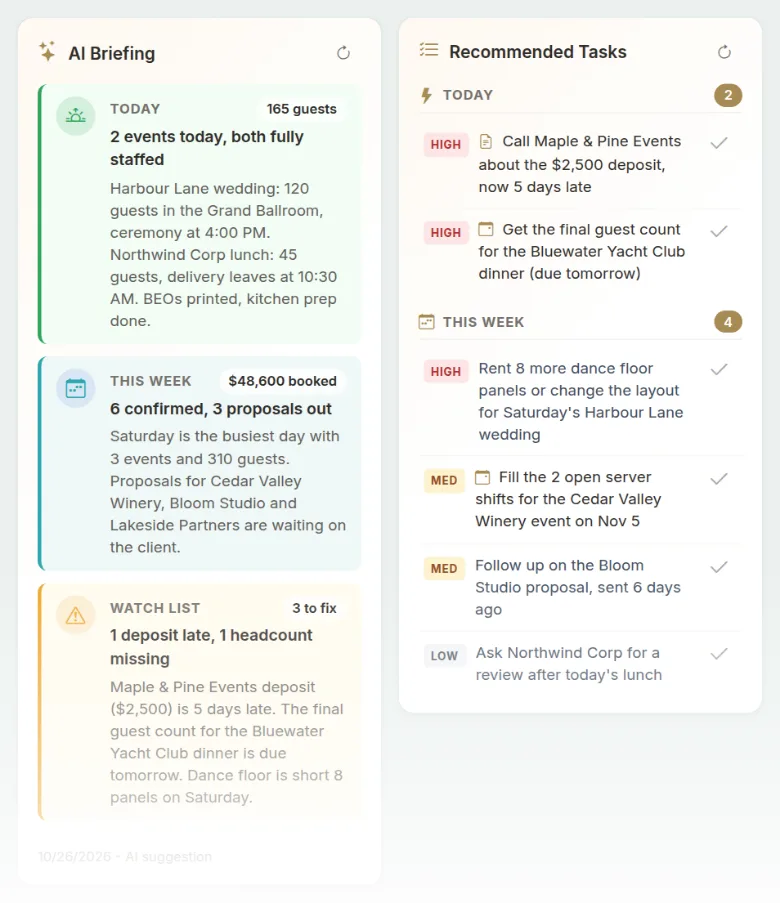
Enterprise or paid add-onA short morning summary of your email and today's tasks.
Paid add-onShow today's events on lobby and room screens, with your own ads.
Paid add-onLet the busywork run itself.
The AI Assistant is an optional layer on top of LightCater for teams who want to move faster. It reads your customer records and surfaces what needs attention, drafts your emails so you're not starting from a blank page, and keeps clients and staff in the loop without you remembering to hit send.
- Customer CRM insights — follow-ups and opportunities, surfaced for you
- AI-assisted emails — clear first drafts in your tone, in seconds
- Automatic notifications to customers and staff — nothing slips
Included in Enterprise, a paid add-on on every other plan. See pricing →
Light by design.
LightCater starts light and grows with you. PMS and calendar integrations come on the Professional plan; POS, recipe costing and more are optional add-ons; multi-property and SSO are on Enterprise — so you begin simple and add what you need as you grow.
Take the complete feature tour.
Walk through every feature across six sections — Sales & Documents, Catering & Menu, Pricing/Tax/Payments, Customer Portal, Operations, and Platform — with what each one does in plain English.
Explore every feature →Go deeper on a specific job
Dedicated deep-dives into the tools event teams shop for by name:
Built for your type of event — and your questions
Wedding catering software → Corporate catering software → How much does catering software cost? → What is a BEO? →
Try all five tools free for 14 days.
No credit card to start. Set up a real event and see how it fits your business.