One platform for your events and your restaurant.
For banquet halls, hotels and clubs that also run a restaurant or bar — take orders and payments at the table or counter, on the same platform as your events. No second system, no reconciling two sets of numbers at the end of the night.
Two-layer sign-in, built for a shared till.
A restaurant terminal is used by a whole shift, not one person. Resto POS separates the two: the device signs in once to the account and location, then each server, bartender or manager steps up and switches by PIN — no re-entering a password every time someone touches the screen. Rung sales, discounts and voids are attributed to whoever was signed in, and the terminal auto-locks after it sits idle so an open till is never left unattended.
- One device login, fast staff switching by PIN
- Every action attributed to the staff member
- Auto-lock on idle — the till is never left open
- No password re-entry between guests
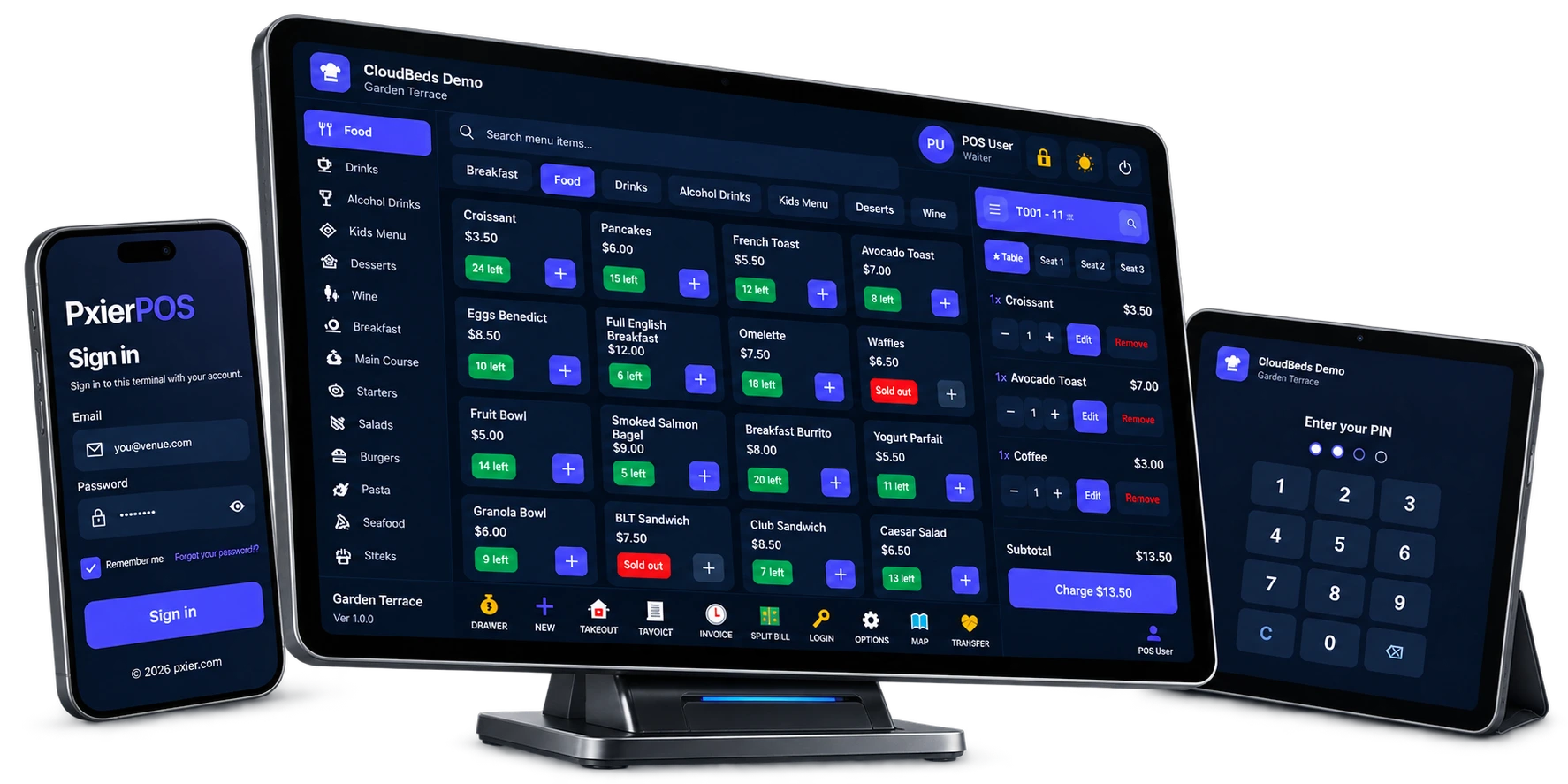
An order workspace that keeps up with the floor.
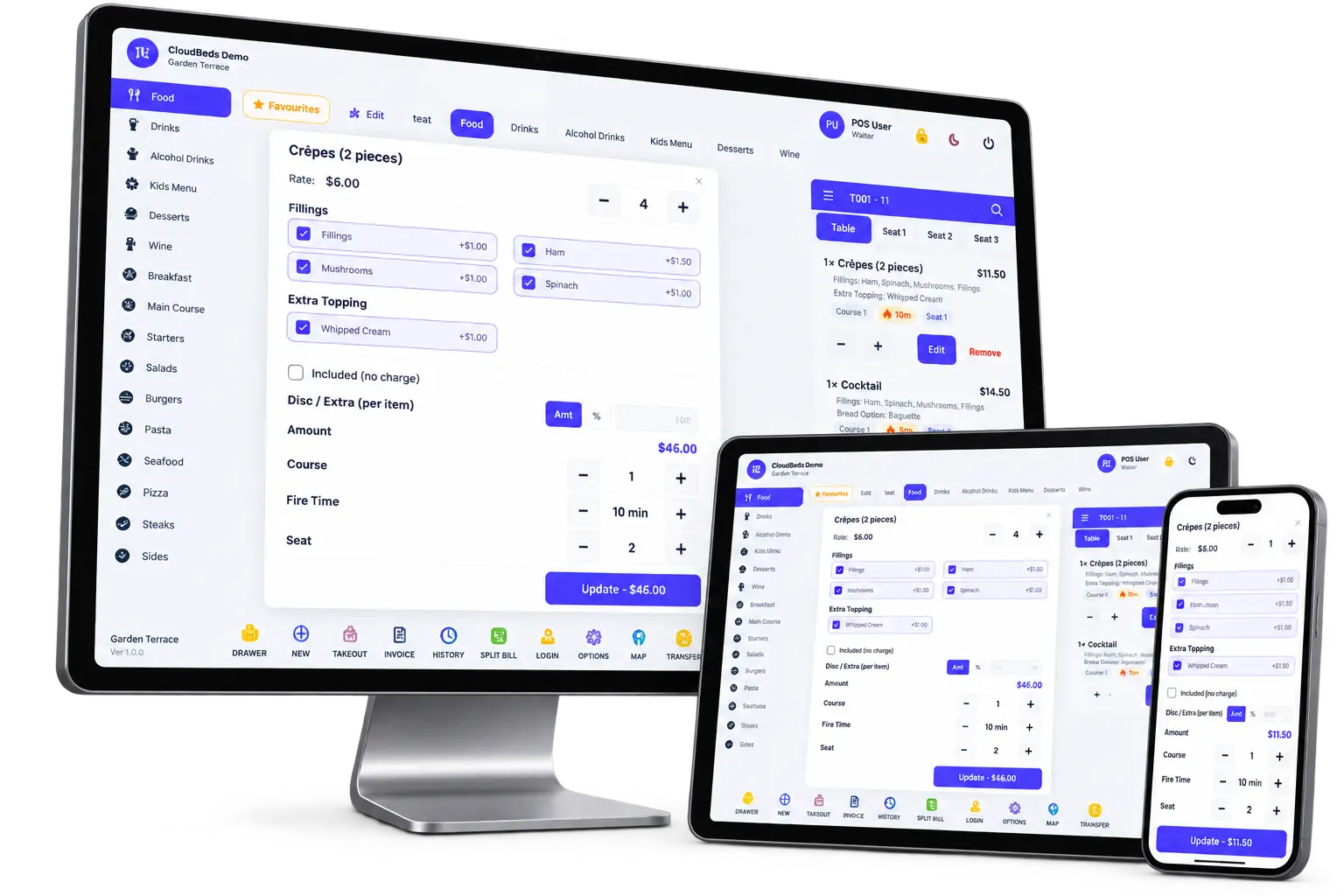
Work down from menu groups to categories to items, and build each line exactly the way the guest ordered it. Modifiers can be required or optional, single- or multi-select, with quantities of their own — so a required-choice item can't be sent until the choice is made. Assign a course and a seat, apply a per-item discount or extra, or comp a line with a reason attached, and send items to the kitchen or bar as you go.
- Menu groups → categories → items
- Required or optional modifiers, single- or multi-select
- Quantity, course and seat on every line
- Per-item discount or extra, and comp with a reason
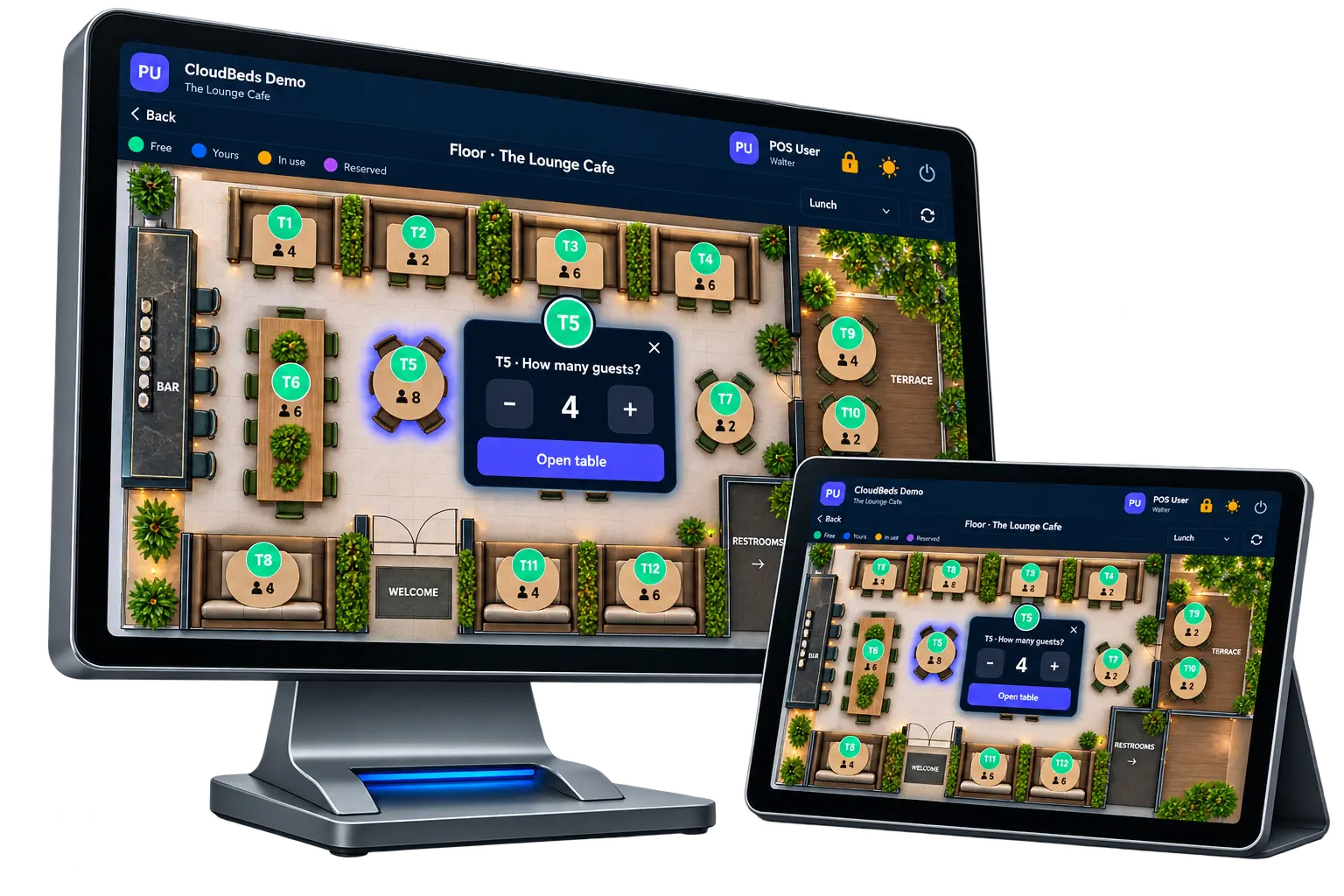
See the room at a glance.
Lay the floor out in sections and seat parties with best-fit by size, so a two-top isn't holding a table meant for six. A visual floor map shows every table's live status — occupied or free — and a table can be locked while it's being worked and released when it clears. Because an order lives on the account and not the device, an open table can be moved or transferred between terminals: start it at the bar, finish it in the dining room.
- Sections with best-fit table selection by party size
- Visual floor map — occupied vs free in real time
- Lock and release tables as they're worked
- Move or transfer an open table between devices
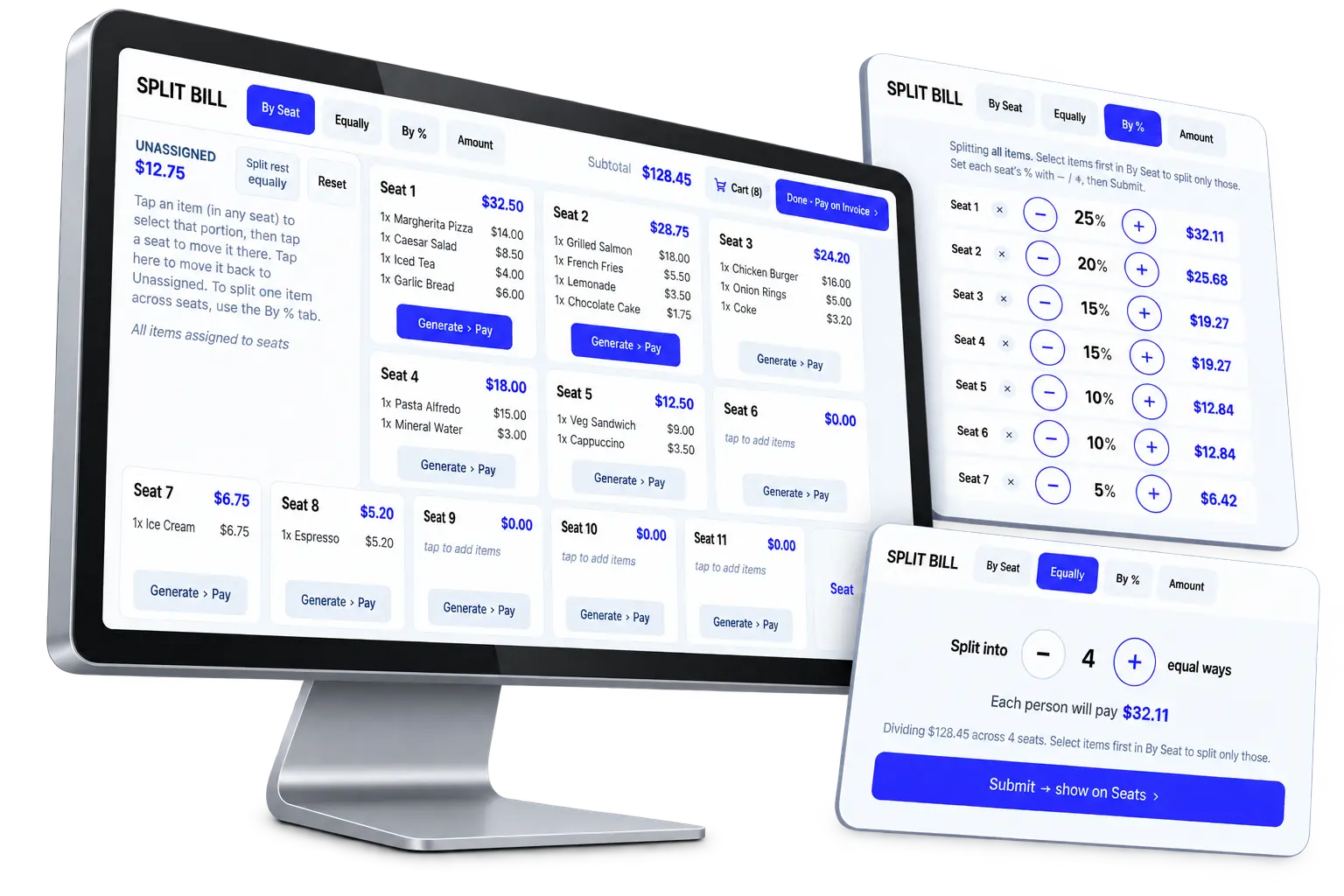
Split bills and close out without the friction.
The check totals cleanly — subtotal, menu and sales tax, service charge and tip — then splits however the guests want to pay: evenly across the table or seat by seat. Settle with as many tenders as it takes on one bill: cash, card, rewards, or a mix. When it's paid, the table settles and releases, the cash drawer stays balanced, and the sale rolls up with the rest of the venue's numbers.
- Subtotal, tax, service charge and tip
- Split bills evenly or by seat
- Multiple tenders — cash, card and rewards on one bill
- Settle and release the table in one step
Everything the shift needs to run itself.
Kitchen display & routing
Orders are sent straight to a kitchen display as you ring them, so the line sees tickets in real time. Items route to the right station, and the expo sees exactly what's fired, coursed and ready.
Cash drawer & shift close
Open and reconcile the drawer, and end every shift with a clean close that reconciles cash, cards and tips — so the numbers are settled before anyone goes home.
Roles & permissions
Staff only do what their role allows. Set discount limits, and gate voids, comps and deletes to managers — so a correction that should need a manager, needs one.
Know your food cost, not just your sales.
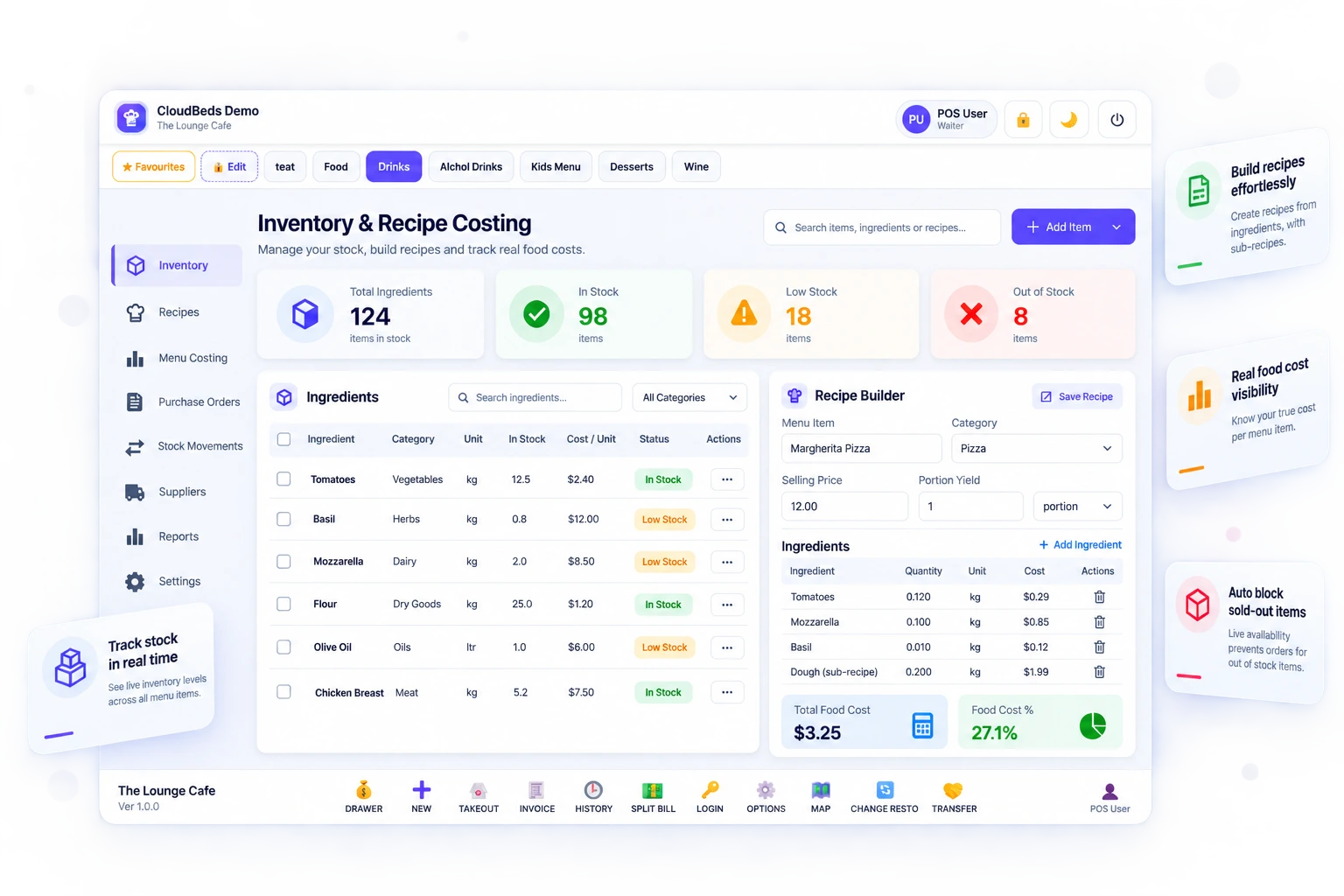
Stock and recipes are built in, not bolted on. Track inventory on menu items and build each recipe from its ingredients — including sub-recipes for a sauce or a prep that feeds several dishes. Live availability blocks a sold-out item before it can be ordered, stock decrements automatically as orders are rung, and because every item is costed against its recipe you can see the real food cost behind the menu, not a guess.
- Track stock on menu items
- Recipes from ingredients, with sub-recipes
- Live availability auto-blocks sold-out items
- Stock auto-decrements — real food cost per item
Charges that land on the right bill.
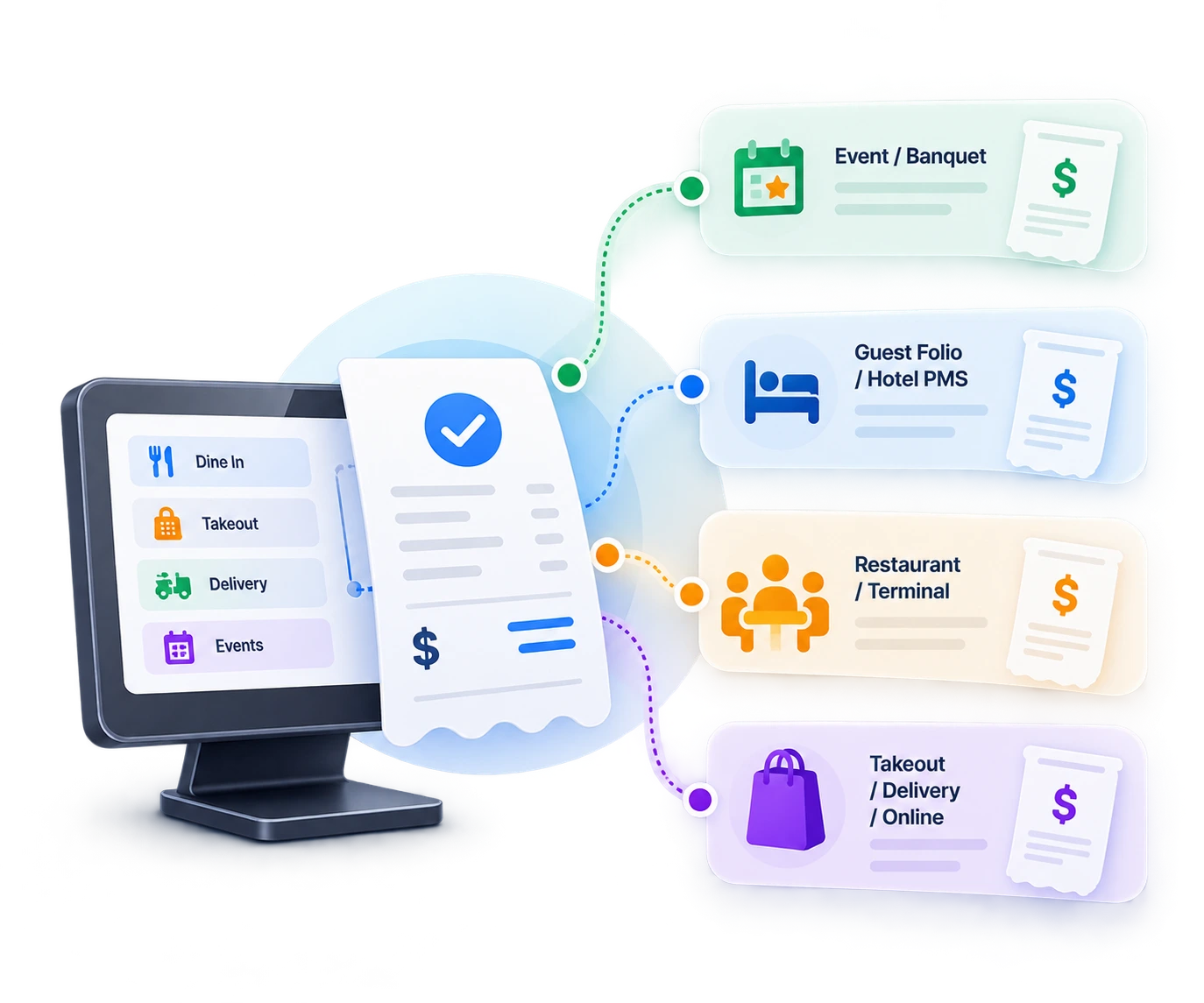
A drink at the bar or a plate in the dining room doesn't have to be a separate transaction. Post a charge straight to the event, or to a guest's folio in the hotel PMS — so a bar tab lands on the banquet bill and a dining charge lands on the room. Run more than one restaurant or terminal on the same account, alongside your LightCater events and, where enabled, takeout, delivery and online orders — one platform, one set of numbers at the end of the night.
- Post charges to the event or the banquet bill
- Post to the guest folio / hotel PMS room
- Multi-restaurant and multi-terminal on one account
- Runs with events and, where enabled, takeout, delivery & online
Built for venues that do more than events.
- Banquet halls and clubs with a restaurant or bar open alongside their events.
- Hotels with F&B outlets — a lounge, café or dining room that needs its own point of sale and posts to the room.
- Members' clubs running a bar or grill on the same site as functions and private bookings.
- Multi-outlet operators running more than one restaurant or terminal from a single account.
If you already run your events in LightCater, adding Resto POS means your restaurant and bar sales live in the same place — no separate till system to reconcile, and a single view of what the venue took in across events and everyday service.
It's an optional add-on, switched on when you're ready and tailored to how your floor, kitchen and hardware are set up.
Restaurant POS questions.
Can several staff share one terminal?
Does it do split bills and multiple payment types?
Does it track inventory and food cost?
Can charges post to the event or a hotel folio?
What hardware and payments are supported?
How much does it cost?
Run your restaurant and your events in one place.
Resto POS is an optional add-on. Tell us how your floor and hardware are set up and we'll put together pricing that fits.